Oxford Reading Buddy: How to use the student report
TL;DR
Access and analyze student assessment data to track progress and engagement efficiently.
Transcript
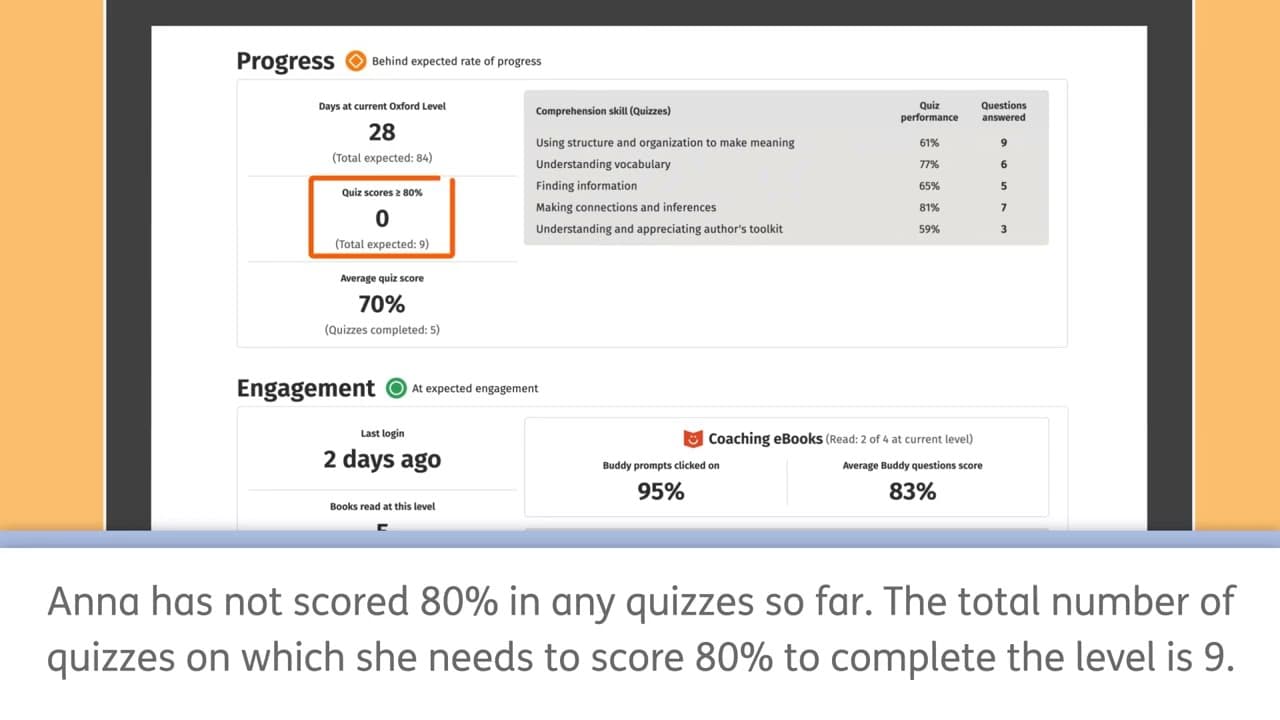
how to use the student reports click on the student report tab click on the arrow next to more to see your students names appear scroll down or use the search field to find the student you want and select their name you can choose to look at the overview or the record of reading we're going to look at the overview in the overview you can see all de... Read More
Key Insights
- 🧑🎓 Access detailed data on student attainment, progress, and engagement through student reports.
- 🧑🎓 Monitor student performance within oxford levels, comprehension skills, and engagement indicators.
- 🧑🎓 Identify students' strengths, weaknesses, and areas needing additional support.
- 🧑🎓 Track student progress, badges earned, and engagement frequency efficiently.
- 🧑🎓 Utilize comprehensive data to make informed decisions about student learning and support.
- 🧑🎓 Analyze quiz and buddy question performance to understand students' comprehension skills.
- 💯 Monitor students' quiz scores, average scores, and completion rates for each oxford level.
Install to Summarize YouTube Videos and Get Transcripts
Explore YouTube Video Summarizer or Get YouTube Transcript Extractor
Questions & Answers
Q: How can I access student reports on Oxford Reading Buddy?
To access student reports, click on the student report tab and select the student's name. You can view detailed data on attainment, progress, and engagement.
Q: What does the attainment section in the student report display?
The attainment section shows the student's performance in terms of oxford level reached, badges earned, and their status against expected attainment levels.
Q: How can I track a student's progress within their current oxford level?
The progress section in the student report allows you to monitor how the student is doing within their current oxford level and drill down to performance against specific comprehension skills.
Q: What information does the engagement area of the student report provide?
The engagement area displays data on how frequently students are logging in, responding to coaching ebooks, and their overall engagement with the program.
Summary & Key Takeaways
-
Use the student report tab to access detailed data on attainment, progress, and engagement for students.
-
Analyze attainment levels, badges earned, progress within oxford levels, and comprehension skill performance.
-
Monitor student engagement by tracking login frequency, coaching ebooks usage, and comprehension skill performance.
Read in Other Languages (beta)
Share This Summary 📚
Summarize YouTube Videos and Get Video Transcripts with 1-Click
Try YouTube Summary with ChatGPT & Claude or YouTube Transcript Generator
Explore More Summaries from Oxford Education 📚



Summarize YouTube Videos and Get Video Transcripts with 1-Click
Try YouTube Summary with ChatGPT & Claude or YouTube Transcript Generator