How to Calculate average in MS Excel
TL;DR
This video teaches two methods to calculate averages in Microsoft Excel.
Transcript
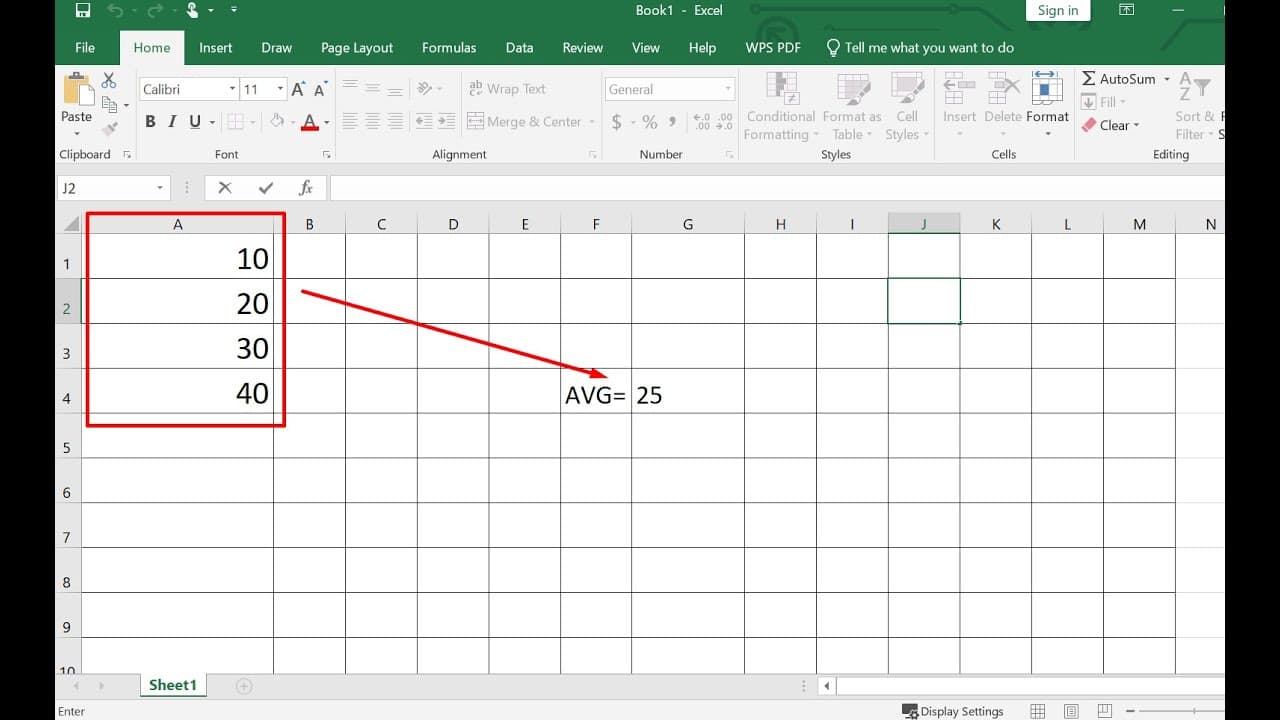
hello in this video i will show you how to calculate the average in microsoft excel so for example we have a1 s10 a2 is 20 is 30 and 84 is 40. so we want to calculate the average of these four numbers you have a option two options the first option is to move your mouse to to the cell you want put the average number here and then you'll go to select... Read More
Key Insights
- 👤 Microsoft Excel provides users with multiple methods to calculate averages, enhancing flexibility in data analysis.
- 👻 Utilizing the AutoSum feature simplifies the calculation process, allowing users to compute averages quickly without remembering formulas.
- 😫 The AVERAGE function can include specific non-contiguous cells in its calculations, which is useful for customized data sets.
- 👤 Excel’s ability to automatically update calculated averages ensures accuracy when data changes, making it a reliable tool for users.
- 👀 Mastering average calculation is essential for users looking to perform basic statistical analysis in Excel effectively.
- 👤 Both methods showcased can be valuable in different contexts, depending on user preferences and specific data requirements.
- ❓ Learning to navigate Excel's formula functions can significantly enhance productivity and efficiency in data management tasks.
Install to Summarize YouTube Videos and Get Transcripts
Explore YouTube Video Summarizer or Get YouTube Transcript Extractor
Questions & Answers
Q: What are the two methods for calculating averages in Excel mentioned in the video?
The video describes two primary methods for calculating averages in Excel. The first method is to use the AutoSum feature, where you can select the cells and choose the average option. The second method involves manually entering the AVERAGE function in a cell, specifying the range or individual cells you want to include in the calculation, providing flexibility for different scenarios.
Q: How do you use the AutoSum feature to calculate the average?
To use the AutoSum feature for average calculation, first, navigate to the cell where you want the result displayed. Click on the AutoSum button, which presents options like Average. Select Average, and the tool will prompt you to highlight the range of numbers you want to include. Upon confirming, Excel automatically computes and displays the average in the chosen cell.
Q: Can you calculate the average with non-contiguous cells?
Yes, you can calculate the average of non-contiguous cells in Excel. To achieve this, you would manually type the AVERAGE function into a cell. For instance, the formula would look like this: =AVERAGE(A1, A3). This indicates that you want to average the values in cells A1 and A3 specifically, allowing for greater control over the calculation.
Q: What is the basic formula structure for calculating an average using the AVERAGE function?
The basic formula structure for calculating an average in Excel using the AVERAGE function is simple. You start by typing "=", followed by "AVERAGE". Within parentheses, you specify the cell references separated by commas or define a range, such as A1:A4. This tells Excel to calculate the average of the indicated cells or range.
Summary & Key Takeaways
-
The video demonstrates how to compute the average of a set of numbers in Microsoft Excel using two main methods.
-
The first method involves using the AutoSum feature to select and calculate the average automatically within the chosen cell.
-
The second method allows users to directly type the formula "AVERAGE" into a cell, specifying the range of numbers or individual cells for a customized calculation.
Read in Other Languages (beta)
Share This Summary 📚
Summarize YouTube Videos and Get Video Transcripts with 1-Click
Try YouTube Summary with ChatGPT & Claude or YouTube Transcript Generator
Explore More Summaries from E Micro Tech 📚

Summarize YouTube Videos and Get Video Transcripts with 1-Click
Try YouTube Summary with ChatGPT & Claude or YouTube Transcript Generator