Which Free Mac Apps Should You Download Now?
TL;DR
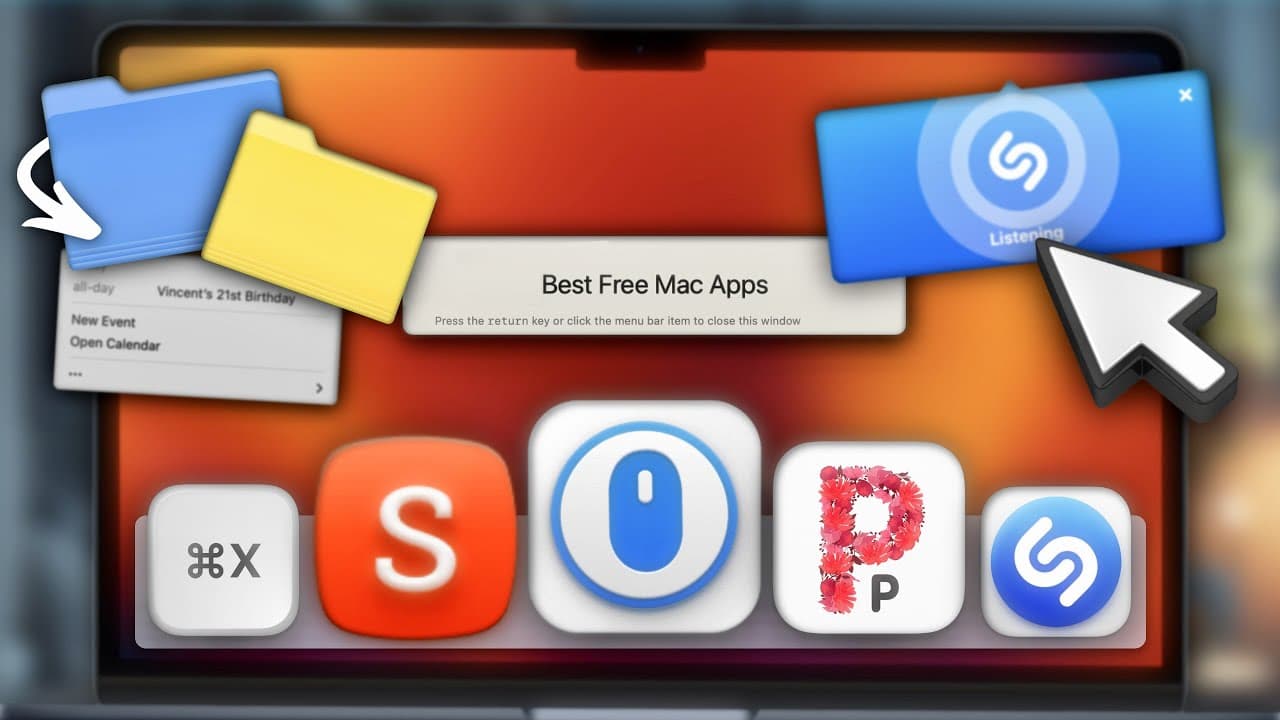
Ten free Mac apps can significantly enhance your productivity and streamline tasks. From a simple calendar manager to a distraction-free reading tool, these apps offer great features that users will appreciate.
Transcript
all right you came for free Mac apps you're gonna get free Mac apps so let's Dive Right into app number 10 which is called today it allows you to view your schedule right from the menu bar without actually having to open your calendar app today perfectly integrates with any calendar app you use as your default and its interface is purposely simple ... Read More
Key Insights
- 📅 Today provides a convenient way to view and manage your schedule without opening a calendar app.
- 🔨 Shutter offers extensive annotation tools and the ability to remove unwanted text from screenshots.
- ❓ Quiet Reader eliminates distractions on text-dominant websites, providing a focused reading experience.
- 📁 Command X brings the cut-and-paste file function from Windows to Mac, simplifying file management.
- 😀 I'll Tab enhances the Mac app switcher by displaying all open windows and enabling easy switching between different windows of the same app.
- 👻 Shazam for Mac allows users to identify songs playing around them and offers one-click shazaming and keyboard shortcuts.
- 🐭 Mac Mouse Fix enables seamless use of third-party mice by customizing button actions and adding keyboard shortcuts.
- 💁 Pure Paste removes formatting from copied text, ensuring consistent formatting when pasting into different documents or emails.
- 🎵 One Thing serves as a digital sticky note, allowing users to store quick notes or reminders in the menu bar.
Install to Summarize YouTube Videos and Get Transcripts
Explore YouTube Video Summarizer or Get YouTube Transcript Extractor
Questions & Answers
Q: How does Today integrate with existing calendar apps?
Today seamlessly integrates with any calendar app you use as your default, allowing you to view your schedule from the menu bar and access specific events without opening the calendar app.
Q: Can Shutter blur confidential parts of a screenshot?
Yes, Shutter offers the option to blur specific confidential parts of a screenshot, making them unreadable. It also has a feature to magically erase unwanted text.
Q: How does Quiet Reader enhance the reading experience on websites?
Quiet Reader removes ads, notifications, tabs, and other background windows, presenting only the essential text and images. It also allows for customization of text size and color.
Q: Does Mac Mouse Fix support third-party mice with additional buttons?
Yes, Mac Mouse Fix allows users to add custom actions to buttons on third-party mice. It also supports adding any additional buttons the mouse may have.
Summary & Key Takeaways
-
Today: A simple calendar app that allows you to view your schedule from the menu bar, with customization options and quick access to events.
-
Shutter: A powerful screenshot app with various annotation options, measurement tools, and the ability to remove unwanted text.
-
Quiet Reader: A distraction-free reading app that presents essential texts and images, removing ads and other clutter on websites.
-
Command X: An app that brings the cut-and-paste file function from Windows to Mac, allowing users to move files easily.
-
I'll Tab: An app that enhances the Mac app switcher by showing all open windows and providing quick access to different windows of the same app.
-
Shazam: A native Mac app that identifies songs playing around you and offers keyboard shortcuts for quick access.
-
Mac Mouse Fix: Allows customization of actions for mouse buttons, enabling seamless use of third-party mice on a Mac.
-
Pure Paste: An app that automatically removes formatting when pasting text, ensuring consistency across documents or emails.
-
One Thing: A simple app that allows you to type and store snippets of text in your menu bar as quick notes or reminders.
-
Latest: An app that checks for app updates, providing a quick overview of changes and allowing for easy updates in one place.
Read in Other Languages (beta)
Share This Summary 📚
Summarize YouTube Videos and Get Video Transcripts with 1-Click
Try YouTube Summary with ChatGPT & Claude or YouTube Transcript Generator
Explore More Summaries from MacVince 📚
Summarize YouTube Videos and Get Video Transcripts with 1-Click
Try YouTube Summary with ChatGPT & Claude or YouTube Transcript Generator