Kaspersky vs Bitdefender Free: Which Is Better for You?
TL;DR
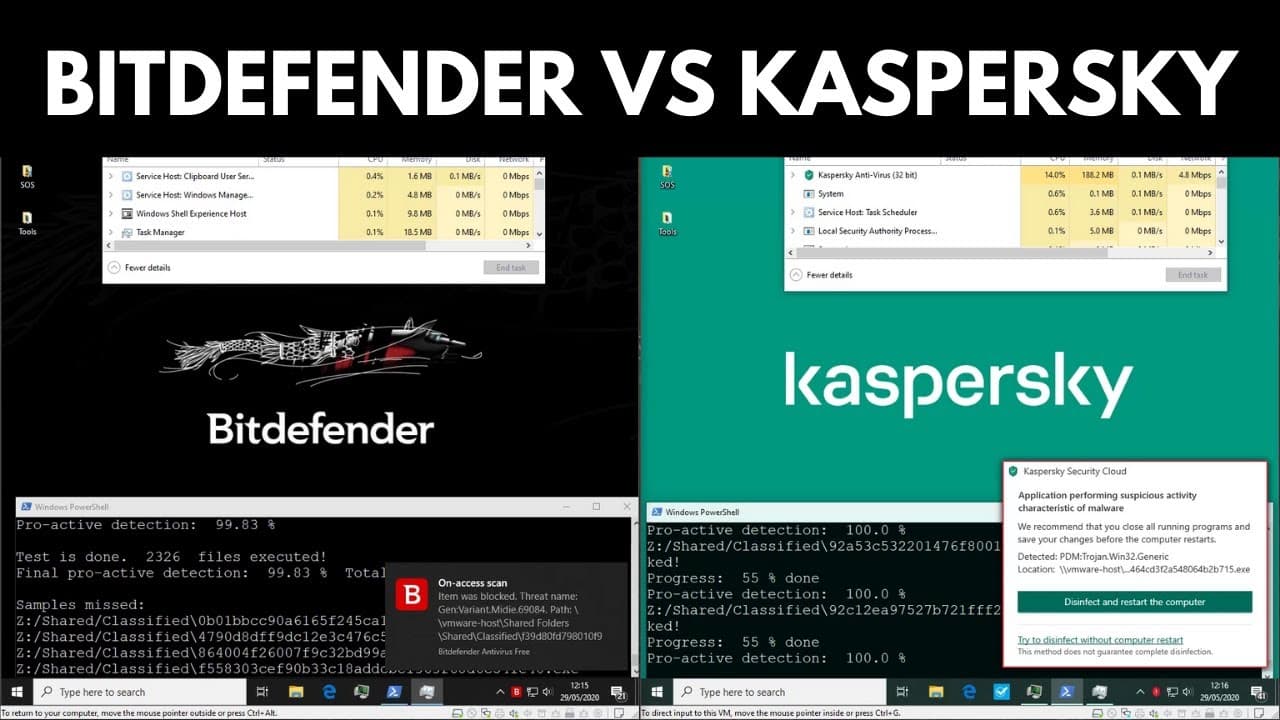
Kaspersky achieved 100% proactive malware detection, while Bitdefender missed only four samples, reaching 99.83%. Kaspersky offers more customization options, though it uses more CPU and has a longer scan time. Bitdefender is faster and uses less CPU, making it a better choice for users seeking a minimalist experience.
Transcript
hello and welcome to the PC security channel today we'll be testing Kaspersky versus bed Defender the free a V's these are likely your first alternatives if you don't want to use Windows Defender so I just wanted to give these guys a comprehensive test we will talk a bit more about the AVS in specific and what they offer but first let's introduce y... Read More
Key Insights
- 🫒 Kaspersky and Bit Defender were tested with 2326 live malware samples, with Kaspersky achieving 100% proactive detection.
- 👋 Both products had real-time protection enabled and showed good performance during the test.
- 👤 Kaspersky offers more customization options and features, while Bit Defender provides a cleaner and more minimalist user experience.
- 😒 In terms of resource usage, Kaspersky uses less RAM but more CPU, while Bit Defender uses more RAM but less CPU.
- 💪 Both antivirus solutions are strong alternatives to Windows Defender, providing reliable protection against malware.
- 🥶 Kaspersky may be a better choice for users who value customization and advanced features, while Bit Defender is suitable for those looking for a clutter-free experience.
- 🥡 The time taken for the test was longer for Kaspersky compared to Bit Defender, with Kaspersky taking over 24 minutes and Bit Defender close to 14 minutes.
Install to Summarize YouTube Videos and Get Transcripts
Explore YouTube Video Summarizer or Get YouTube Transcript Extractor
Questions & Answers
Q: How many live malware samples were used in the test?
In the test, 2326 live malware samples were used to evaluate the performance of Kaspersky and Bit Defender.
Q: Which antivirus achieved 100% proactive detection?
Kaspersky achieved 100% proactive detection in the test, making it highly effective in identifying and defending against malware.
Q: How many samples did Bit Defender miss?
Bit Defender missed only four samples out of the 2326 tested, making it a strong contender in terms of malware detection and prevention.
Q: What are the resource usage differences between Kaspersky and Bit Defender?
Kaspersky uses less RAM but more CPU, while Bit Defender uses more RAM but less CPU. These differences may impact system performance and resource utilization.
Summary & Key Takeaways
-
Kaspersky and Bit Defender were tested with 2326 live malware samples using an automation tool called Mallets.
-
Both products had real-time protection enabled and were tested for proactive defenses.
-
Kaspersky achieved 100% proactive detection, while Bit Defender missed only four samples.
Read in Other Languages (beta)
Share This Summary 📚
Summarize YouTube Videos and Get Video Transcripts with 1-Click
Try YouTube Summary with ChatGPT & Claude or YouTube Transcript Generator
Explore More Summaries from The PC Security Channel 📚






Summarize YouTube Videos and Get Video Transcripts with 1-Click
Try YouTube Summary with ChatGPT & Claude or YouTube Transcript Generator