How to Create a Facebook Landing Page (UPDATED!)
TL;DR
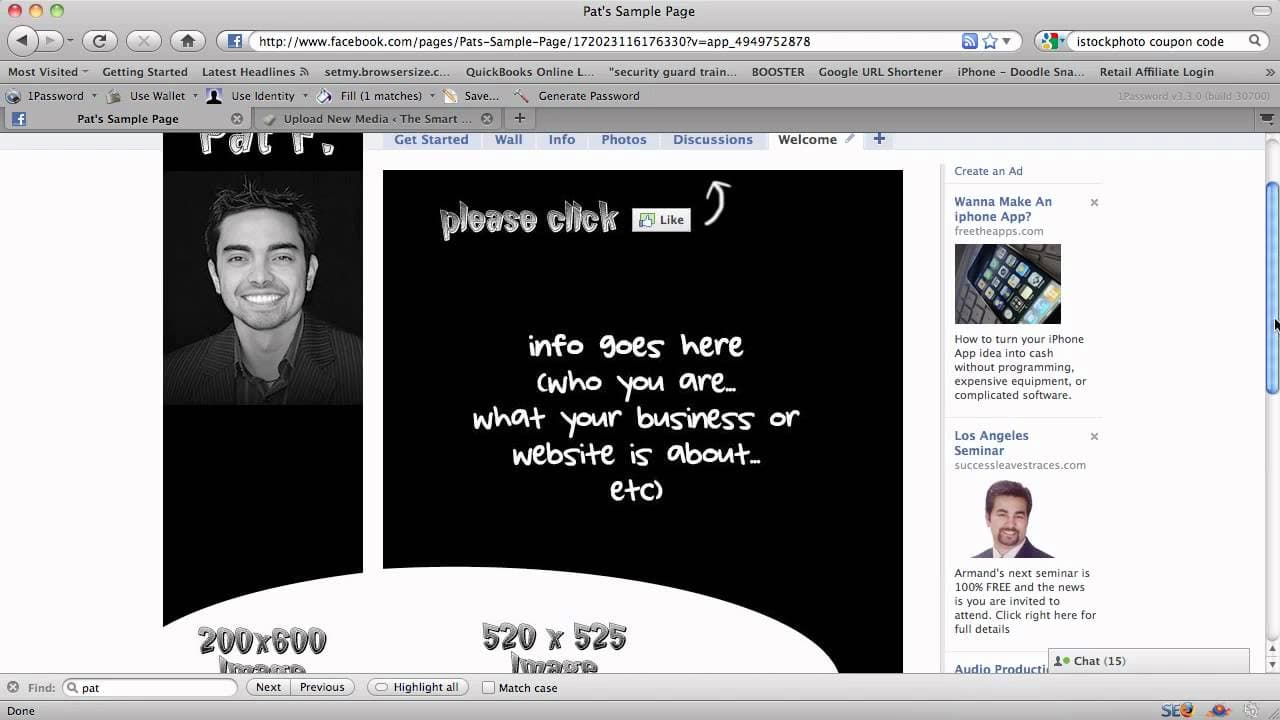
This video tutorial explains how to create a simple Facebook landing page using a custom image and the static fbml application.
Transcript
so now we're going to show you how to create a Facebook landing page and the first you know there's a lot of different ways to do it and I do it the simplest way uh where there's the least amount of code possible because there there is some kind of coding involved that's it's a language called fbml um you know if you wanted to get fancy you could a... Read More
Key Insights
- 📟 Creating a Facebook landing page involves uploading a custom image and using the static fbml application to display the image as the landing page.
- 💁 The image should be visually appealing, contain relevant information about the business, and include a clear call to action.
- 📟 The recommended image size for the landing page is 520x525 pixels.
- 📟 If the option to set the landing page as the default tab is not available, a custom link can be used to bring visitors directly to the landing page.
- 📃 Custom URLs for Facebook pages can be obtained once the page has at least 25 fans.
- 🎨 Connecting images to create a continuous design can enhance the visual appeal of the landing page.
- 👻 Various websites and image hosting platforms can be used to host the image for the landing page.
Install to Summarize YouTube Videos and Get Transcripts
Explore YouTube Video Summarizer or Get YouTube Transcript Extractor
Questions & Answers
Q: What is a Facebook landing page?
A Facebook landing page is the first page that users see when they visit a Facebook page. It is designed to provide information about the business and encourage users to take a specific action, such as liking the page.
Q: Why is the image size mentioned important?
The image size mentioned (520x525 pixels) is recommended because it fits well with the layout of the Facebook page and allows for a visually appealing design.
Q: Can the image be hosted on any website?
Yes, the image can be hosted on any website or image hosting platform as long as you can obtain the direct link to the image file.
Q: How can the landing page be set as the default tab?
The landing page can be set as the default tab by going to the page settings, selecting "manage permissions," and changing the default landing tab to the name of the landing page.
Q: What if the user does not have the option to set the landing page as the default tab?
If the option is not available, the user can create a custom link to the landing page and use it as a redirect URL to bring visitors directly to the landing page.
Q: Is it possible to customize the URL of a Facebook page?
Yes, once a Facebook page has at least 25 fans, the page owner can customize the URL by going to facebook.com/username and selecting a suitable username for the page.
Q: How can images be connected to create a continuous design?
Images can be connected by designing them in a way that allows for a flow or continuation of visuals. This can be achieved by experimenting with various design elements and ensuring they align well when displayed together.
Summary & Key Takeaways
-
The video tutorial demonstrates how to create a Facebook landing page using a custom image and minimal coding.
-
The first step is to create and upload an image that will serve as the landing page. The image should contain information about the business and a clear call to action.
-
The next step involves adding the static fbml application to the Facebook page and inserting the image code to display the landing page.
Read in Other Languages (beta)
Share This Summary 📚
Summarize YouTube Videos and Get Video Transcripts with 1-Click
Try YouTube Summary with ChatGPT & Claude or YouTube Transcript Generator
Explore More Summaries from Pat Flynn 📚



Summarize YouTube Videos and Get Video Transcripts with 1-Click
Try YouTube Summary with ChatGPT & Claude or YouTube Transcript Generator