Facebook Timeline for Pages Tutorial - Getting Started
TL;DR
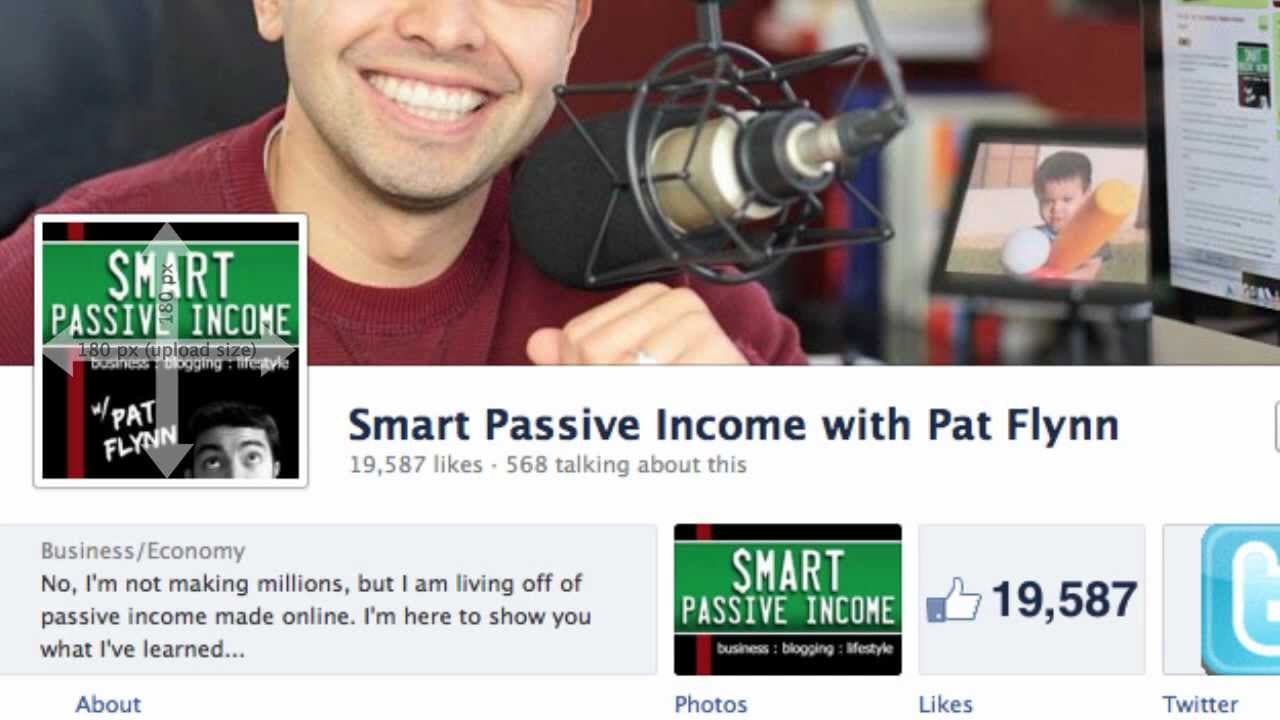
This video provides a beginner's guide to Facebook Timeline for Pages, covering key features such as cover images, profile pictures, app thumbnails, pinning, highlighting, and milestones.
Transcript
Hey what's up this is Pat Flynn from SmartPassiveIncome.com. If you're brand new to Timeline for Facebook PAGES, this video is exactly what you need. I'm going to give you a fast track lesson on how timeline works and the most important things you understand before diving into it. In this video, I'm going to cover the Cover Art or Cover Image like ... Read More
Key Insights
- 📔 The timeline cover is the first impression for visitors, and it is crucial to adhere to Facebook's rules regarding its content.
- 📟 The profile image can be customized, and it becomes the thumbnail for conversations on the page.
- 😀 App thumbnails can be edited and replaced with third-party apps, allowing for calls to action.
- 😴 Pinning posts makes them sticky and keeps them at the top left of the timeline for a maximum of 7 days.
- 🏣 Highlighting posts makes them double wide and ideal for emphasizing important content.
- 👻 Milestones allow for the inclusion of significant events in a company's history, with a date and description.
- 🏣 Responding and interacting with recent posts by others is essential for engagement on the page.
Install to Summarize YouTube Videos and Get Transcripts
Explore YouTube Video Summarizer or Get YouTube Transcript Extractor
Questions & Answers
Q: What are the important rules to follow when creating a cover image for a Facebook page?
Facebook prohibits including price or purchase info, contact info, references to other features, and calls to actions in the cover image.
Q: Can the profile image be customized?
Yes, the profile image can be uploaded and edited. Most people use their logo, and some incorporate it as part of the cover image.
Q: Can app thumbnails be changed on a Facebook page?
Yes, app thumbnails can be edited and swapped out for others. The dimensions for app thumbnails are 111 pixels wide by 74 pixels tall.
Q: How can I create a connected cover image, profile picture, and app thumbnails?
A PSD file is available at smartpassiveincome.com/timeline to help create these images at the correct sizes.
Summary & Key Takeaways
-
The top portion of a Facebook page is the timeline cover, an 851 x 315 pixel image that acts as the first impression for visitors.
-
Cover images have certain rules, such as no price or purchase info, no contact info, and no references to other Facebook features.
-
The profile image is a 125 x 125 pixel box that serves as a thumbnail for conversations, and it can be personalized or made a part of the cover image.
Read in Other Languages (beta)
Share This Summary 📚
Summarize YouTube Videos and Get Video Transcripts with 1-Click
Try YouTube Summary with ChatGPT & Claude or YouTube Transcript Generator
Explore More Summaries from Pat Flynn 📚



Summarize YouTube Videos and Get Video Transcripts with 1-Click
Try YouTube Summary with ChatGPT & Claude or YouTube Transcript Generator