Products
Features
YouTube Video Summarizer
Summarize YouTube videos
Web & PDF Highlighter
Highlight web pages & PDFs
Chat with PDF
Ask any PDF questions with AI
Ask AI Clone
Chat with your highlights & memories
Audio Transcriber
Transcribe audio files to text
Glasp Reader
Read and highlight articles
Kindle Highlight Export
Export your Kindle highlights
Idea Hatch
Hatch ideas from your highlights
Integrations
Obsidian Plugin
Notion Integration
Pocket Integration
Instapaper Integration
Medium Integration
Readwise Integration
Snipd Integration
Hypothesis Integration
Apps & Extensions
Chrome Extension
Safari Extension
Edge Add-ons
Firefox Add-ons
iOS App
Android App
Discover
Discover
Ideas
Discover new ideas and insights
Articles
Curated articles and insights
Books
Book recommendations by great minds
Posts
Essays and notes from readers
Quotes
Inspiring quotes collection
Videos
Curated videos and summaries
Explore Glasp
Glasp Newsletter
Weekly insights and updates
Glasp Talk
Interview series with great minds
Glasp Blog
Latest news and articles
Glasp Use Cases
Learn how others use Glasp
Build & Support
Glasp API
Access Glasp's API for developers
MCP Connector
Connect Glasp to Claude & ChatGPT
Community
Glasp Reddit Community
Students
Student discount and benefits
FAQs
Frequently Asked Questions
AboutPricing
DashboardLog inSign up

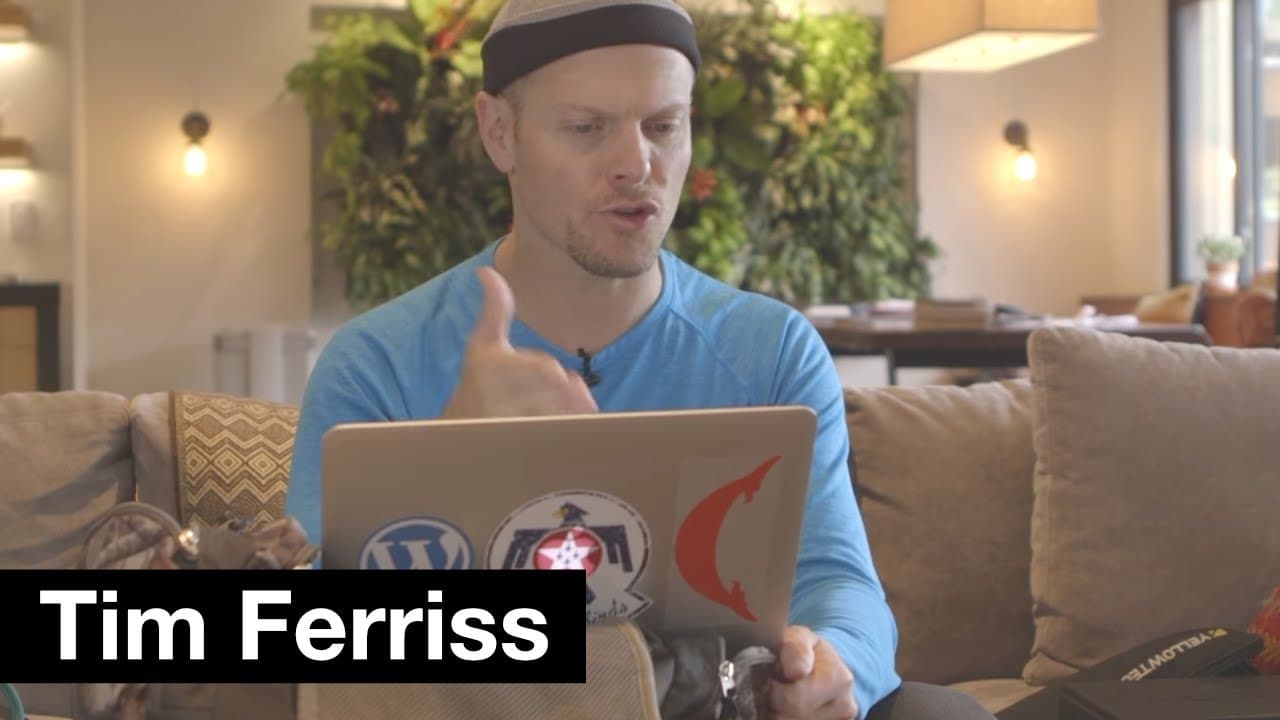
Tim Ferriss shares his podcast setup | Tim Ferriss
129.9K views
•
July 20, 2017
by
Tim Ferriss
YouTube video player
Tim Ferriss shares his podcast setup | Tim Ferriss

TL;DR

Tim Ferriss explains his essential podcasting gear for in-person and remote interviews.

Transcript

hey guys I'm going to explain the podcast gear that I use for both in-person and remote interviews and the location right now if the couch in my living room and this couch is where a lot of my interviews have been recorded whether that's with micro Adam Robinson many many others Dave Camarillo they typically sit here and then I sit over here and th... Read More

Key Insights

  • ☠️ Backup equipment, like extra batteries and SD cards, is crucial for uninterrupted podcast recording.
  • 🎙️ Using versatile microphones with both XLR and USB connections enhances flexibility in recording setups.
  • 🛀 Tim Ferriss recommends remote interviews via Skype for better note-taking and guest comfort.
  • 🎵 Evernote is a valuable tool for organizing interview notes and collaborating with editors.
  • 🏣 Simplifying podcasting workflows, like utilizing Dropbox for file sharing, can streamline post-production processes.
  • 🤩 Collaborating effectively with editors and team members is key to successful podcast production.
  • 🎙️ Tim Ferriss stresses the importance of simplicity in podcast gear to avoid unnecessary technical issues.

Install to Summarize YouTube Videos and Get Transcripts

Explore YouTube Video Summarizer or Get YouTube Transcript Extractor

Questions & Answers

Q: What is the significance of having backup SD cards in podcasting?

Backup SD cards are essential in podcasting as technical issues can arise unexpectedly. Having backups ensures uninterrupted recording and peace of mind during interviews.

Q: How does Tim Ferriss recommend recording remote interviews?

Tim Ferriss suggests using a USB mic, like the ATR 2100, for remote interviews. This mic offers both XLR and USB connections, making it versatile for various recording setups.

Q: Why does Tim Ferriss prefer recording interviews via Skype rather than in-person?

Tim Ferriss believes that recording interviews via Skype puts guests at ease and allows for better note-taking and research during the conversation. This method also reduces distractions for the interviewee.

Q: How does Tim Ferriss collaborate with editors and streamline post-production for his podcasts?

Tim Ferriss uses tools like Dropbox and Evernote to share audio files, edit notes, and other materials with editors. He follows a structured process to ensure smooth collaboration and efficient post-production.

Summary & Key Takeaways

  • Tim Ferriss showcases his podcasting gear, including specialized microphones and recording devices.

  • He emphasizes the importance of backup equipment like extra batteries and SD cards.

  • Tim shares his tips on preparing for interviews, whether in-person or remote, highlighting tools like Evernote.


Read in Other Languages (beta)

English

Share This Summary 📚

Summarize YouTube Videos and Get Video Transcripts with 1-Click

Download browser extensions on:

Try YouTube Summary with ChatGPT & Claude or YouTube Transcript Generator

Explore More Summaries from Tim Ferriss 📚
Strange Metaphysical Experiences in Poker Champion Liv Boeree's Life | The Tim Ferriss Show thumbnail
Strange Metaphysical Experiences in Poker Champion Liv Boeree's Life | The Tim Ferriss Show
Tim Ferriss
Naval Ravikant — The Person I Call Most for Startup Advice | The Tim Ferriss Show (Podcast) thumbnail
Naval Ravikant — The Person I Call Most for Startup Advice | The Tim Ferriss Show (Podcast)
The Tim Ferriss Show
The (Very) Strange New Home of Entrepreneur Derek Sivers thumbnail
The (Very) Strange New Home of Entrepreneur Derek Sivers
Tim Ferriss
Training Lessons from CrossFit Champion Jason Khalipa | Tim Ferriss thumbnail
Training Lessons from CrossFit Champion Jason Khalipa | Tim Ferriss
Tim Ferriss
Tony Fadell — Stories of Steve Jobs, Product Design, Good Assholes vs. Bad Assholes, and More thumbnail
Tony Fadell — Stories of Steve Jobs, Product Design, Good Assholes vs. Bad Assholes, and More
The Tim Ferriss Show
Rules for Better Thinking, How to Reduce Blind Spots, & More | Shane Parrish | The Tim Ferriss Show thumbnail
Rules for Better Thinking, How to Reduce Blind Spots, & More | Shane Parrish | The Tim Ferriss Show
The Tim Ferriss Show

Summarize YouTube Videos and Get Video Transcripts with 1-Click

Download browser extensions on:

Try YouTube Summary with ChatGPT & Claude or YouTube Transcript Generator

Apps & Extensions

  • Chrome Extension
  • Safari Extension
  • Edge Add-ons
  • Firefox Add-ons
  • iOS App
  • Android App

Key Features

  • YouTube Video Summarizer
  • Web & PDF Summarizer
  • Web & PDF Highlighter
  • Chat with PDF
  • Ask AI Clone
  • Audio Transcriber
  • Glasp Reader
  • Kindle Highlight Export
  • Idea Hatch

Integrations

  • Obsidian Plugin
  • Notion Integration
  • Pocket Integration
  • Instapaper Integration
  • Medium Integration
  • Readwise Integration
  • Snipd Integration
  • Hypothesis Integration

More Features

  • APIs
  • MCP Connector
  • Blog & Post
  • Embed Links
  • Image Highlight
  • Personality Test
  • Quote Shots

Company

  • About us
  • Blog
  • Community
  • FAQs
  • Job Board
  • Newsletter
  • Pricing
Terms

•

Privacy

•

Guidelines

© 2026 Glasp Inc. All rights reserved.