How to Use Zeppelin for Effective Design Handoffs
TL;DR
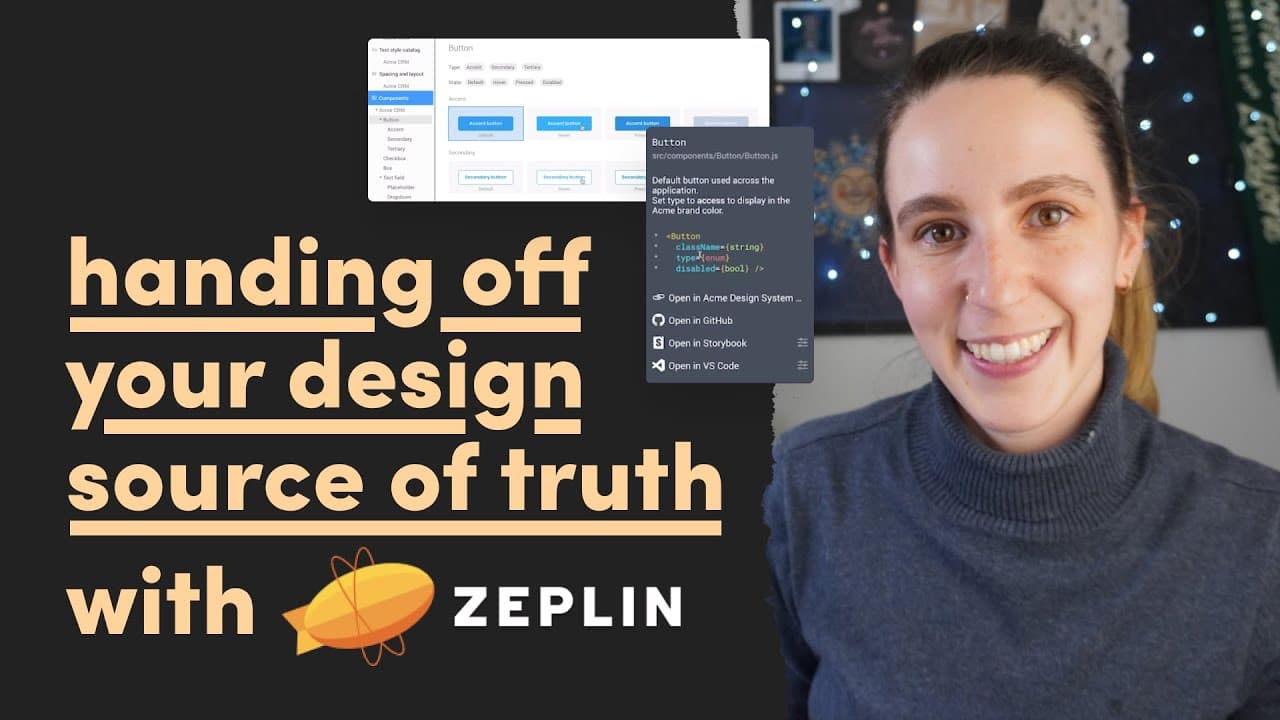
Zeppelin streamlines design handoffs by serving as a clear source of truth for finalized designs, enhancing collaboration between designers and engineers. It allows exporting designs from Figma, managing iterations, integrating with tools like Jira, and provides features such as color-coded notes and version history to ensure effective communication and organization.
Transcript
hey friend last year i uploaded a video all about the design handoff part of the process and so many of you enjoyed this video and told me how helpful it was thank you so much for all the positive feedback on that video and because of that i want to dive deeper into how to effectively hand off your designs to engineering and this time i'm going to ... Read More
Key Insights
- 😫 The design handoff process is critical, as it sets the foundation for successful product implementation by engineers.
- 🛟 Zeppelin provides a structured environment that serves as the definitive source for finalized designs, minimizing ambiguity.
- 🎮 By using plugins like Zeppelin in conjunction with Figma, designers can streamline the workflow and maintain control over design iterations easily.
- 🍻 Integration of tools such as Jira within Zeppelin enhances functionality and project management, creating direct links between design and development tasks.
- 😤 Color-coded notes in Zeppelin facilitate effective communication, allowing teams to categorize feedback and manage collaboration efficiently.
- 🎨 The version history feature in Zeppelin not only documents changes but also provides context through commit messages that clarify the evolution of designs.
- 🎨 Utilizing style guides in Zeppelin ensures consistency in design implementation, helping bridge the gap between design and engineering processes.
Install to Summarize YouTube Videos and Get Transcripts
Explore YouTube Video Summarizer or Get YouTube Transcript Extractor
Questions & Answers
Q: What is the significance of the design handoff in the design process?
The design handoff is a key phase where designers transfer their finalized designs and documentation to engineers. This step ensures that developers can implement the designs accurately into the final product. A solid handoff reduces misunderstandings and clarifications that often arise from vague or incomplete design descriptions, leading to a smoother development process. Effective documentation is vital as it serves as a guide for engineers during implementation.
Q: How does Zeppelin improve the handoff process compared to traditional methods?
Zeppelin enhances the handoff process by providing a centralized workspace where finalized designs can be uploaded, making them easily accessible to the entire team. This prevents confusion that can arise from multiple design versions found in tools like Figma. Additionally, Zeppelin allows designers to manage versions and updates effectively while giving engineers clear indications of which designs are the latest and include collaboration notes, which helps streamline communication.
Q: Can Zeppelin integrate with other tools used in development, and how?
Yes, Zeppelin can integrate with various tools, such as Jira and Slack. This integration enables teams to link specific screens within Zeppelin to corresponding Jira tickets, facilitating a seamless workflow between design and development. This connectivity not only keeps team members informed about relevant design updates but also allows engineers to prioritize work based on the status of design components and related tickets, enhancing overall project management.
Q: What features of Zeppelin assist with collaboration between designers and engineers?
Zeppelin offers multiple collaboration features like leaving notes on specific designs and color-coding them to categorize the types of feedback. These notes can be attached to particular elements, prompting discussions and clarifications about specific design aspects. Furthermore, the version history feature allows team members to view past iterations and commit messages made during uploads, fostering transparency and informed decision-making regarding design changes.
Q: How can designers maintain version control in Zeppelin during the design process?
Designers can maintain version control by utilizing the commit message feature within Zeppelin. Each time they export designs from Figma into Zeppelin, they can add a description of the changes being made. This creates a clear historical log of updates, which helps the team understand what revisions have been made and why, mitigating confusion about design variations and promoting effective communication about the current state of the design.
Q: What is a 'style guide' in Zeppelin, and how does it benefit the development process?
A style guide in Zeppelin is a comprehensive reference that includes design elements, specifications, and properties linked directly to components in the engineering code base. This allows developers to access predefined styles, colors, and components without attempting to recreate them from scratch. By providing these resources in an accessible format, Zeppelin enables engineers to implement designs consistently, reducing errors and speeding up the development process.
Q: How do tags work in Zeppelin, and what purpose do they serve?
Tags in Zeppelin are used to categorize screens and indicate their status, such as "ready for development" or "blocked on design." This organizational feature allows team members to filter through screens based on tags, making it easier to prioritize tasks and identify which designs require further work or review. Tags enhance clarity in the design handoff process by clearly marking the readiness of various screens for implementation.
Q: What are the advantages of using a platform like Zeppelin over relying solely on Figma for design handoff?
Utilizing Zeppelin offers significant advantages, such as a clear source of truth for final designs, better organization of design files, and the ability to collaborate seamlessly across teams. Zeppelin's features reduce confusion around design versions, integrate with development tools like Jira, and provide a structured workspace. This improves the transition from design to engineering by ensuring everyone is on the same page, enhancing efficiency and reducing unnecessary back-and-forth between designers and engineers.
Summary & Key Takeaways
-
The design handoff is crucial, and Zeppelin simplifies this process by providing a clear source of truth for finalized designs, making it easier for teams to collaborate.
-
Using the Figma plugin, designers can export their designs to Zeppelin, helping them manage iterations and ensuring engineers have access to the final screens without confusion.
-
Key features of Zeppelin include integration with tools like Jira, the ability to leave collaboration notes, and a style guide to bridge design and engineering workflows, ultimately enhancing productivity.
Read in Other Languages (beta)
Share This Summary 📚
Summarize YouTube Videos and Get Video Transcripts with 1-Click
Try YouTube Summary with ChatGPT & Claude or YouTube Transcript Generator
Explore More Summaries from femke.design 📚


Summarize YouTube Videos and Get Video Transcripts with 1-Click
Try YouTube Summary with ChatGPT & Claude or YouTube Transcript Generator