The ONLY Way to Steal Color Grading That Works 100%!!! - Photoshop Tutorial
TL;DR
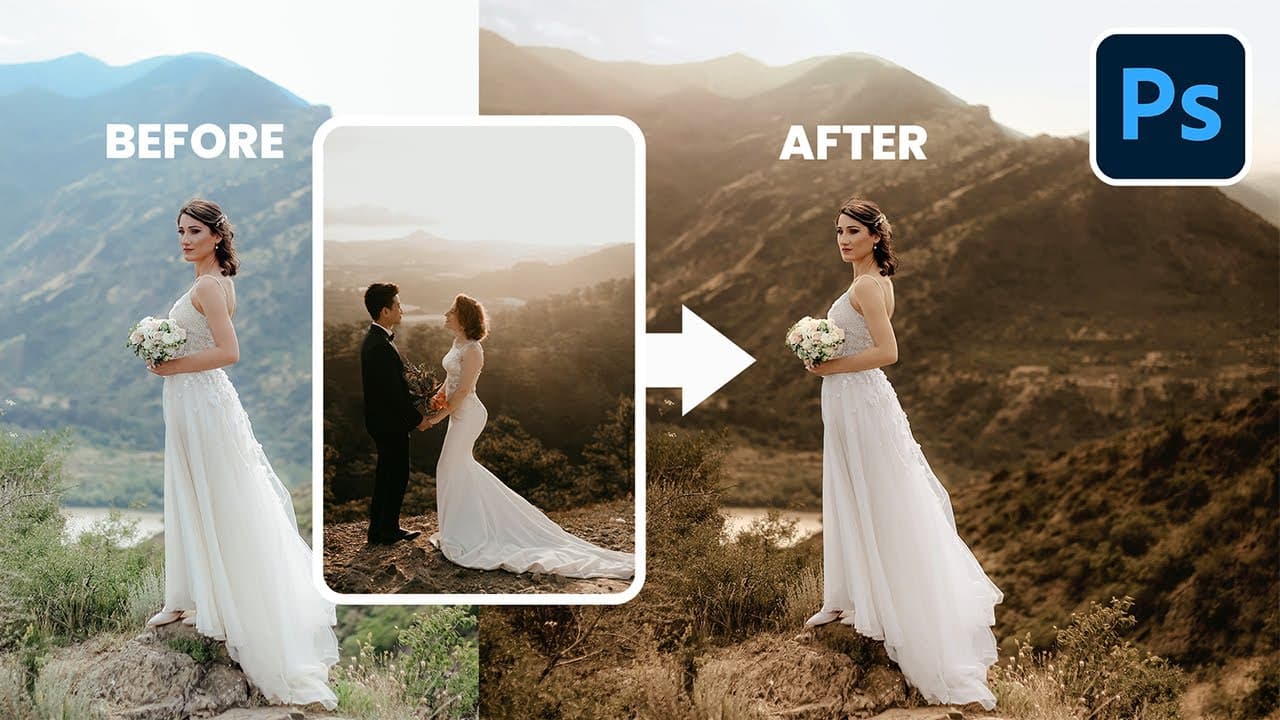
Learn how to effectively match colors in Photoshop by using common sense and logic instead of relying on one-size-fits-all techniques.
Transcript
do you want to know the secret technique to extract colors from one image and just apply it on the other well I'm so sorry to tell you that there isn't one most of the times we have to use our common sense now I know that we have created videos on techniques to Simply copy colors using curves using the three points and all of those techniques are f... Read More
Key Insights
- 😒 There is no one-size-fits-all technique for color matching in Photoshop; it requires the use of common sense and logic.
- 🔅 Consider the overall composition, lighting, brightness, and contrast when matching colors between images.
- 🍁 Techniques like luminosity checklists, selection tools, curves adjustment layers, gradient maps, and color lookup adjustment layers can all be useful in achieving accurate color matching.
- 😒 Pay attention to specific elements like the sky, ground, or subjects, and use targeted adjustments to match colors more precisely.
- 👀 Take breaks and revisit your image to ensure that the adjustments still look satisfactory.
- 👀 Experiment with different techniques and variations to achieve the desired look and unique artistic vision.
- ❓ Learn and understand the concepts and techniques in Photoshop, rather than simply memorizing specific steps.
Install to Summarize YouTube Videos and Get Transcripts
Explore YouTube Video Summarizer or Get YouTube Transcript Extractor
Questions & Answers
Q: Is there a universal technique for color matching in Photoshop?
No, there isn't. Every image is unique and requires the use of common sense and logic to determine the best approach for color matching. Techniques like curves adjustment layers and luminosity checklists can be helpful, but they may not work for every image.
Q: How can I match the brightness and contrast between the subject and the background?
By creating a curves adjustment layer and selecting the subject and background separately, you can adjust the highlights and shadows to achieve a consistent look. This will help make the subject stand out and ensure a cohesive composition.
Q: Can I make specific elements, like the sky or ground, match better with the reference image?
Yes, using techniques like gradient maps and additional curves adjustment layers, you can target specific elements and make adjustments to match the colors more accurately. Gradual transitions, careful sampling of colors, and mask adjustments can help achieve the desired results.
Q: How can I add warmth and punch to the image?
By using tools like the color lookup adjustment layer and choosing the "crisp warm" preset, you can instantly add warmth to the image. Adjusting the opacity of the adjustment layer will allow you to control the intensity of the effect.
Summary & Key Takeaways
-
There is no secret technique to effortlessly extract and apply colors from one image to another; it requires the use of common sense and logic.
-
Matching colors involves considering the overall composition, lighting, brightness, and contrast between the subject and background.
-
Creating luminosity checklists, using selection tools, and applying curves adjustment layers help to address brightness and contrast issues.
Read in Other Languages (beta)
Share This Summary 📚
Summarize YouTube Videos and Get Video Transcripts with 1-Click
Try YouTube Summary with ChatGPT & Claude or YouTube Transcript Generator
Explore More Summaries from PiXimperfect 📚



Summarize YouTube Videos and Get Video Transcripts with 1-Click
Try YouTube Summary with ChatGPT & Claude or YouTube Transcript Generator