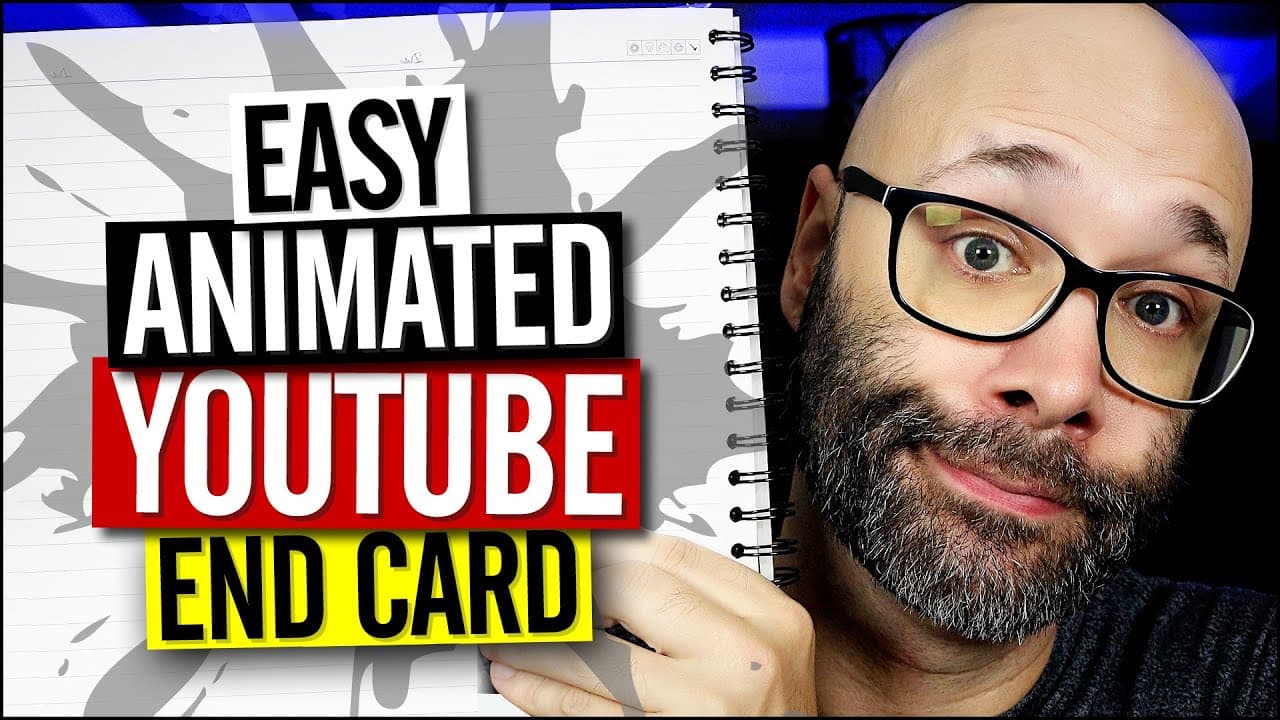
How To Make An End Card For YouTube On Your iPhone (Free)
TL;DR
Use Video Leap app on iPhone to create customized YouTube video in-screens for engagement.
Transcript
I'm gonna show you how to make an in screen for your YouTube videos on your phone that looks like this so you can remind people to subscribe or simply thank them for watching and we're starting right now okay so the very first thing you want to do for this is you want to download an app called video leap you can install that free through the link i... Read More
Key Insights
- 😄 Video Leap app enables iPhone users to create custom in-screens for YouTube videos with ease.
- 🧘 Shooting diverse video clips and editing them for in-screen elements adds visual interest.
- 🫵 Enhancing in-screens with text, animations, filters, and effects boosts viewer engagement.
- 🫵 Keeping in-screens concise and visually appealing encourages viewer actions like subscribing and watching more videos.
- 🧘 Exporting in-screen creations ensures seamless integration with video editing workflow for polished YouTube content.
- 👀 Experimenting with various visual elements like animations, filters, and effects enhances the overall look of in-screens.
- 🫵 Creating dynamic in-screens with motion and engaging text prompts viewer interaction and boosts video retention.
Install to Summarize YouTube Videos and Get Transcripts
Explore YouTube Video Summarizer or Get YouTube Transcript Extractor
Questions & Answers
Q: How can Video Leap help in creating YouTube video in-screens?
Video Leap is a free app that allows iPhone users to create custom in-screens for YouTube videos, enabling enhanced engagement with viewers through visually appealing elements.
Q: What are some key features to consider when adding content to in-screens?
Important features include shooting various video clips for in-screen elements, adding animations, text overlays, adjusting visuals like contrast, saturation, and using relevant filters for visual impact.
Q: Why is it essential to keep in-screens concise and engaging?
A concise and engaging in-screen helps maintain viewer interest, prompt actions like subscribing or watching more videos, and enhances overall video retention through visually appealing elements.
Q: How can exporting in-screen creations enhance video editing workflow?
Exporting in-screen creations from Video Leap allows seamless integration with video editing software, ensuring high-quality visuals, and a cohesive viewing experience for YouTube content.
Summary & Key Takeaways
-
Use Video Leap app to create customized in-screens for YouTube videos on your phone.
-
Shoot and edit video clips for in-screen elements like subscription reminders.
-
Add text, animations, filters, and effects to enhance the in-screen engagement.
Read in Other Languages (beta)
Share This Summary 📚
Summarize YouTube Videos and Get Video Transcripts with 1-Click
Try YouTube Summary with ChatGPT & Claude or YouTube Transcript Generator
Explore More Summaries from Nick Nimmin 📚



Summarize YouTube Videos and Get Video Transcripts with 1-Click
Try YouTube Summary with ChatGPT & Claude or YouTube Transcript Generator