Top 5 Ways To Clear Storage On iPhone!
TL;DR
Discover five effective methods to save storage on your iPhone.
Transcript
welcome back everyone as most of you may know you can always save some storage on your iphone and there's a couple ways to do it and i'm going to show you guys five different ways to do so now i will tell you one of the biggest ways to do this is with ios 15 which isn't a feature for everyone but you basically have the ability of backing up your wh... Read More
Key Insights
- 🥹 Backing up iPhones to iCloud provides a temporary means to clear storage while retaining essential data.
- 😀 The Files app often contains overlooked files that can easily consume storage space.
- 😀 Deleting unused apps is one of the most effective strategies for reclaiming storage.
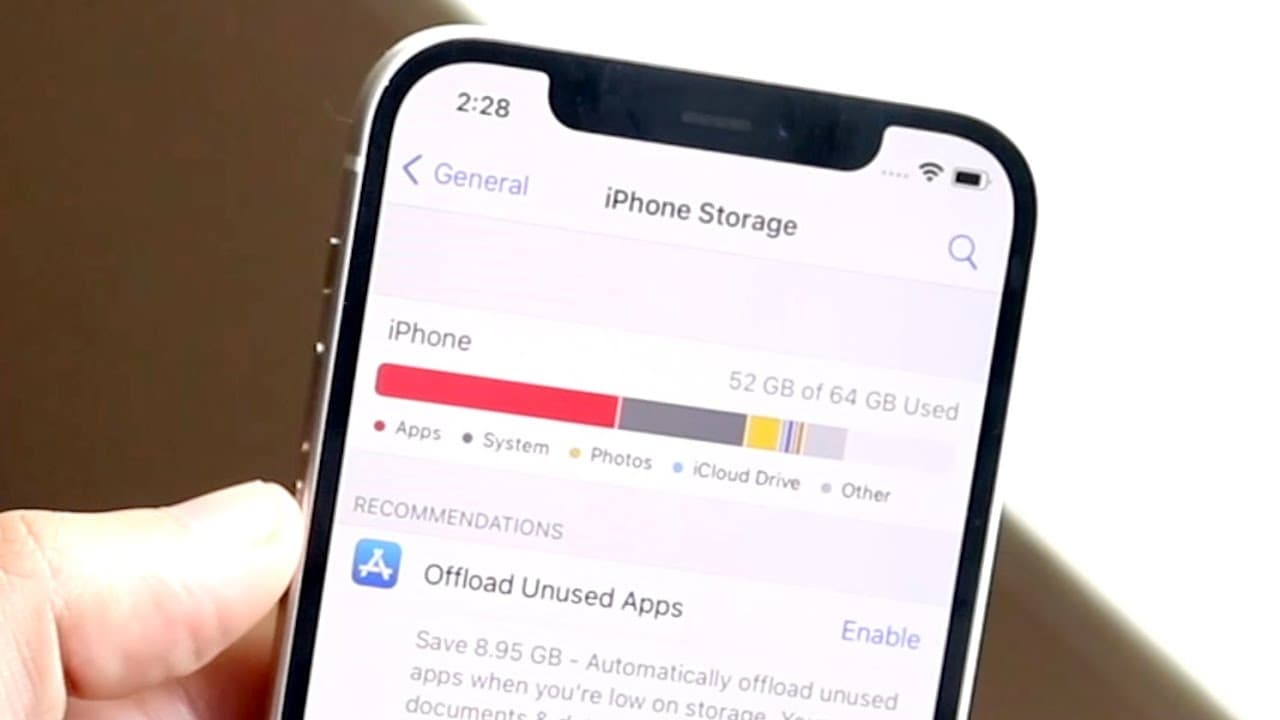
- 👤 Users can identify and manage storage use by regularly checking the iPhone storage settings.
- 👻 Previous software updates can take up unnecessary space, allowing for deletion to reclaim room.
- 😀 Clearing storage from messaging apps like iMessage involves regularly deleting old messages and attachments.
- 😀 Uninstalling and reinstalling frequently used apps can help eliminate caches that accumulate over time.
Install to Summarize YouTube Videos and Get Transcripts
Explore YouTube Video Summarizer or Get YouTube Transcript Extractor
Questions & Answers
Q: What is one of the major benefits of using iCloud for storage?
One significant benefit of using iCloud is the ability to back up your entire iPhone for free, allowing you to delete unnecessary files or apps and restore them later when needed. This feature is particularly helpful for managing large amounts of data without permanent loss.
Q: Why should users periodically delete files from the Files app?
The Files app can accumulate many stored files, especially in the Downloads folder. Many users overlook the storage being consumed here. By regularly checking and deleting unnecessary files, users can free up substantial storage space without impacting their daily use of essential apps.
Q: How can deleting old software updates help with storage?
Software updates can take up significant space, especially if they are not updated frequently by the user. By accessing iPhone storage settings and deleting any unnecessary software updates, users can reclaim valuable storage space, which can be especially useful on devices with limited storage.
Q: What is a recommended approach for managing photos to save storage?
To manage photos effectively and save storage, it's advisable to transfer them to a computer using AirDrop or other methods before deleting them from your iPhone. This ensures that important memories are preserved while freeing up a significant amount of space on the device.
Summary & Key Takeaways
-
Users can save iPhone storage by deleting unused files in the Files app; many files are locally stored and can be removed.
-
Regularly delete unused apps to reclaim significant storage, especially for those with larger storage capacities but many installed apps.
-
Consider deleting old software updates and reinstalling frequently used apps to clear accumulated cache, enhancing storage efficiency.
Read in Other Languages (beta)
Share This Summary 📚
Summarize YouTube Videos and Get Video Transcripts with 1-Click
Try YouTube Summary with ChatGPT & Claude or YouTube Transcript Generator
Explore More Summaries from Simple Alpaca 📚






Summarize YouTube Videos and Get Video Transcripts with 1-Click
Try YouTube Summary with ChatGPT & Claude or YouTube Transcript Generator