This Is How To Keep Your iPhone Battery Health At 100%
TL;DR
Maintain your iPhone's battery health by avoiding wireless charging and overheating.
Transcript
so your iphone's battery is one of the most important things you should probably keep in mind of securing and maintaining as long as possible but if you want to keep your battery health at 100 there are a few different things i would recommend keeping your eye out for in order to actually maintain that now battery health is different than battery l... Read More
Key Insights
- 🧑⚕️ Battery health correlates directly with device performance, making its maintenance critical.
- 🥵 Wireless charging and heat exposure are significant risks for battery degradation and should be avoided whenever possible.
- 👏 Limiting background app refresh can streamline performance, conserving energy use and improving battery longevity.
- 🧑⚕️ Regular software updates calibrate battery health readings, promoting accurate performance assessments.
- 🔋 Optimized battery charging techniques help minimize unnecessary battery wear during routine charging.
- 🛟 Device placement and environmental conditions play a crucial role in preserving battery life.
- ✋ Frequent exposure to high-intensity applications can elevate device temperature, adversely affecting battery health.
Install to Summarize YouTube Videos and Get Transcripts
Explore YouTube Video Summarizer or Get YouTube Transcript Extractor
Questions & Answers
Q: Why is battery health more important than battery life?
Battery health is a measure of your battery's capability to hold charge over time, while battery life refers to the duration the battery lasts between charges. Maintaining battery health is crucial for overall device performance; poor battery health can lead to unexpected shutdowns and reduced usability.
Q: What settings can I check to monitor my iPhone's battery health?
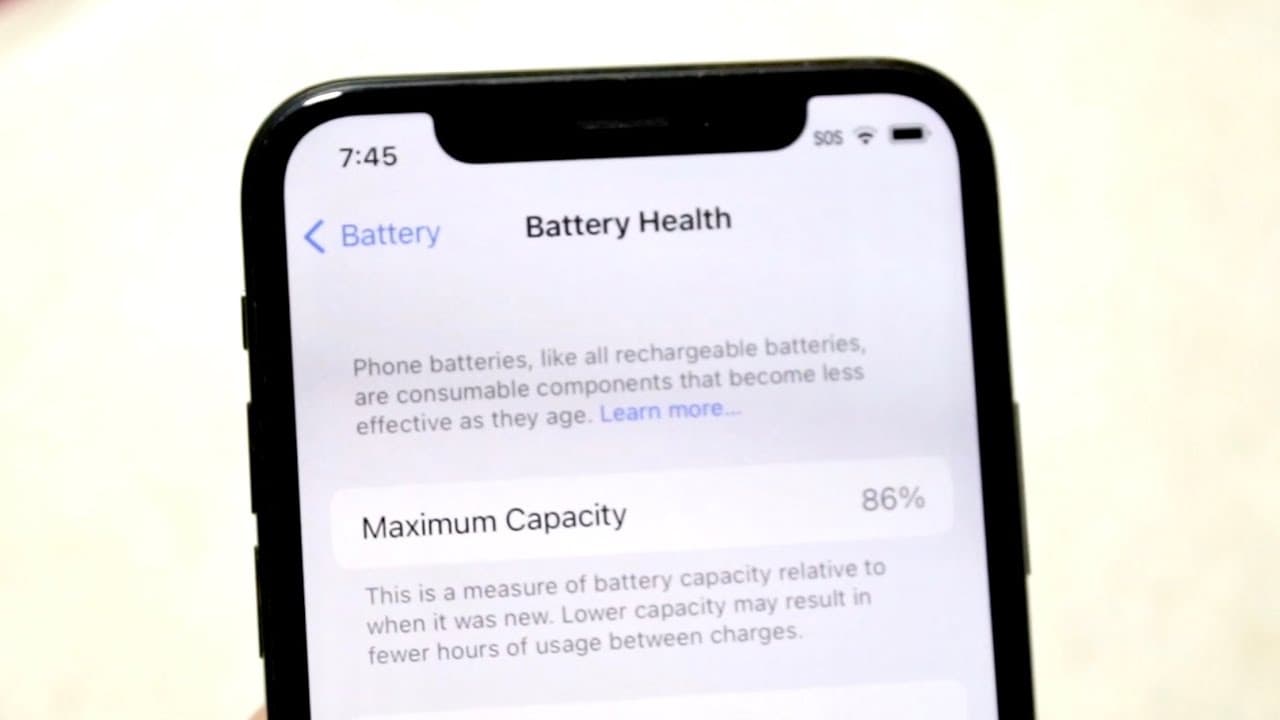
To check your iPhone's battery health, go to Settings > Battery > Battery Health. This area displays the maximum capacity of your battery compared to when it was new and indicates whether or not your iPhone is able to optimize performance.
Q: How does wireless charging affect battery health?
Wireless charging can lead to increased heat production during the charging process, which negatively impacts battery health. Consistent exposure to high temperatures accelerates battery degradation, leading to a lower maximum capacity over time.
Q: What role does ambient temperature play in battery health?
Ambient temperature significantly affects battery health; exposing your iPhone to extreme heat can rapidly degrade the battery. It is advisable to keep your device at room temperature and avoid leaving it in hot environments, such as a car in direct sunlight.
Q: Why should I disable background app refresh?
Disabling background app refresh can relieve strain on your iPhone's resources, improving battery life and possibly keeping your battery health stable. It helps by preventing apps from consuming power continuously in the background, which can extend overall battery usage periods.
Q: How can updating my iPhone affect battery health?
Regular software updates can improve your iPhone's performance and reliability, including better battery calibration. Updates often include optimizations for battery management, ensuring your battery health readings remain accurate and your device operates efficiently.
Q: What does optimized battery charging do?
Optimized battery charging reduces battery aging by charging your iPhone to around 80% before slowing down the charge to 100%. This method mitigates stress placed on the battery from rapid charging, promoting greater longevity and maintaining better battery health.
Summary & Key Takeaways
-
Ensuring battery health differs from battery life, with specific settings available to check battery health on the iPhone.
-
Avoid wireless charging and overheating to prevent battery degradation; exercises like intensive gaming raise temperature and impact health.
-
Limiting background app refresh, updating the device, and enabling optimized battery charging can help preserve battery longevity.
Read in Other Languages (beta)
Share This Summary 📚
Summarize YouTube Videos and Get Video Transcripts with 1-Click
Try YouTube Summary with ChatGPT & Claude or YouTube Transcript Generator
Explore More Summaries from Simple Alpaca 📚






Summarize YouTube Videos and Get Video Transcripts with 1-Click
Try YouTube Summary with ChatGPT & Claude or YouTube Transcript Generator