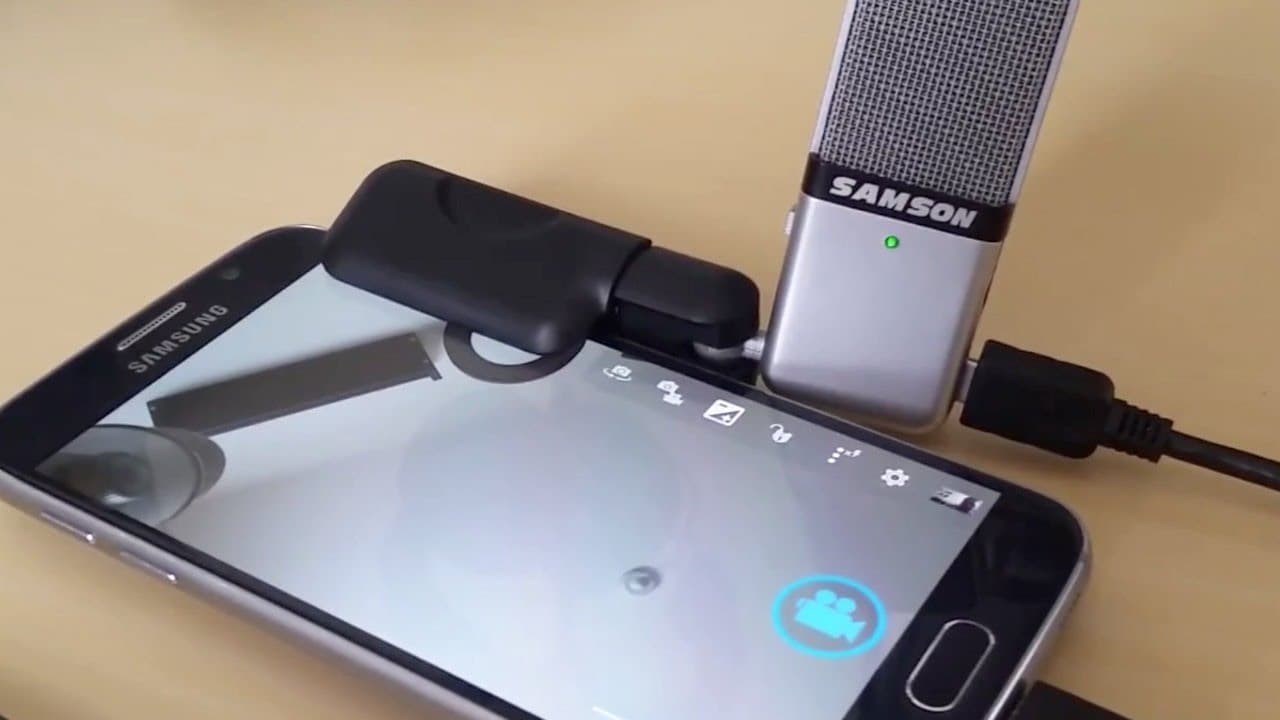
Doug connects a good USB mic to his phone
TL;DR
Learn how to improve the audio quality of your cell phone videos by connecting a USB microphone.
Transcript
you know not that anyone cares but this is my 83rd video since my triumphant return to TechCrunch about a year and a half ago quite a milestone and despite zero banter and I mean zero fanfare the one word everyone uses to describe my videos I mean everyone is visually breathtaking argue that of course my cinematography skills are second to none but... Read More
Key Insights
- 🎙️ The content creator emphasizes the importance of audio quality for video content and recognizes the limitations of cell phone microphones.
- 🎙️ By connecting a USB microphone to a cell phone, users can significantly enhance the sound quality of their videos.
- 🎙️ The recommended USB microphones for cell phones are the Blue Yeti and Samson Go Mic, which offer high-quality audio recording.
- 🎙️ The OTG cable is essential for connecting the USB microphone to an Android phone and must be verified for compatibility.
- 😀 The Open Camera app provides the functionality to select the external microphone as the audio source, resulting in improved audio capture.
- 🎙️ External microphones eliminate background noise and provide a more immersive and professional audio experience for cell phone videos.
- 😑 The content creator humorously reflects on their journey and achievements in video production but expresses a desire for more recognition and stability.
Install to Summarize YouTube Videos and Get Transcripts
Explore YouTube Video Summarizer or Get YouTube Transcript Extractor
Questions & Answers
Q: How important is audio quality in videos?
Audio quality is crucial in videos as it can significantly impact the viewer's experience. Poor audio can make it difficult to understand the content or distract the viewer from the visuals.
Q: What equipment is needed to connect a USB microphone to a cell phone?
To connect a USB microphone to a cell phone, you will need an Android phone, a compatible USB microphone (such as the Blue Yeti or Samson Go Mic), and a micro male 2 mini male OTG USB cable.
Q: What is the purpose of the OTG cable?
The OTG cable allows the cell phone to recognize and connect with the USB microphone. It enables the transfer of audio signals from the microphone to the phone for recording.
Q: How can the audio source be adjusted in the Open Camera app?
In the Open Camera app, go to the settings, then select video settings, and under audio source, choose "external mic if present." This will ensure that the audio is captured from the connected USB microphone.
Summary & Key Takeaways
-
The content creator discusses their milestone of creating 83 videos and receiving praise for their visually stunning cinematography.
-
They acknowledge the poor audio quality of cell phone videos and introduce a solution to connect a USB microphone for better sound.
-
The content provides a step-by-step guide on how to connect the USB microphone to an Android phone and configure the settings in the Open Camera app.
Read in Other Languages (beta)
Share This Summary 📚
Summarize YouTube Videos and Get Video Transcripts with 1-Click
Try YouTube Summary with ChatGPT & Claude or YouTube Transcript Generator
Explore More Summaries from TechCrunch 📚






Summarize YouTube Videos and Get Video Transcripts with 1-Click
Try YouTube Summary with ChatGPT & Claude or YouTube Transcript Generator