How to Set Up Hue Sync Box so it’s NOT Distracting
TL;DR
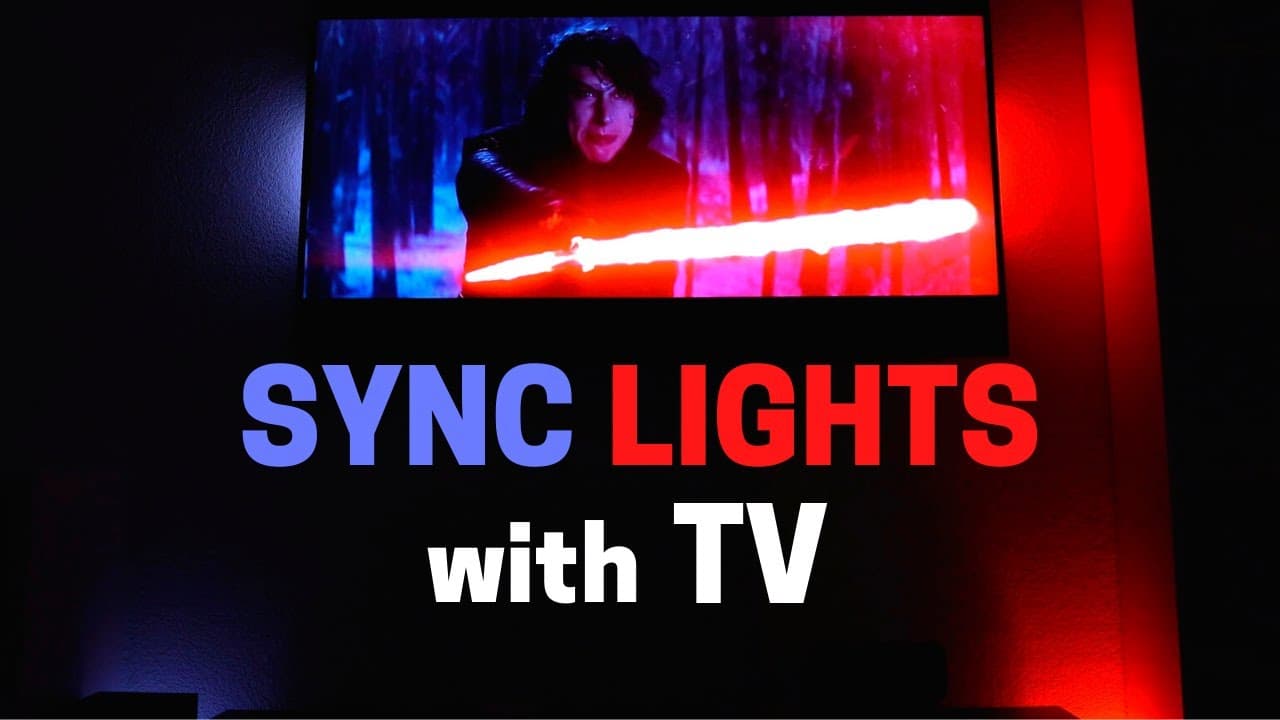
Sync your TV lights with the Hue Sync Box for immersive viewing experiences.
Transcript
hey what's up this is Reid dynamically changing the color of your lights based on what's on your TV is pretty awesome I've talked about it previously using hue sync which anyone with Philips hue lights can use in the computer right now if they download the program today MSE if it's possible to sync up my lights with my TV without it being annoying ... Read More
Key Insights
- 🙂 The Hue Sync Box syncs TV lights for dynamic color changes based on content.
- 🫵 Adjusting intensity and brightness settings can enhance viewing experiences.
- 🙂 Strategic placement of lights and light strips around the TV is crucial for immersive effects.
- ❓ Future developments include integration with voice assistants and additional HDR compatibility.
- 📺 Philips Hue's Sync Box offers a convenient solution for dynamic TV lighting experiences.
- ❓ Continuous experimentation and fine-tuning are necessary for optimal results.
- 🫵 Dynamic lighting setups can significantly enhance the overall viewing atmosphere.
Install to Summarize YouTube Videos and Get Transcripts
Explore YouTube Video Summarizer or Get YouTube Transcript Extractor
Questions & Answers
Q: How does the Hue Sync Box work with TV lights?
The Sync Box connects to your TV inputs and syncs Hue lights for dynamic color changes based on on-screen content, enhancing the viewing experience.
Q: What settings are recommended for a seamless viewing experience?
Balancing high intensity and lower brightness settings helps avoid distractions during calm scenes while highlighting action sequences with vibrant colors.
Q: How does lighting placement impact the overall experience?
Positioning Hue lights strategically around the TV, adjusting brightness, and utilizing light strips can create an immersive viewing environment without distractions.
Q: What future developments can we expect from Philips Hue?
Philips Hue plans to integrate Google Assistant, Echo devices, and IR remotes for controlling the Sync Box, along with potential compatibility for Ambilight and HDR technologies.
Summary & Key Takeaways
-
Using the Hue Sync Box to dynamically change TV lights based on content.
-
Adjusting settings for optimal viewing experiences without distractions.
-
Placement and setup tips for Hue lights to enhance TV viewing.
Read in Other Languages (beta)
Share This Summary 📚
Summarize YouTube Videos and Get Video Transcripts with 1-Click
Try YouTube Summary with ChatGPT & Claude or YouTube Transcript Generator
Explore More Summaries from Smart Home Solver 📚
Summarize YouTube Videos and Get Video Transcripts with 1-Click
Try YouTube Summary with ChatGPT & Claude or YouTube Transcript Generator