Products
Features
YouTube Video Summarizer
Summarize YouTube videos
Web & PDF Highlighter
Highlight web pages & PDFs
Chat with PDF
Ask any PDF questions with AI
Ask AI Clone
Chat with your highlights & memories
Audio Transcriber
Transcribe audio files to text
Glasp Reader
Read and highlight articles
Kindle Highlight Export
Export your Kindle highlights
Idea Hatch
Hatch ideas from your highlights
Integrations
Obsidian Plugin
Notion Integration
Pocket Integration
Instapaper Integration
Medium Integration
Readwise Integration
Snipd Integration
Hypothesis Integration
Apps & Extensions
Chrome Extension
Safari Extension
Edge Add-ons
Firefox Add-ons
iOS App
Android App
Discover
Discover
Ideas
Discover new ideas and insights
Articles
Curated articles and insights
Books
Book recommendations by great minds
Posts
Essays and notes from readers
Quotes
Inspiring quotes collection
Videos
Curated videos and summaries
Explore Glasp
Glasp Story
How we grew from 0 to 3 million users
Glasp Newsletter
Weekly insights and updates
Glasp Talk
Interview series with great minds
Glasp Blog
Latest news and articles
Glasp Use Cases
Learn how others use Glasp
Build & Support
Glasp API
Access Glasp's API for developers
MCP Connector
Connect Glasp to Claude & ChatGPT
Community
Glasp Reddit Community
Students
Student discount and benefits
FAQs
Frequently Asked Questions
AboutPricing
DashboardLog inSign up

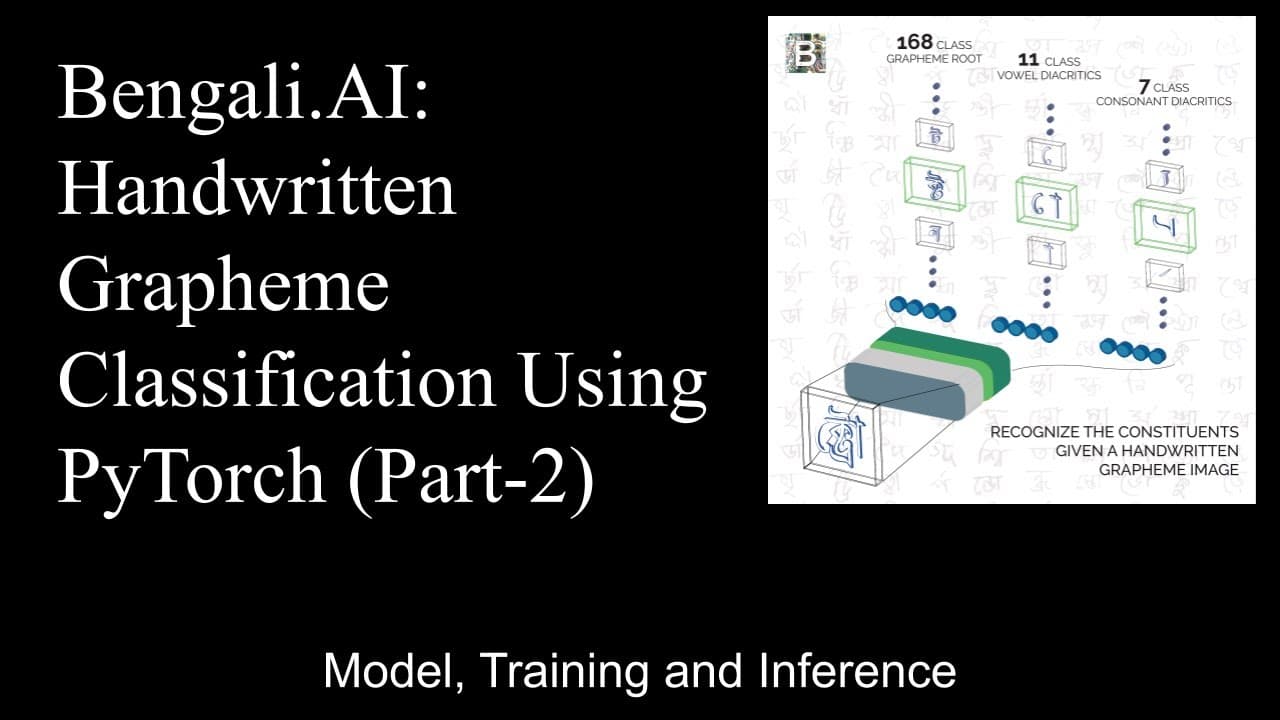
Bengali.AI: Handwritten Grapheme Classification Using PyTorch (Part-2)
February 22, 2020
by
Abhishek Thakur
YouTube video player
Bengali.AI: Handwritten Grapheme Classification Using PyTorch (Part-2)

TL;DR

This content provides a step-by-step guide on creating a model for multi-label classification, using pre-trained models and PyTorch.

Transcript

so too begin with the models we will create some model files okay let's see I know this one okay so I'm gonna create file called models for PI and another file called model dispatcher so I have models and all dispatcher dot PI and we can define our model models in model strata so it's a fly torch Python library and now it has a lot of pre training ... Read More

Key Insights

  • 😑 PyTorch provides a convenient way to import and use pre-trained models for various tasks.
  • 😑 Modifying the last linear layer of a pre-trained model allows for fine-tuning on specific classification problems.
  • 👤 Model dispatching simplifies the process of selecting and loading different models based on user inputs.
  • 🔁 Training and validation loops are essential for training and evaluating the performance of the model.
  • 🥺 Ensembling different models and averaging their predictions can lead to improved results in multi-label classification problems.
  • 😫 Uploading the trained models to Kaggle and creating an inference kernel is necessary to generate predictions on the test set.

Install to Summarize YouTube Videos and Get Transcripts

Explore YouTube Video Summarizer or Get YouTube Transcript Extractor

Questions & Answers

Q: How can pre-trained models be imported in PyTorch?

Pre-trained models can be imported in PyTorch using the pretrainedmodels library. After installation, you can import the models and load them using the desired pre-trained weights.

Q: How can the last linear layer of a model be modified in PyTorch?

To modify the last linear layer of a model in PyTorch, you can define additional layers and replace the existing last linear layer with your custom layers. This can be done using the torch.nn.Linear function.

Q: What is model dispatching?

Model dispatching is the process of creating a dictionary that maps different model names to their respective models. This allows for easy selection and loading of the desired model based on user inputs.

Q: How can a model be trained and validated in PyTorch?

To train a model in PyTorch, you can define the training and validation loops. The training loop involves iterating over the training dataset, forward pass, backward pass, and optimization steps. The validation loop is similar, but performed on the validation dataset to monitor the model's performance.

Summary & Key Takeaways

  • The content explains how to create model files and import pre-trained models in PyTorch.

  • It discusses the process of modifying the last linear layer and implementing the forward function for a specific problem.

  • The content also covers model dispatching and training and validation loops.


Read in Other Languages (beta)

English

Share This Summary 📚

Summarize YouTube Videos and Get Video Transcripts with 1-Click

Download browser extensions on:

Try YouTube Summary with ChatGPT & Claude or YouTube Transcript Generator

Explore More Summaries from Abhishek Thakur 📚
I just got access to GitHub's Codespaces and it's amazing! thumbnail
I just got access to GitHub's Codespaces and it's amazing!
Abhishek Thakur
Talks S2E5 (Luca Massaron): Hacking Bayesian Optimization thumbnail
Talks S2E5 (Luca Massaron): Hacking Bayesian Optimization
Abhishek Thakur
What Are Public and Private Leaderboards in Kaggle? thumbnail
What Are Public and Private Leaderboards in Kaggle?
Abhishek Thakur
Best computer vision competitions on Kaggle (for beginners) thumbnail
Best computer vision competitions on Kaggle (for beginners)
Abhishek Thakur
Talks # 15: Shubhadeep Roychowdhury; Applying Machine Learning  on  Source Code thumbnail
Talks # 15: Shubhadeep Roychowdhury; Applying Machine Learning on Source Code
Abhishek Thakur
What Is Target Encoding and How to Use It Effectively? thumbnail
What Is Target Encoding and How to Use It Effectively?
Abhishek Thakur

Summarize YouTube Videos and Get Video Transcripts with 1-Click

Download browser extensions on:

Try YouTube Summary with ChatGPT & Claude or YouTube Transcript Generator

Apps & Extensions

  • Chrome Extension
  • Safari Extension
  • Edge Add-ons
  • Firefox Add-ons
  • iOS App
  • Android App

Key Features

  • YouTube Video Summarizer
  • Web & PDF Summarizer
  • Web & PDF Highlighter
  • Chat with PDF
  • Ask AI Clone
  • Audio Transcriber
  • Glasp Reader
  • Kindle Highlight Export
  • Idea Hatch

Integrations

  • Obsidian Plugin
  • Notion Integration
  • Pocket Integration
  • Instapaper Integration
  • Medium Integration
  • Readwise Integration
  • Snipd Integration
  • Hypothesis Integration

More Features

  • APIs
  • MCP Connector
  • Blog & Post
  • Embed Links
  • Image Highlight
  • Personality Test
  • Quote Shots
  • Open Graph Checker

Company

  • About us
  • Our Story
  • Blog
  • Community
  • FAQs
  • Job Board
  • Newsletter
  • Pricing
Terms

•

Privacy

•

Guidelines

© 2026 Glasp Inc. All rights reserved.