Blender Addons for Modeling damage and cracks l OCD + Cracker
TL;DR
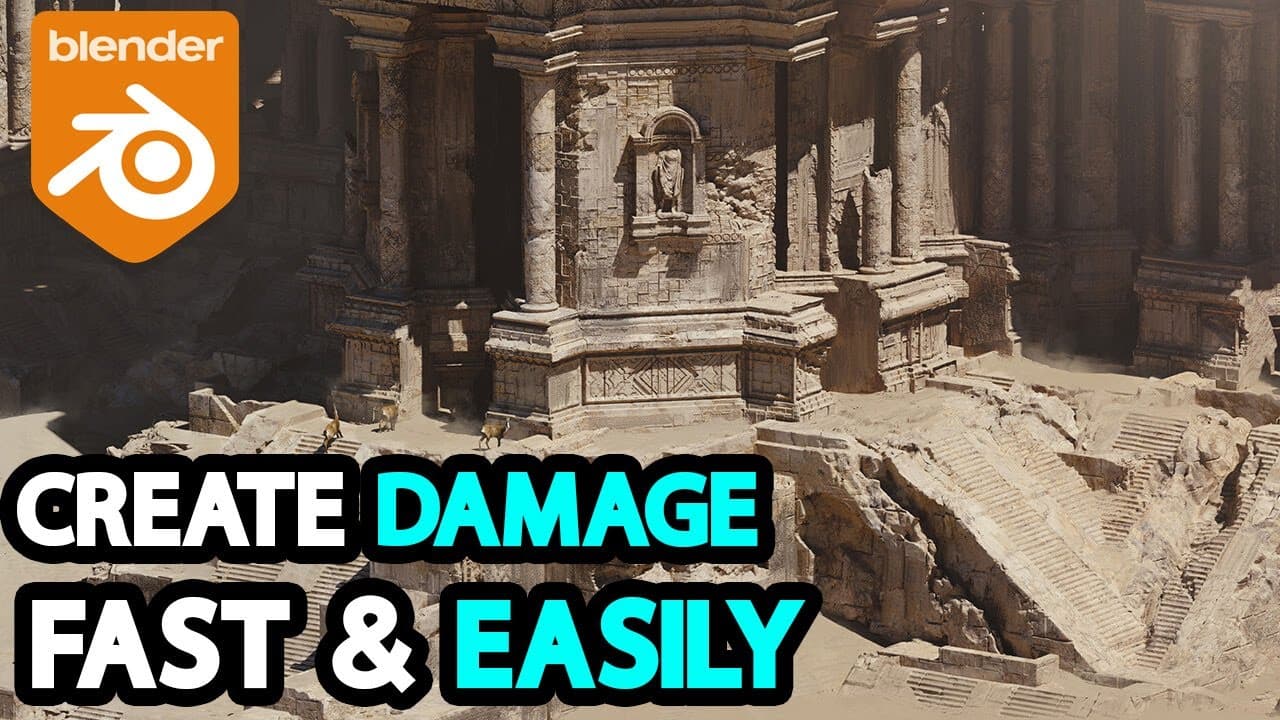
Learn about two powerful blender add-ons, OCD for adding damage and Cracker for creating cracks, enhancing your 3D projects.
Transcript
today we're taking a look at two of the best and most popular blender add-ons from vfx guide these tools will help you speed up your workflow tremendously and make your projects look more detailed in just few simple clicks the addons we are talking about are ocd and cracker both are simple yet very useful add-ons lcd helps you procedurally add dama... Read More
Key Insights
- 👹 Procedural damage and crack creation with OCD and Cracker add-ons enhance 3D project realism.
- 👻 Customization options in OCD and Cracker allow for detailed control over damage and cracks.
- ✖️ Multi-selection and recall features in OCD streamline the editing process in Blender.
- 😥 Cracker's Stomper tool provides a unique way to create impactful points between cracks.
- 🧘 Hotkeys and shortcuts make it easy to adjust crack position, scale, and rotation using the Cracker add-on.
- 👹 Both add-ons offer time-saving features and workflow enhancements for Blender users.
- 📽️ Detailed polygons and customization options in OCD and Cracker add depth to 3D projects.
Install to Summarize YouTube Videos and Get Transcripts
Explore YouTube Video Summarizer or Get YouTube Transcript Extractor
Questions & Answers
Q: What is the purpose of the OCD add-on in Blender?
The OCD add-on in Blender serves to procedurally add damage to model edges, creating a more realistic and detailed look to your 3D projects. It allows for customization and storytelling through the effects of time on the model.
Q: How does the multi-selection feature in OCD benefit users?
The multi-selection feature in OCD enables users to apply damage to multiple objects at once, saving time and enhancing workflow in Blender. It allows for efficient editing and customization across various elements within a project.
Q: What is the key function of the Cracker add-on in Blender?
The Cracker add-on in Blender is designed to add cracks to any object, providing a visual impact and enhancing the overall appearance of 3D projects. It offers tools like Stomper to create impactful points between selected chunks.
Q: How can users customize cracks using the Cracker add-on in Blender?
Users can use various hotkeys and shortcuts in the Cracker add-on to adjust crack position, scale, rotation, and other values. Through displacement, bend angle, and direction adjustments, users can create detailed cracks with ease.
Summary & Key Takeaways
-
Explore two popular blender add-ons, OCD and Cracker, designed to enhance workflow and detail in 3D projects.
-
OCD allows for procedural damage on model edges, while Cracker enables the addition of cracks to objects.
-
Both add-ons offer customization options and time-saving features to improve the overall look of your projects.
Read in Other Languages (beta)
Share This Summary 📚
Summarize YouTube Videos and Get Video Transcripts with 1-Click
Try YouTube Summary with ChatGPT & Claude or YouTube Transcript Generator
Explore More Summaries from InspirationTuts 📚
Summarize YouTube Videos and Get Video Transcripts with 1-Click
Try YouTube Summary with ChatGPT & Claude or YouTube Transcript Generator