What's On My iPhone X In 2022!
TL;DR
A detailed overview of my iPhone 10 setup and usage.
Transcript
well everyone i haven't used this specific iphone 10 in a while as my main device but this was my main iphone 10 i used and i use this phone still constantly i make set of videos on this thing i make tutorials on my second channel i make gaming videos on my third channel so i wanted to go ahead and break down exactly what's on my iphone 10 in this ... Read More
Key Insights
- 🎭 The iPhone 10, purchased in 2018, continues to perform well, demonstrating the device's durability.
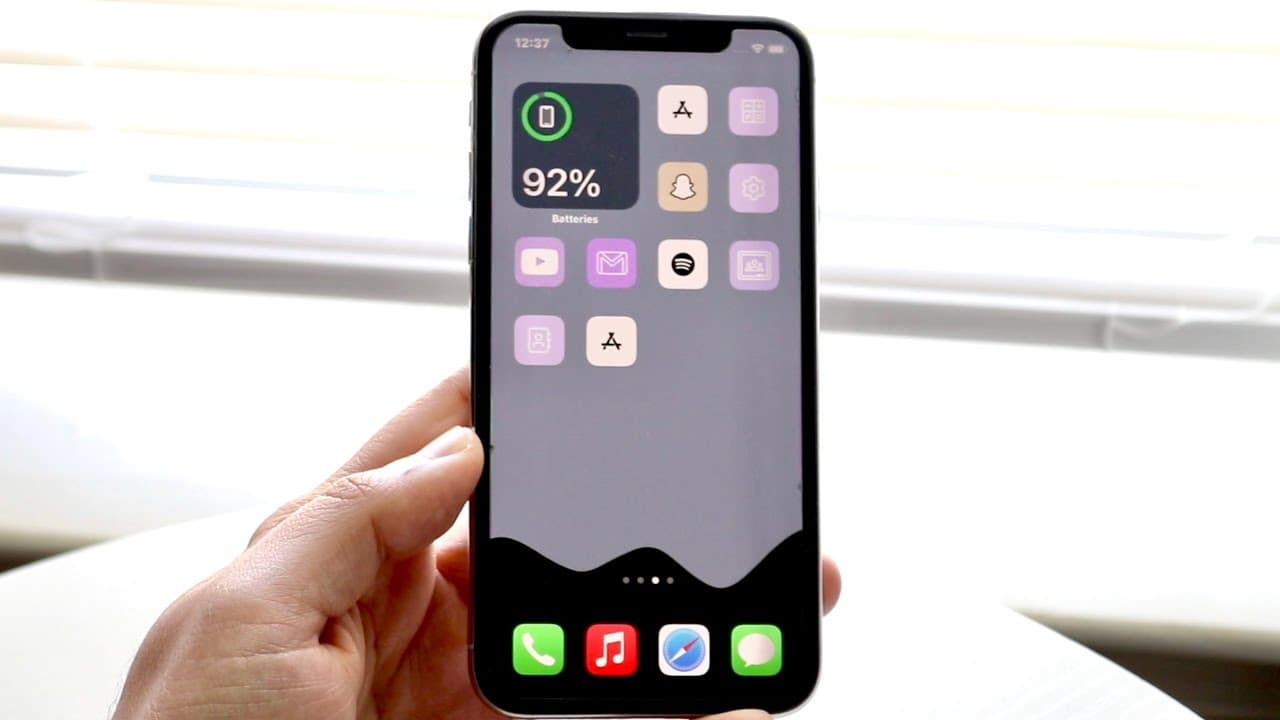
- 👻 Customization through Siri Shortcuts enhances user experience by allowing personalized icon designs, significantly altering the visual aspect of the device.
- 😀 The creator utilizes a consistent app organization strategy across devices for efficient performance testing.
- 👀 Features like dark mode not only serve aesthetic purposes but also hide interface elements for a cleaner look.
- 😒 A minimal use of widgets reflects a preference for simplicity while keeping essential functions, like fitness tracking, available.
- 🥶 The video showcases practical daily usage of older tech, promoting sustainability and ongoing utility.
- 🗯️ The creator’s approach emphasizes the importance of choosing the right display mode for optimal visibility and performance.
Install to Summarize YouTube Videos and Get Transcripts
Explore YouTube Video Summarizer or Get YouTube Transcript Extractor
Questions & Answers
Q: Why does the creator recommend using a case for the iPhone 10?
The creator advises using a case for the iPhone 10 despite currently having no case. A case can provide essential protection against drops and scratches, ensuring the longevity of the device. Even though the phone is in good condition with a glass screen protector, a case would better safeguard it against potential future damage.
Q: What customization features does the creator utilize on their iPhone 10?
The creator utilizes Siri Shortcuts to customize app icons, enhancing the aesthetic appeal and user experience. This customization allows for personal touches that can make daily usage more enjoyable, helping the icons pop on the OLED display and further reflecting the creator's unique style preferences.
Q: How does the creator organize their iPhone apps for testing purposes?
Apps are organized on the home screen for relative speed comparisons across devices. The creator keeps stock applications on the homepage and places games or other testing apps on the last page, optimizing their setup for quick access during performance tests while keeping other spaces less cluttered.
Q: Why does the video emphasize the choice between dark mode and light mode?
The choice between dark mode and light mode is highlighted mainly for aesthetic purposes. Dark mode is preferred by the creator to maintain a hidden dock appearance, contributing to a cleaner look that complements the OLED display while ensuring visibility for essential widgets—an important factor for overall device usability.
Q: What is the significance of the exercise widget on the creator's device?
The exercise widget serves as a motivational tool for tracking fitness progress, which reflects the creator's focus on health. It’s the only widget they use on their main device, suggesting an intentional choice to keep the interface minimal while still supporting their fitness goals with relevant data easily accessible.
Summary & Key Takeaways
-
The video explores the current setup and applications on the iPhone 10, detailing the device's longevity since purchase in 2018.
-
The creator emphasizes the importance of customization, utilizing Siri Shortcuts for custom icons and keeping a consistent application setup across devices for speed comparison purposes.
-
Dark mode is preferred for aesthetic reasons, especially on the OLED display, while maintaining a practical organization system for easy access to apps and widgets.
Read in Other Languages (beta)
Share This Summary 📚
Summarize YouTube Videos and Get Video Transcripts with 1-Click
Try YouTube Summary with ChatGPT & Claude or YouTube Transcript Generator
Explore More Summaries from Simple Alpaca 📚





Summarize YouTube Videos and Get Video Transcripts with 1-Click
Try YouTube Summary with ChatGPT & Claude or YouTube Transcript Generator