Products
Features
YouTube Video Summarizer
Summarize YouTube videos
Web & PDF Highlighter
Highlight web pages & PDFs
Chat with PDF
Ask any PDF questions with AI
Ask AI Clone
Chat with your highlights & memories
Audio Transcriber
Transcribe audio files to text
Glasp Reader
Read and highlight articles
Kindle Highlight Export
Export your Kindle highlights
Idea Hatch
Hatch ideas from your highlights
Integrations
Obsidian Plugin
Notion Integration
Pocket Integration
Instapaper Integration
Medium Integration
Readwise Integration
Snipd Integration
Hypothesis Integration
Apps & Extensions
Chrome Extension
Safari Extension
Edge Add-ons
Firefox Add-ons
iOS App
Android App
Discover
Discover
Ideas
Discover new ideas and insights
Articles
Curated articles and insights
Books
Book recommendations by great minds
Posts
Essays and notes from readers
Quotes
Inspiring quotes collection
Videos
Curated videos and summaries
Explore Glasp
Glasp Newsletter
Weekly insights and updates
Glasp Talk
Interview series with great minds
Glasp Blog
Latest news and articles
Glasp Use Cases
Learn how others use Glasp
Build & Support
Glasp API
Access Glasp's API for developers
MCP Connector
Connect Glasp to Claude & ChatGPT
Community
Glasp Reddit Community
Students
Student discount and benefits
FAQs
Frequently Asked Questions
AboutPricing
DashboardLog inSign up

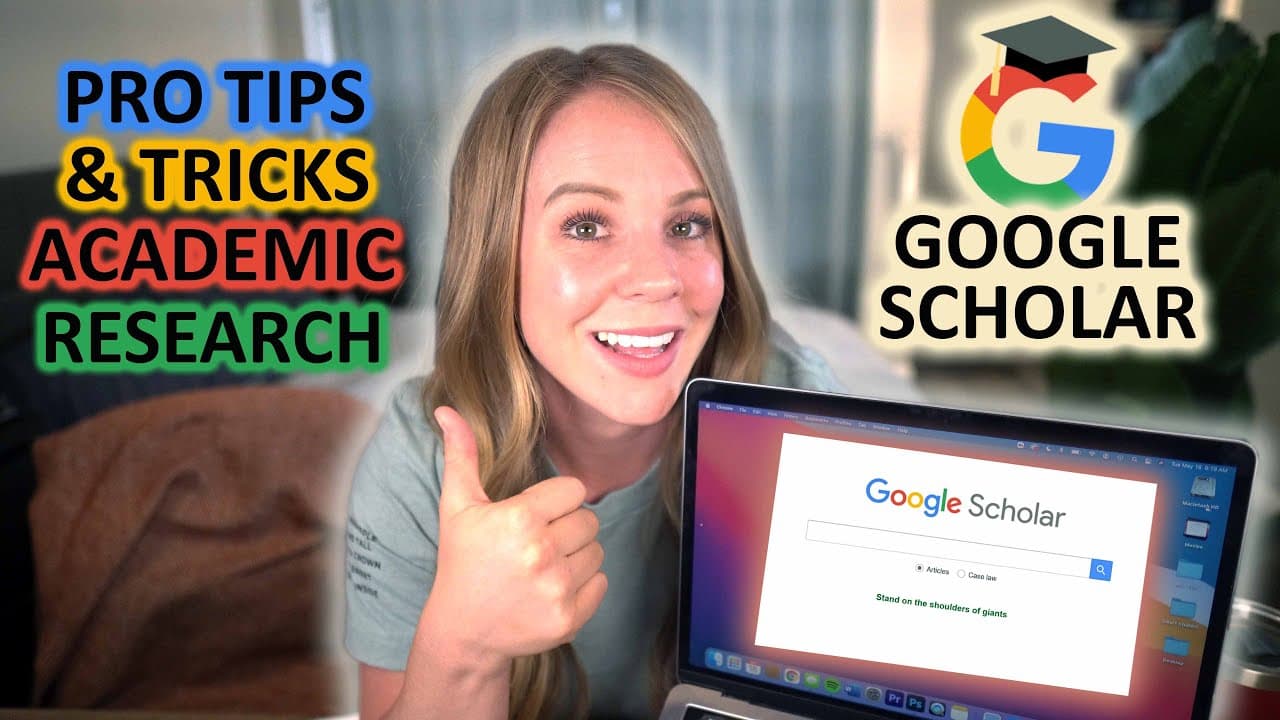
Use Google Scholar for Academic Research: Google Scholar Search Tips & Tricks
203.4K views
•
May 23, 2021
by
Smart Student
YouTube video player
Use Google Scholar for Academic Research: Google Scholar Search Tips & Tricks

TL;DR

Learn how to effectively use Google Scholar for academic research, including tips on keyword selection, refining search results, and accessing credible sources.

Transcript

hey there welcome back to this smart student my name is chelsea seaburn if you've been with me for a while then you already know that academic writing is one of my favorite things to teach because i wholeheartedly believe it's one of the most important skills you can have as a college student but for today i want to take a step back from academic w... Read More

Key Insights

  • 👨‍🔬 Google Scholar is a valuable tool for academic research and offers specialized features for organizing, accessing, and citing sources.
  • 👨‍🔬 Keyword selection plays a crucial role in obtaining effective search results and expanding the scope of your research.
  • 👂 Strategies like creating a list of acceptable keywords and rephrasing the topic as a question can greatly enhance your research process.
  • 👨‍🔬 Boolean operators and filtering options help refine search results and narrow down relevant articles.

Install to Summarize YouTube Videos and Get Transcripts

Explore YouTube Video Summarizer or Get YouTube Transcript Extractor

Questions & Answers

Q: Why is Google Scholar a reliable source for academic research?

Google Scholar focuses on academic sources, making it a reliable platform for finding credible information. It is widely used for literature reviews and research papers.

Q: How can I refine my search results on Google Scholar?

You can refine your search results by using boolean operators like "and," "or," and "not." These operators help include or exclude specific keywords, making your search more targeted.

Q: How can I access articles that are not directly available on Google Scholar?

If an article is not directly accessible, you can use the "All versions" feature to find alternative sources or try searching for the article title directly in your university library's database.

Q: How can I create a network of relevant resources for my research?

You can use features like "Related articles," "Cited by," and searching by author to expand your network of relevant resources. These features help you find articles related to your topic or written by credible authors in the field.

Summary & Key Takeaways

  • Google Scholar is a specialized search engine for academic sources and is ideal for literature reviews and research papers.

  • Using keywords correctly is crucial for effective communication with Google Scholar and obtaining relevant search results.

  • Two recommended strategies before starting research: create a list of acceptable keywords and rephrase the topic into a question.

  • Google Scholar offers features like saving articles to the library, generating reference lists, and accessing articles through different platforms.


Read in Other Languages (beta)

English

Share This Summary 📚

Summarize YouTube Videos and Get Video Transcripts with 1-Click

Download browser extensions on:

Try YouTube Summary with ChatGPT & Claude or YouTube Transcript Generator

Explore More Summaries from Smart Student 📚
LITERATURE REVIEW: Step by Step Guide for Writing an Effective Literature Review thumbnail
LITERATURE REVIEW: Step by Step Guide for Writing an Effective Literature Review
Smart Student
How to format your paper in APA style in 2025 thumbnail
How to format your paper in APA style in 2025
Smart Student
In-Text Citations Made Easy: APA 7th Edition Format thumbnail
In-Text Citations Made Easy: APA 7th Edition Format
Smart Student
The BEST strategies for doing academic research thumbnail
The BEST strategies for doing academic research
Smart Student
Write PERFECT Annotations for Your Annotated Bibliography thumbnail
Write PERFECT Annotations for Your Annotated Bibliography
Smart Student
Credible Source: Five tips to determine if your source is credible thumbnail
Credible Source: Five tips to determine if your source is credible
Smart Student

Summarize YouTube Videos and Get Video Transcripts with 1-Click

Download browser extensions on:

Try YouTube Summary with ChatGPT & Claude or YouTube Transcript Generator

Apps & Extensions

  • Chrome Extension
  • Safari Extension
  • Edge Add-ons
  • Firefox Add-ons
  • iOS App
  • Android App

Key Features

  • YouTube Video Summarizer
  • Web & PDF Summarizer
  • Web & PDF Highlighter
  • Chat with PDF
  • Ask AI Clone
  • Audio Transcriber
  • Glasp Reader
  • Kindle Highlight Export
  • Idea Hatch

Integrations

  • Obsidian Plugin
  • Notion Integration
  • Pocket Integration
  • Instapaper Integration
  • Medium Integration
  • Readwise Integration
  • Snipd Integration
  • Hypothesis Integration

More Features

  • APIs
  • MCP Connector
  • Blog & Post
  • Embed Links
  • Image Highlight
  • Personality Test
  • Quote Shots

Company

  • About us
  • Blog
  • Community
  • FAQs
  • Job Board
  • Newsletter
  • Pricing
Terms

•

Privacy

•

Guidelines

© 2026 Glasp Inc. All rights reserved.