Products
Features
YouTube Video Summarizer
Summarize YouTube videos
Web & PDF Highlighter
Highlight web pages & PDFs
Chat with PDF
Ask any PDF questions with AI
Ask AI Clone
Chat with your highlights & memories
Audio Transcriber
Transcribe audio files to text
Glasp Reader
Read and highlight articles
Kindle Highlight Export
Export your Kindle highlights
Idea Hatch
Hatch ideas from your highlights
Integrations
Obsidian Plugin
Notion Integration
Pocket Integration
Instapaper Integration
Medium Integration
Readwise Integration
Snipd Integration
Hypothesis Integration
Apps & Extensions
Chrome Extension
Safari Extension
Edge Add-ons
Firefox Add-ons
iOS App
Android App
Discover
Discover
Ideas
Discover new ideas and insights
Articles
Curated articles and insights
Books
Book recommendations by great minds
Posts
Essays and notes from readers
Quotes
Inspiring quotes collection
Videos
Curated videos and summaries
Explore Glasp
Glasp Newsletter
Weekly insights and updates
Glasp Talk
Interview series with great minds
Glasp Blog
Latest news and articles
Glasp Use Cases
Learn how others use Glasp
Build & Support
Glasp API
Access Glasp's API for developers
MCP Connector
Connect Glasp to Claude & ChatGPT
Community
Glasp Reddit Community
Students
Student discount and benefits
FAQs
Frequently Asked Questions
AboutPricing
DashboardLog inSign up

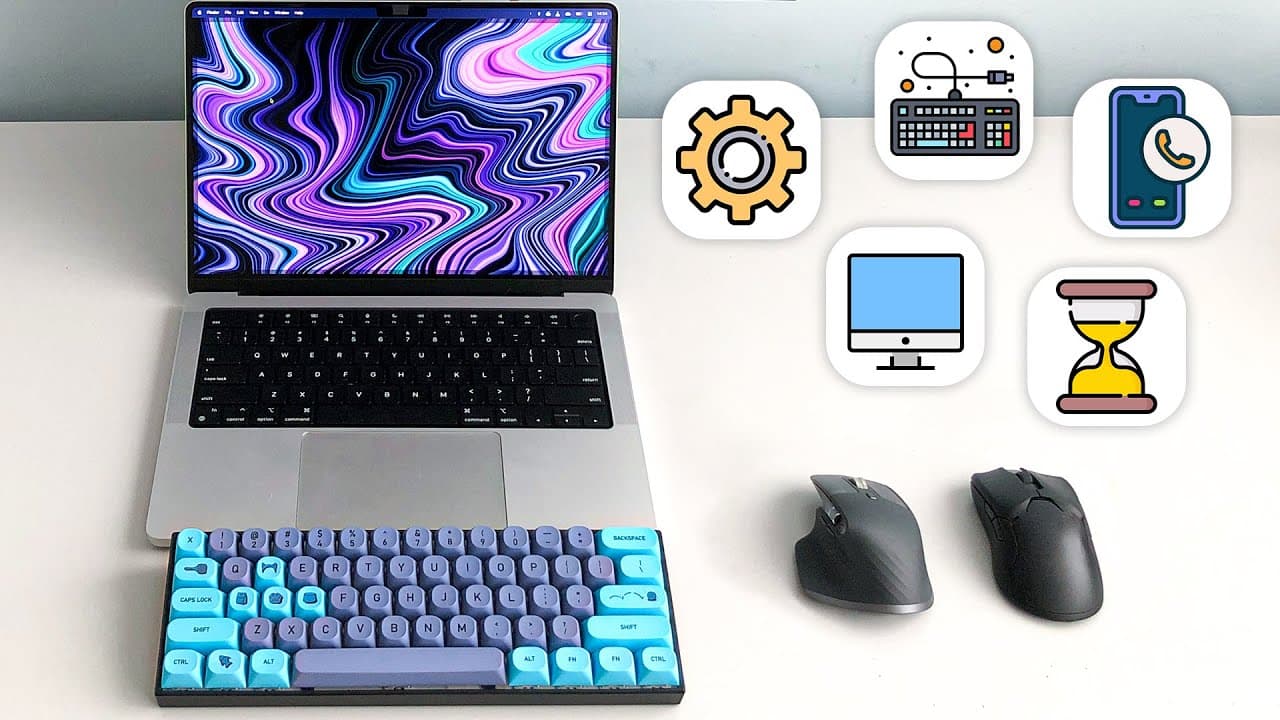
I tried MacOS for 1 year. Here’s what I learned.
504.5K views
•
February 21, 2023
by
Bog
YouTube video player
I tried MacOS for 1 year. Here’s what I learned.

TL;DR

"Discover hidden features and shortcuts in Mac OS, from navigating windows and tabs to customizing display settings."

Transcript

I've been using Mac OS for just over one year now and I realized that there are a lot of things a new user would never know how to do without Googling or just being lucky and accidentally hitting a few special keys at the same time for example a thing that I just recently discovered is that if you hard press on an apps icon in the dock it'll show y... Read More

Key Insights

  • 😚 Mac OS offers several hidden features and shortcuts that can enhance the user experience.
  • 👻 The dock in Mac OS allows for convenient access to open app windows, saving time and improving productivity.
  • 💻 Quick actions on the desktop provide useful features like removing image backgrounds.
  • 👻 Keyboard shortcuts allow for efficient navigation between windows and tabs in Finder.
  • 💻 Creating desktop shortcuts for websites can streamline access to favorite online platforms.
  • 🤩 Control and down arrow keys help manage multiple browser windows and improve desktop organization.
  • ⚔️ Mac OS offers similar functionality to Windows, such as using function backspace to delete words backward.

Install to Summarize YouTube Videos and Get Transcripts

Explore YouTube Video Summarizer or Get YouTube Transcript Extractor

Questions & Answers

Q: How can I view all the open windows of an app on the Mac OS dock?

You can do this by hard pressing on the app icon in the dock, which will show all the open windows associated with that app.

Q: How can I remove the background of an image on the desktop?

Right-click on the image, go to "quick actions," and choose to remove the background, providing a neat party trick.

Q: How can I quickly switch between Finder windows on Mac OS?

Use the keyboard shortcut command and tilde (~) to cycle through open Finder windows.

Q: Can I create desktop shortcuts for specific websites on Mac OS?

Yes, you can do this by dragging a link from your Chrome browser to the desktop, then applying an icon and placing it in the dock.

Summary & Key Takeaways

  • Hard pressing on an app icon in the dock reveals all open windows of that app, allowing for easy navigation.

  • Right-clicking on an image on the desktop and selecting "quick actions" enables the removal of the background.

  • Keyboard shortcuts like command and tilde allow for quick switching between Finder windows, while control and tab switch between Finder tabs.


Read in Other Languages (beta)

English

Share This Summary 📚

Summarize YouTube Videos and Get Video Transcripts with 1-Click

Download browser extensions on:

Try YouTube Summary with ChatGPT & Claude or YouTube Transcript Generator

Explore More Summaries from Bog 📚
The Linux Experience thumbnail
The Linux Experience
Bog
Somebody emailed me a virus (again) thumbnail
Somebody emailed me a virus (again)
Bog
Are YOU charging your Mac correctly? thumbnail
Are YOU charging your Mac correctly?
Bog
I took an "entry level" CIA test thumbnail
I took an "entry level" CIA test
Bog
Video editing is SLOW. Until you learn this thumbnail
Video editing is SLOW. Until you learn this
Bog
Beginner programmer vs LeetCode thumbnail
Beginner programmer vs LeetCode
Bog

Summarize YouTube Videos and Get Video Transcripts with 1-Click

Download browser extensions on:

Try YouTube Summary with ChatGPT & Claude or YouTube Transcript Generator

Apps & Extensions

  • Chrome Extension
  • Safari Extension
  • Edge Add-ons
  • Firefox Add-ons
  • iOS App
  • Android App

Key Features

  • YouTube Video Summarizer
  • Web & PDF Summarizer
  • Web & PDF Highlighter
  • Chat with PDF
  • Ask AI Clone
  • Audio Transcriber
  • Glasp Reader
  • Kindle Highlight Export
  • Idea Hatch

Integrations

  • Obsidian Plugin
  • Notion Integration
  • Pocket Integration
  • Instapaper Integration
  • Medium Integration
  • Readwise Integration
  • Snipd Integration
  • Hypothesis Integration

More Features

  • APIs
  • MCP Connector
  • Blog & Post
  • Embed Links
  • Image Highlight
  • Personality Test
  • Quote Shots

Company

  • About us
  • Blog
  • Community
  • FAQs
  • Job Board
  • Newsletter
  • Pricing
Terms

•

Privacy

•

Guidelines

© 2026 Glasp Inc. All rights reserved.