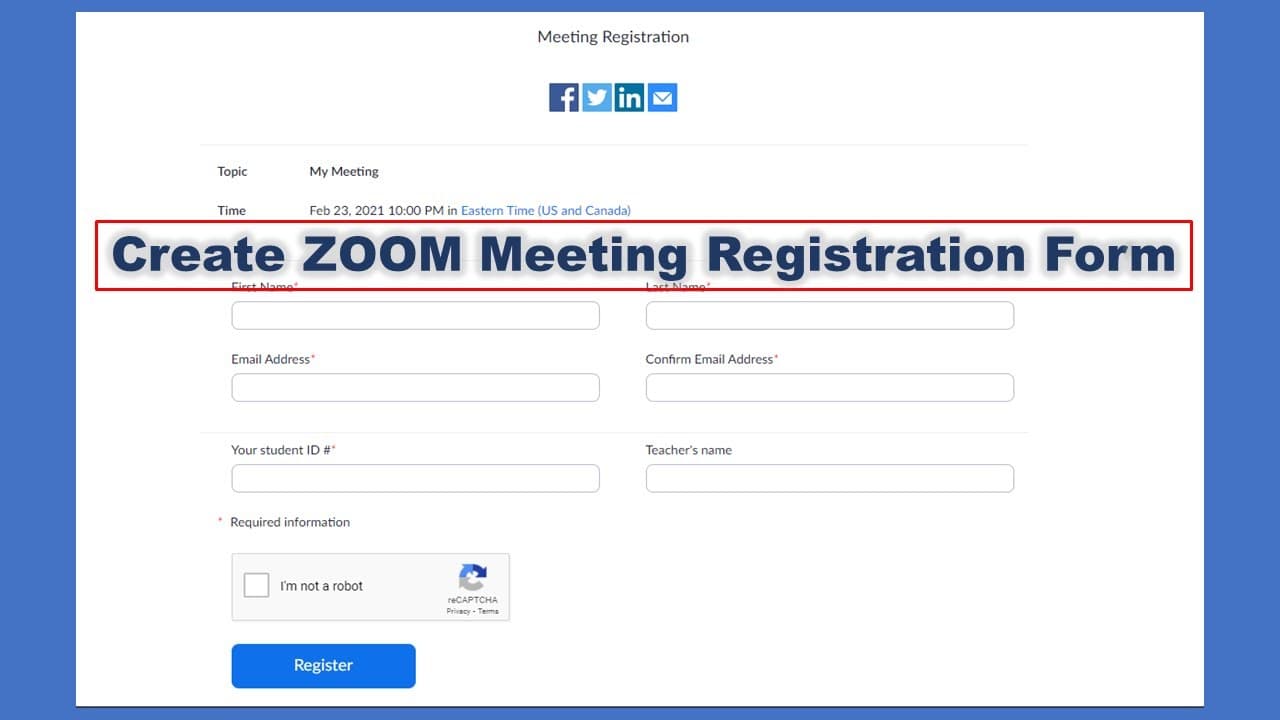
How to Setting up registration form for a ZOOM meeting
TL;DR
Learn how to create a registration form for Zoom meetings.
Transcript
hello so zoom meeting have a function that can let the user register the meeting first before they attend the meeting so you can create the registration form by yourself and send the cop link to the user ask them to enter all the information you want and then after the user click registration they will see the real meeting link so how to do that fi... Read More
Key Insights
- 💁 Zoom's registration feature enhances security by requiring attendees to provide information before accessing meeting links.
- 👻 The customization options allow hosts to tailor the information collected based on the specific needs of their meetings.
- 💌 Attendees are notified by email after registration, providing seamless access to the meeting and reducing chances of forgetting the details.
- ☠️ The ability to cancel registration ensures that attendees maintain control over their participation, reducing no-show rates.
- 👻 The flexibility to specify mandatory and optional fields in the registration helps hosts gather relevant data without overwhelming participants.
- 👔 Zoom's registration functionality is beneficial for both formal and informal gatherings, adapting to various meeting types.
- 👻 Using custom questions in the registration form allows hosts to gather niche information tailored to their audience, enhancing engagement.
Install to Summarize YouTube Videos and Get Transcripts
Explore YouTube Video Summarizer or Get YouTube Transcript Extractor
Questions & Answers
Q: What are the benefits of using a registration form for Zoom meetings?
Using a registration form for Zoom meetings enhances participant management by collecting essential information beforehand. It ensures you have accurate data about attendees, helps prevent unauthorized access, and allows for better organization and follow-up, such as sending reminders or materials relevant to the meeting.
Q: How do you enable the registration feature for a Zoom meeting?
To enable the registration feature, schedule your meeting and check the "Registration Required" box when setting it up. After saving, you'll have options to customize the registration form, including whether to approve attendees automatically or manually and to choose the information you want to collect from them.
Q: What kind of information can be collected using the registration form?
The registration form allows you to collect various types of information, such as the participant's name, email address, phone number, job title, and any custom questions you wish to include. You can set specific fields as required, ensuring that essential data is gathered before the meeting.
Q: What happens once a user registers for a Zoom meeting?
After a user registers for a Zoom meeting, they can view the meeting link immediately. Additionally, they will receive a confirmation email containing the same link and an option to add the event to their calendar, simplifying the process of attendance.
Summary & Key Takeaways
-
Zoom offers a registration feature that allows users to create forms for collecting attendee information before the meeting. This helps in managing participant data efficiently.
-
Users can customize questions in the registration form, specifying which fields are mandatory and which are optional, including custom fields.
-
After registration, users receive a confirmation email with the meeting link, ensuring they can join the meeting easily, and they can cancel the registration if necessary.
Read in Other Languages (beta)
Share This Summary 📚
Summarize YouTube Videos and Get Video Transcripts with 1-Click
Try YouTube Summary with ChatGPT & Claude or YouTube Transcript Generator
Explore More Summaries from E Micro Tech 📚

Summarize YouTube Videos and Get Video Transcripts with 1-Click
Try YouTube Summary with ChatGPT & Claude or YouTube Transcript Generator