Behind the Scenes of The Coding Train: How I Livestream
TL;DR
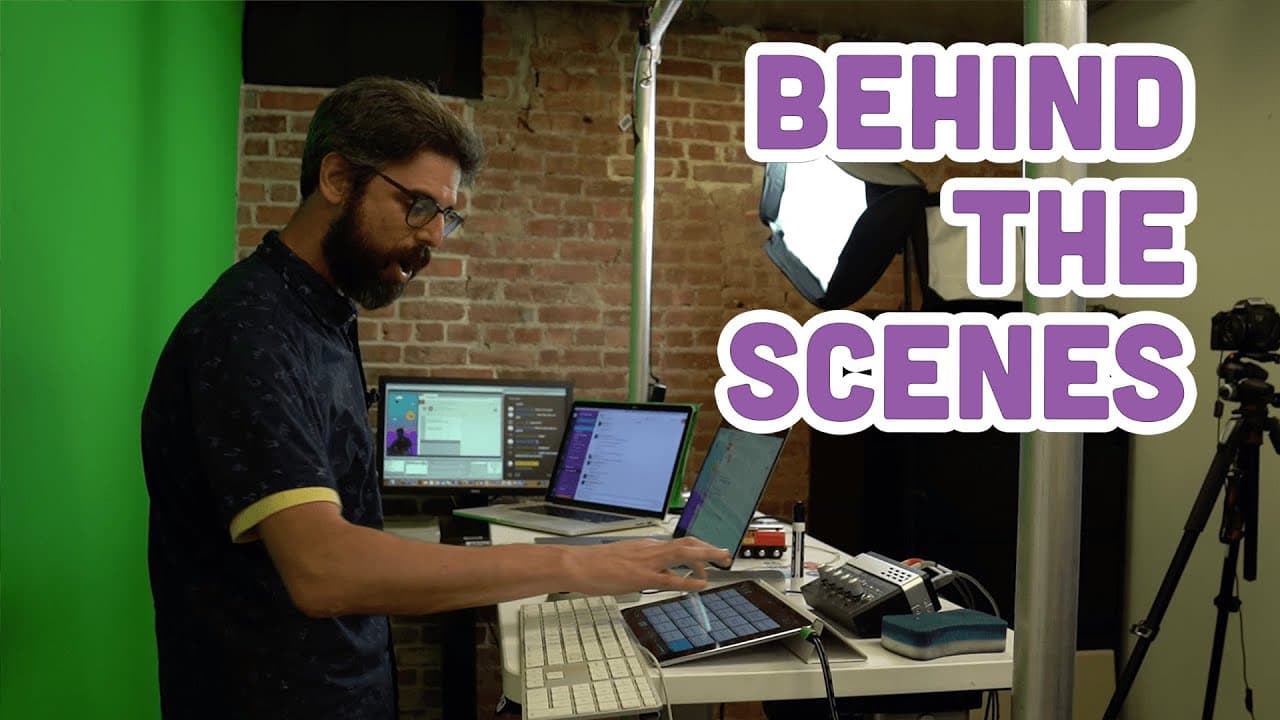
A detailed tour of The Coding Train's recording studio setup at NYU, showcasing equipment and live streaming techniques.
Transcript
Hello, and welcome to a special episode of The Coding Train, where I'm going to show you the recording studio where I make all of the tutorial videos and livestreams. So I'm at the Kanbar Institute of Film and TV at NYU Tisch School of the Arts. Behind this door is a small closet where I've recorded many video tutorials. Other people have made tuto... Read More
Key Insights
- ✋ The Coding Train's studio setup includes cameras, computers, software, and audio interfaces for high-quality live streaming.
- 🎏 Connecting Open Broadcast Studio to YouTube via stream settings enables efficient live stream management.
- 🫒 Scene transitions, audio source control, and hotkey functionalities enhance the live streaming experience.
- 👻 Utilizing a whiteboard and hotkeys in Open Broadcast Studio allows for interactive content creation during live streams.
- 🫒 The importance of managing audio sources like microphones and external devices for quality audio output during live streams is highlighted.
- 🫒 The setup includes multiple cameras for diverse angles and a whiteboard for visual demonstrations during live streams.
- 👶 Transitioning to a new studio location in Brooklyn indicates growth and potential for enhanced content creation for The Coding Train.
Install to Summarize YouTube Videos and Get Transcripts
Explore YouTube Video Summarizer or Get YouTube Transcript Extractor
Questions & Answers
Q: What equipment does The Coding Train use for live streaming?
The setup includes cameras like the Canon Mark III 5D, Black Magic capture devices, laptops, a streaming computer, and software such as Open Broadcast Studio.
Q: How is YouTube connected to Open Broadcast Studio for live streaming?
By entering stream settings within Open Broadcast Studio and inputting the stream key obtained from YouTube, the connection is established for live broadcasts.
Q: How does The Coding Train manage audio sources during live streams?
Audio sources, including the host's microphone, laptop audio, and iPad sounds, are captured and controlled using the Onyx Blackjack USB recording interface and Loopback software.
Q: What hotkey functionalities does The Coding Train use in Open Broadcast Studio?
Hotkeys are set up for scene transitions, audio control, and camera management, allowing quick and seamless changes during live streams.
Summary & Key Takeaways
-
The video provides an in-depth look at The Coding Train's recording studio at NYU's Tisch School of the Arts.
-
The host walks through the various equipment used for live streaming, including computers, cameras, and software like Open Broadcast Studio.
-
Viewers learn about connecting the streaming setup to YouTube, managing audio sources, utilizing a whiteboard, and setting up hotkeys for scene transitions.
Read in Other Languages (beta)
Share This Summary 📚
Summarize YouTube Videos and Get Video Transcripts with 1-Click
Try YouTube Summary with ChatGPT & Claude or YouTube Transcript Generator
Explore More Summaries from The Coding Train 📚






Summarize YouTube Videos and Get Video Transcripts with 1-Click
Try YouTube Summary with ChatGPT & Claude or YouTube Transcript Generator