Which Apple Devices Boost Productivity the Most?

TL;DR
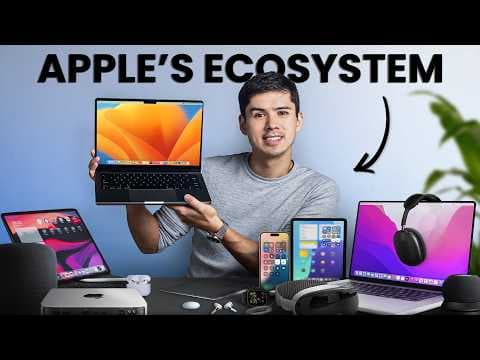
The most productive Apple devices include the AirPods Pro, M1 MacBook Pro, and iPhone, all ranking in the S tier for their seamless integration and features that enhance workflow. In contrast, devices like the Apple Mouse and Apple TV 4K rank lower due to design flaws and distractions that detract from productivity.
Transcript
I've owned more than 20 Apple devices from the MacBook, iPhone, iPad, Apple Watch, and AirPods. But which Apple devices actually help you streamline your workflow and become more productive? And which devices are really welldesigned distractions that will actually slow you down. So, in this video, I'm ranking all my Apple devices on a productivity ... Read More
Key Insights
- AirPods Pro are essential for productivity due to noise cancellation, seamless device switching, and transparency mode, making them an S tier device.
- The M1 MacBook Pro offers exceptional performance and battery life, with seamless ecosystem integration, making it a cornerstone of productivity.
- The iPhone is crucial for managing tasks and meetings, with seamless syncing across devices, placing it in the S tier for productivity.
- The Apple Mouse is a disappointment due to poor design and accuracy, landing it in the D tier for productivity.
- The Magic Trackpad offers precise gestures that enhance workflow, but its limitations place it in the B tier.
- The iPad Mini and iPad Pro serve specific productivity roles but are not essential, placing them in C and B tiers respectively.
- The Apple Watch reduces phone screen time and enhances fitness tracking, indirectly boosting productivity, earning a B tier spot.
- AirPods Max provide exceptional noise cancellation and sound quality but lack portability, ranking them in the A tier.
Install to Summarize YouTube Videos and Get Transcripts
Explore YouTube Video Summarizer or Get YouTube Transcript Extractor
Questions & Answers
Q: Why are AirPods Pro considered an essential productivity tool?
AirPods Pro are considered essential for productivity due to their active noise cancellation, which creates a focused work environment in noisy places like coffee shops. Their seamless integration with the Apple ecosystem allows for automatic device switching, reducing friction when moving between devices. Transparency mode and spatial audio also enhance long-term use and awareness.
Q: What makes the M1 MacBook Pro a cornerstone of productivity?
The M1 MacBook Pro is a cornerstone of productivity because of its exceptional performance and battery life, even after years of use. Its integration with other Apple devices allows for seamless access to photos, texts, and apps, making it a central hub in the Apple ecosystem. The build quality and user experience further enhance its productivity value.
Q: How does the iPhone contribute to productivity?
The iPhone contributes to productivity by providing essential apps like Apple Reminders and Calendar, which help manage tasks and meetings efficiently. Its seamless syncing with other Apple devices ensures that tasks and notifications are consistent across platforms, reducing the time spent managing technology and increasing focus on actual work.
Q: Why is the Apple Mouse ranked in the D tier?
The Apple Mouse is ranked in the D tier due to its poor ergonomic design, inconvenient charging port location, and lack of precision compared to other mice. These issues hinder productivity by making tasks like clicking small targets more difficult, and its outdated design has not been significantly improved since its release.
Q: What are the benefits and drawbacks of the Magic Trackpad?
The Magic Trackpad offers benefits like precise gestures that enhance workflow, such as pinch-to-zoom and app switching. However, it is less precise for single-pixel tasks, collects fingerprints, and requires more desk space. Despite these drawbacks, it provides a smoother experience than the Apple Mouse, placing it in the B tier.
Q: How do the iPad Mini and iPad Pro fit into a productivity setup?
The iPad Mini and iPad Pro fit into specific productivity roles, such as note-taking with the Apple Pencil and serving as a second screen. However, they often fall between the portability of a phone and the power of a laptop, making them less essential for general productivity tasks. Their use cases are more niche, placing them in the C and B tiers.
Q: In what ways does the Apple Watch enhance productivity?
The Apple Watch enhances productivity by reducing reliance on the iPhone, filtering notifications, and tracking fitness, which indirectly boosts work performance. Its focus modes synchronize across all Apple devices, minimizing distractions, and its health tracking features provide insights into sleep and activity patterns, helping to optimize daily productivity.
Q: Why are AirPods Max placed in the A tier instead of the S tier?
AirPods Max are placed in the A tier because, while they offer superior noise cancellation and sound quality, their lack of portability and heavy weight make them less practical for on-the-go productivity. They excel in creating a focused work environment but are not as versatile or convenient as the AirPods Pro for everyday use.
Summary & Key Takeaways
-
This video ranks various Apple devices based on their impact on productivity, categorizing them from essential tools to distractions. The AirPods Pro, MacBook Pro, and iPhone are highlighted as top productivity devices due to their seamless integration and specific features that enhance workflow.
-
Devices like the Apple Mouse and Apple TV 4K are considered less productive, with design flaws and consumption-focused features that detract from productivity. The video provides insights into how each device fits within a productivity-focused lifestyle.
-
The speaker shares personal experiences and opinions on each device, encouraging viewers to consider their own workflows and preferences when evaluating the productivity value of Apple products. The video also invites audience interaction through comments and feedback.
Read in Other Languages (beta)
Share This Summary 📚
Summarize YouTube Videos and Get Video Transcripts with 1-Click
Try YouTube Summary with ChatGPT & Claude or YouTube Transcript Generator
Explore More Summaries from Mike Dee 📚


Summarize YouTube Videos and Get Video Transcripts with 1-Click
Try YouTube Summary with ChatGPT & Claude or YouTube Transcript Generator