How to Maintain 100% Battery Health on Your iPhone
TL;DR
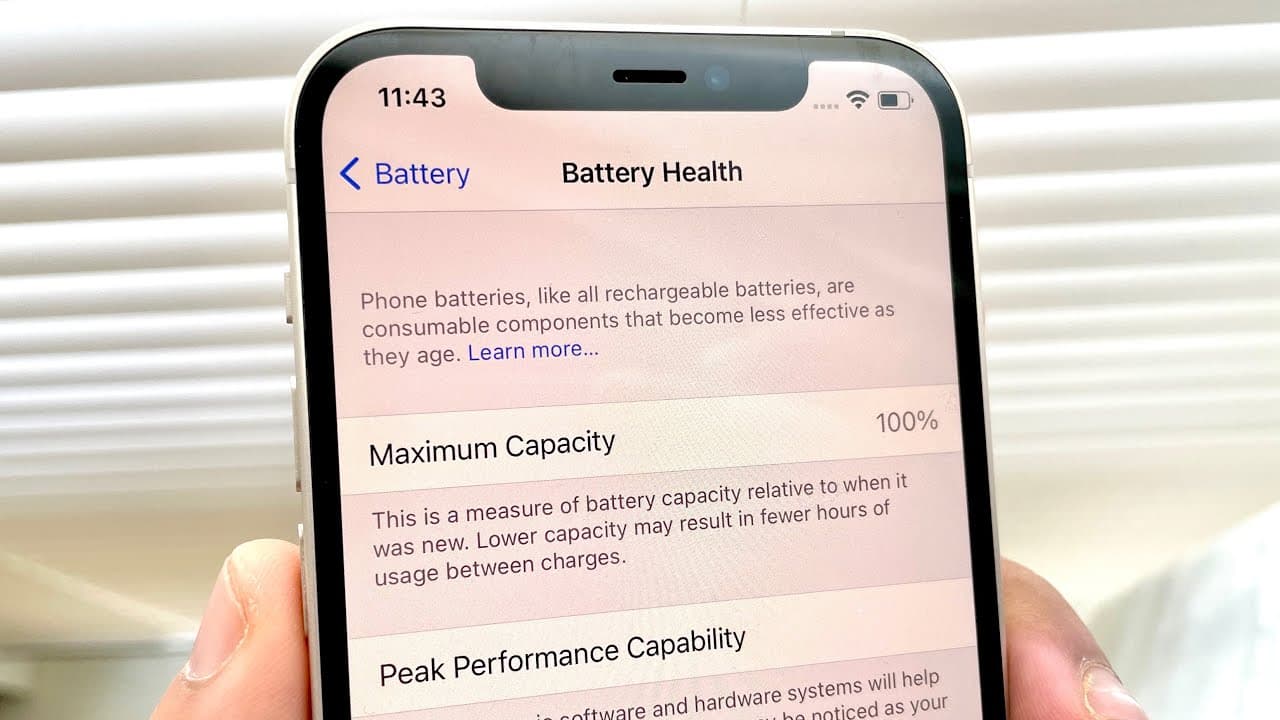
To maintain 100% battery health on your iPhone, avoid letting your phone completely discharge and enable optimized battery charging. Additionally, keep your device away from extreme temperatures, as excessive heat or cold can damage battery performance. Following these practices will help extend your battery's lifespan and preserve its value.
Transcript
welcome back everyone now a majority of people probably know by now but i've had a couple of iphones in my day and one thing that i always try to convey to everyone is you know keeping your phone in the best possible condition month after month week after week year after year to pretty much conserve how much you know awesomeness is still you know o... Read More
Key Insights
- 👻 Battery life longevity is significantly affected by how often a phone is allowed to discharge completely.
- 🔋 Regular use of optimized battery charging can effectively maintain battery capacity over time.
- 😩 Keeping devices away from extreme environmental conditions is critical for preventing battery wear.
- 🧑⚕️ Many users often overlook the impact of temperature on battery health during regular usage scenarios.
- 💦 Proper charging habits can prevent drastic drops in battery health, avoiding long-term damage.
- ✋ Maintaining high battery health directly correlates with better resale value for devices like iPhones.
- 👤 Monitoring battery performance through device settings can provide users insights into their charging habits.
Install to Summarize YouTube Videos and Get Transcripts
Explore YouTube Video Summarizer or Get YouTube Transcript Extractor
Questions & Answers
Q: What are the key practices to maintain iPhone battery health?
To maintain iPhone battery health, avoid letting the phone die completely, enable optimized battery charging in settings, and keep the phone away from extreme temperatures. Regularly charging your device before it drops too low ensures longevity, while optimized charging helps slow battery wear over time.
Q: How does optimized battery charging work?
Optimized battery charging is designed to learn your charging habits, allowing the iPhone to fast charge up to 80% and then trickle charge to 100%. This method reduces the time the battery spends in a high state of charge, which is beneficial for battery longevity by minimizing wear.
Q: Why is it harmful to let an iPhone battery frequently drop to 0%?
Frequently letting an iPhone battery drop to 0% can cause irreversible damage over time by degrading its capacity. Lithium-ion batteries, like those in iPhones, prefer to be kept charged. If consistently drained, their chemistry can deteriorate, leading to reduced total battery life and capacity.
Q: How does temperature affect battery health?
Battery health is significantly impacted by temperature extremes. Keeping an iPhone in hot or cold environments can lead to performance issues, as lithium-ion batteries are sensitive to heat and cold. Situations like leaving the phone in a car can amplify this risk, affecting battery life over time.
Q: What kind of temperatures can damage an iPhone's battery?
High temperatures typically above 95°F (35°C) and low temperatures below 32°F (0°C) can negatively affect iPhone batteries. Exposure to extreme conditions can lead to thermal damage, requiring the battery to operate under less than ideal circumstances, ultimately degrading performance and health.
Q: How important is battery health for resale value?
Battery health is a crucial factor in determining an iPhone's resale value. Potential buyers often prioritize devices with high battery health as it indicates durability and less future investment. Maintaining optimal battery capacity thus helps maximize resale potential and overall investment in the device.
Q: What should someone do if their iPhone overheats regularly?
If an iPhone overheats regularly, it’s important to remove it from direct sunlight, avoid resource-intensive apps temporarily, and let it cool down before resuming use. Additionally, check for any software updates and consider resetting certain settings to alleviate performance strain that might be causing overheating.
Summary & Key Takeaways
-
Keeping your iPhone battery health optimal involves avoiding complete discharges, as frequent low-battery situations can degrade the battery over time.
-
Activating optimized battery charging helps manage the charging process, extending overall battery lifespan and maintaining its health at 100% for longer.
-
Protecting your phone from extreme temperatures is crucial, as excessive heat or cold can significantly impact battery performance and longevity.
Read in Other Languages (beta)
Share This Summary 📚
Summarize YouTube Videos and Get Video Transcripts with 1-Click
Try YouTube Summary with ChatGPT & Claude or YouTube Transcript Generator
Explore More Summaries from Simple Alpaca 📚






Summarize YouTube Videos and Get Video Transcripts with 1-Click
Try YouTube Summary with ChatGPT & Claude or YouTube Transcript Generator