How to Use Notion for School Organization Effectively?
TL;DR
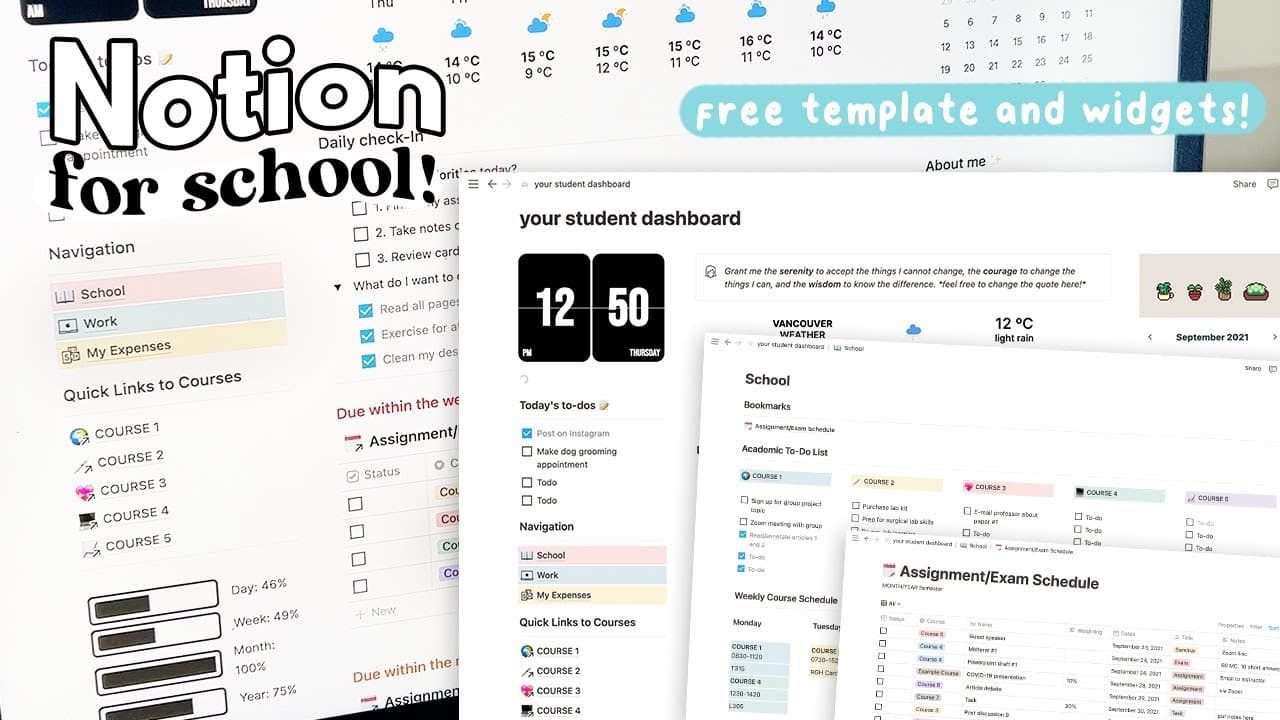
The revised Notion template for school features a customizable dashboard with to-do lists, a pomodoro timer, and a master schedule to manage assignments. It allows students to efficiently navigate courses, track deadlines, and utilize tools like a grade calculator and exam prep, enhancing productivity and study habits.
Transcript
hey guys it's janice welcome back in today's video i'm going to be sharing a revised version of my popular notion template for school this template has a more school centered dashboard a revised course navigation with to-do lists as well as an added pomodoro timer and tracker i'm going to walk you through the parts of the template if you're new to ... Read More
Key Insights
- 💨 The revised Notion template for school provides an organized and efficient way to manage coursework and study tasks.
- 👂 The dashboard offers a comprehensive overview, including to-do lists, quick links to courses, and progress tracking.
- 📅 The master schedule helps students stay on top of deadlines and assignments by organizing tasks by date and allowing for easy filtering.
- ⏲️ The course page features useful tools like a grade calculator, exam prep, and a pomodoro timer to enhance productivity and studying.
- 👻 Customizable widgets on the dashboard allow for personalization and aesthetic customization.
- 👶 The template is designed to be user-friendly for students new to Notion, with previous videos providing more detailed explanations.
- 🧑🎓 The template can be adapted to individual preferences and needs, making it a versatile tool for students from various disciplines.
Install to Summarize YouTube Videos and Get Transcripts
Explore YouTube Video Summarizer or Get YouTube Transcript Extractor
Questions & Answers
Q: What are the main features of the revised Notion template for school?
The template includes a school-centered dashboard, course navigation with to-do lists, a pomodoro timer, a master schedule, syllabus, learning objectives, grade calculator, and exam prep.
Q: How can the master schedule be customized and filtered?
The master schedule can be filtered to view specific classes, exams, or assignments based on tags. These filters can be modified to match individual preferences and needs.
Q: What additional features are available on the course page?
The course page offers a syllabus, learning objectives, a grade calculator, exam prep tools, and a new pomodoro timer to enhance studying and productivity.
Q: Can the widgets on the dashboard be customized?
Yes, the widgets on the dashboard, such as the clock, weather, progress bar, and countdown widgets, can be customized to match personal preferences and color themes.
Key Insights:
- The revised Notion template for school provides an organized and efficient way to manage coursework and study tasks.
- The dashboard offers a comprehensive overview, including to-do lists, quick links to courses, and progress tracking.
- The master schedule helps students stay on top of deadlines and assignments by organizing tasks by date and allowing for easy filtering.
- The course page features useful tools like a grade calculator, exam prep, and a pomodoro timer to enhance productivity and studying.
- Customizable widgets on the dashboard allow for personalization and aesthetic customization.
- The template is designed to be user-friendly for students new to Notion, with previous videos providing more detailed explanations.
- The template can be adapted to individual preferences and needs, making it a versatile tool for students from various disciplines.
- The availability of multiple views and filtering options in the master schedule allows for a tailored experience based on specific coursework requirements.
Summary & Key Takeaways
-
The template includes a revamped dashboard with a clock widget, to-do lists, quick links to courses, and a progress and countdown widget.
-
The school page provides a master schedule, links to courses, a weekly schedule, and an academic to-do list.
-
The course page offers features such as syllabus, learning objectives, grade calculator, exam prep, and a new pomodoro timer.
Read in Other Languages (beta)
Share This Summary 📚
Summarize YouTube Videos and Get Video Transcripts with 1-Click
Try YouTube Summary with ChatGPT & Claude or YouTube Transcript Generator
Explore More Summaries from Janice Studies 📚

Summarize YouTube Videos and Get Video Transcripts with 1-Click
Try YouTube Summary with ChatGPT & Claude or YouTube Transcript Generator