Products
Features
YouTube Video Summarizer
Summarize YouTube videos
Web & PDF Highlighter
Highlight web pages & PDFs
Chat with PDF
Ask any PDF questions with AI
Ask AI Clone
Chat with your highlights & memories
Audio Transcriber
Transcribe audio files to text
Glasp Reader
Read and highlight articles
Kindle Highlight Export
Export your Kindle highlights
Idea Hatch
Hatch ideas from your highlights
Integrations
Obsidian Plugin
Notion Integration
Pocket Integration
Instapaper Integration
Medium Integration
Readwise Integration
Snipd Integration
Hypothesis Integration
Apps & Extensions
Chrome Extension
Safari Extension
Edge Add-ons
Firefox Add-ons
iOS App
Android App
Discover
Discover
Ideas
Discover new ideas and insights
Articles
Curated articles and insights
Books
Book recommendations by great minds
Posts
Essays and notes from readers
Quotes
Inspiring quotes collection
Videos
Curated videos and summaries
Explore Glasp
Glasp Newsletter
Weekly insights and updates
Glasp Talk
Interview series with great minds
Glasp Blog
Latest news and articles
Glasp Use Cases
Learn how others use Glasp
Build & Support
Glasp API
Access Glasp's API for developers
MCP Connector
Connect Glasp to Claude & ChatGPT
Community
Glasp Reddit Community
Students
Student discount and benefits
FAQs
Frequently Asked Questions
AboutPricing
DashboardLog inSign up

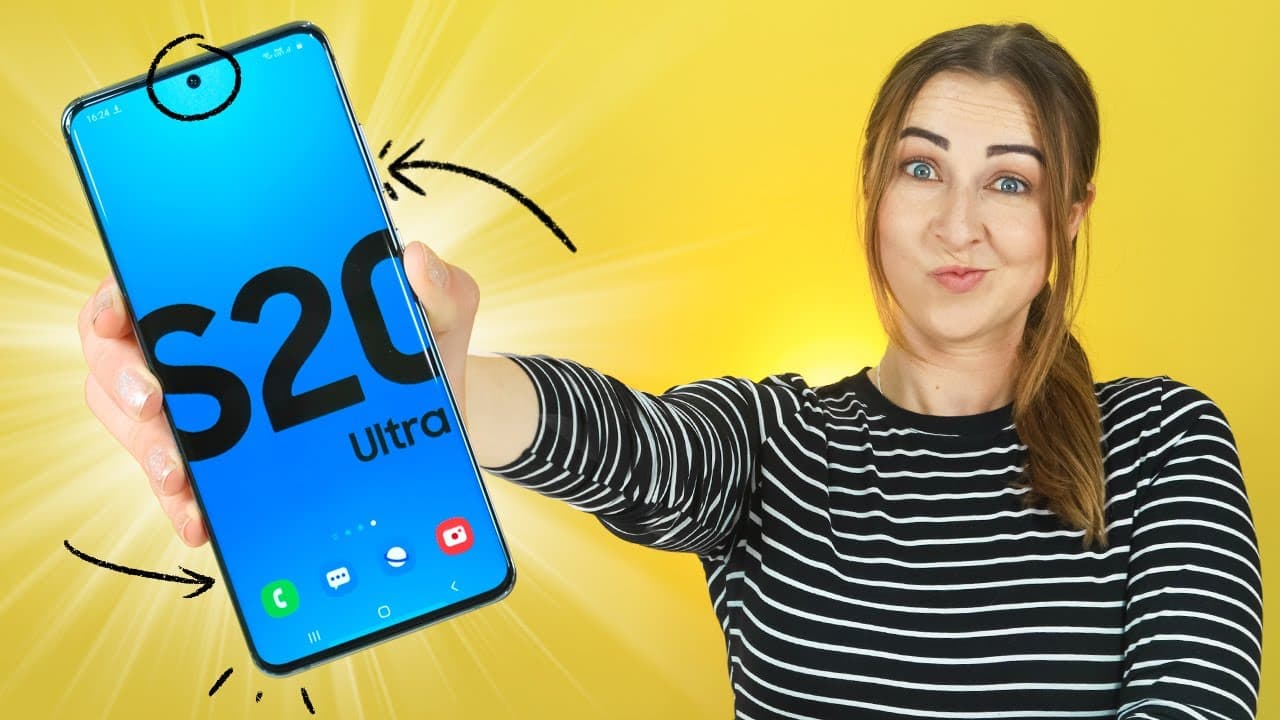
Samsung Galaxy S20, S20+, S20 Ultra Tips Tricks & Hidden Features!
418.1K views
•
March 21, 2020
by
Hayls World
YouTube video player
Samsung Galaxy S20, S20+, S20 Ultra Tips Tricks & Hidden Features!

TL;DR

Discover amazing camera features, music sharing, live captions, quick share, high refresh rates, night mode, and 8k video capture on the Samsung Galaxy S20 Ultra.

Transcript

the galaxy s 20 range is amazing and I have ten steps tricks and ten beaches for near 20 yes three plus and yes 20 ultra so now you can zoom I crazy it high refresh streets see captions alive on any media and a ton of other useful features but also stains on the end because I have some sick three wallpapers for you guys so let's get into it single ... Read More

Key Insights

  • 👋 Single Take feature extracts best moments from video clips, enhancing photography options.
  • 👻 Music Share allows for collaborative music sharing through multiple devices.
  • 🏴‍☠️ The high refresh rate on the Galaxy S20 Ultra provides a smooth and lag-free experience.
  • 🙂 Night mode with Nonna Binning technology improves low-light photography.
  • 🎮 8K video capture on the S20 Ultra enables high-quality snapshots from videos.
  • 📁 Quick Share feature simplifies sharing files between Samsung devices.
  • 😀 Burst shot and GIF creation features offer customization and fun options in the camera app.

Install to Summarize YouTube Videos and Get Transcripts

Explore YouTube Video Summarizer or Get YouTube Transcript Extractor

Questions & Answers

Q: How does Single Take work on the Samsung Galaxy S20 Ultra?

Single Take in the camera app captures a 15-second video clip and uses AI to extract the best moments, add filters, and create stunning images, hyperlapse, and boomerangs.

Q: What is the Music Share feature on the Galaxy S20 Ultra?

Music Share allows friends to play music through one phone into a Bluetooth speaker by toggling on Music Share in the notification panel, enhancing your DJ experience.

Q: How does Live Caption work on the Samsung Galaxy S20 Ultra?

By toggling on Live Caption, the device automatically creates captions for any speech detected from media, even offline, making it convenient for various applications like Instagram or YouTube.

Q: What is Quick Share, and how does it work on Samsung smartphones?

Quick Share functions similarly to iPhone's AirDrop, enabling users to share pictures or files with other Samsung devices by swiping down on the notifications panel and selecting the device to share with.

Summary & Key Takeaways

  • Single Take feature in the camera app extracts best moments from a 15-second video clip using AI, creating stunning images, hyperlapse, and boomerangs.

  • Music Share enables friends to play music via one phone into a Bluetooth speaker.

  • Live Caption automatically creates captions for any speech detected in media, even offline.


Read in Other Languages (beta)

English

Share This Summary 📚

Summarize YouTube Videos and Get Video Transcripts with 1-Click

Download browser extensions on:

Try YouTube Summary with ChatGPT & Claude or YouTube Transcript Generator

Explore More Summaries from Hayls World 📚

Galaxy Z Fold 3 | Tips, Tricks & Hidden Features!!! thumbnail
Galaxy Z Fold 3 | Tips, Tricks & Hidden Features!!!
Hayls World
AirPods 3 Tips, Tricks & Hidden Features | That You MUST Know!!! (3rd Gen) thumbnail
AirPods 3 Tips, Tricks & Hidden Features | That You MUST Know!!! (3rd Gen)
Hayls World
DJI Mavic Air 2 - Tips Tricks & Hidden Features | you MUST know!!! thumbnail
DJI Mavic Air 2 - Tips Tricks & Hidden Features | you MUST know!!!
Hayls World
What Are the 10 Best Life Hacks for ChatGPT? thumbnail
What Are the 10 Best Life Hacks for ChatGPT?
Hayls World
10 APPS THAT WILL BLOW YOUR MIND!!! thumbnail
10 APPS THAT WILL BLOW YOUR MIND!!!
Hayls World
5 TIPS to get Instagram Followers Organically thumbnail
5 TIPS to get Instagram Followers Organically
Hayls World

Summarize YouTube Videos and Get Video Transcripts with 1-Click

Download browser extensions on:

Try YouTube Summary with ChatGPT & Claude or YouTube Transcript Generator

Apps & Extensions

  • Chrome Extension
  • Safari Extension
  • Edge Add-ons
  • Firefox Add-ons
  • iOS App
  • Android App

Key Features

  • YouTube Video Summarizer
  • Web & PDF Summarizer
  • Web & PDF Highlighter
  • Chat with PDF
  • Ask AI Clone
  • Audio Transcriber
  • Glasp Reader
  • Kindle Highlight Export
  • Idea Hatch

Integrations

  • Obsidian Plugin
  • Notion Integration
  • Pocket Integration
  • Instapaper Integration
  • Medium Integration
  • Readwise Integration
  • Snipd Integration
  • Hypothesis Integration

More Features

  • APIs
  • MCP Connector
  • Blog & Post
  • Embed Links
  • Image Highlight
  • Personality Test
  • Quote Shots

Company

  • About us
  • Blog
  • Community
  • FAQs
  • Job Board
  • Newsletter
  • Pricing
Terms

•

Privacy

•

Guidelines

© 2026 Glasp Inc. All rights reserved.




