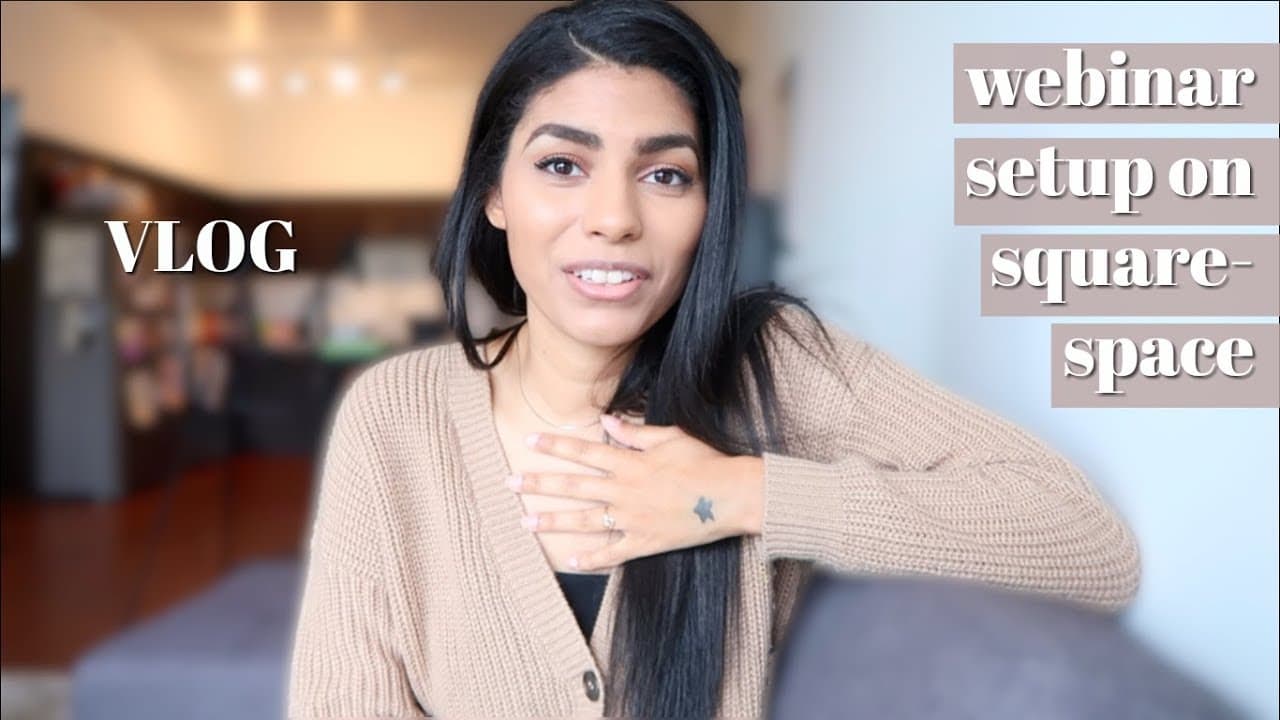
How to Set Up a Webinar with Squarespace and YouTube
TL;DR
To set up a webinar using Squarespace and YouTube, create a landing page by embedding a scheduled YouTube event link, and utilize a free chat box for participant interaction. Tools like Wishpond can streamline the creation of landing pages and automate email notifications, making the process efficient and cost-effective.
Transcript
top the morning to you I don't know why so that I've been like thinking about how I was gonna start this vlog for all morning and I kept coming back to the top of the morning to you which makes no sense okay okay there's a chord in the way that's cute hi guys so it is Friday I am getting ready to hop on my first official like webinar Lunch and Lear... Read More
Key Insights
- The vlogger is preparing for her first webinar, feeling nervous due to unexpected sign-ups, but confident only a third will attend.
- She emphasizes the importance of starting the week with challenging tasks and prioritizing customer-impacting activities over direct income generation.
- The vlogger discusses her aspiration to increase her YouTube content output, aiming for multiple videos a week.
- She shares her experience of driving a Mazda CX-5, highlighting features like Apple CarPlay, which enhances driving convenience.
- A significant portion of the vlog is dedicated to setting up a webinar using Squarespace and YouTube, emphasizing its cost-effectiveness.
- The vlogger used Wishpond for creating a landing page and automating emails, achieving a good conversion rate for webinar sign-ups.
- She acknowledges the pros and cons of using a free chat box for webinars, noting the anonymity of participants as both a positive and a negative.
- Future plans include creating more detailed tutorials on her processes and continuing to vlog about her experiences.
Install to Summarize YouTube Videos and Get Transcripts
Explore YouTube Video Summarizer or Get YouTube Transcript Extractor
Questions & Answers
Q: What is the vlogger's main concern about the webinar?
The vlogger is primarily concerned about the number of people who signed up for her webinar. Although she did not promote it extensively, more people registered than she anticipated, which makes her nervous. However, she is aware that typically only about one-third of registrants actually attend, which provides some reassurance.
Q: How does the vlogger prioritize her tasks?
The vlogger prioritizes her tasks by focusing on activities that directly impact her customers and clients. She believes in tackling the hardest tasks at the beginning of the week, which for her includes filming. While she acknowledges the advice of prioritizing income-generating activities, she feels that customer satisfaction is more important.
Q: What features did she appreciate about the Mazda CX-5?
The vlogger appreciated the Mazda CX-5 for its spaciousness and the convenience offered by Apple CarPlay. She found the feature particularly useful for reading texts and changing music while driving, as it allowed her to keep her focus on the road. She enjoyed driving the car during her trip across the state.
Q: How did she set up her webinar using Squarespace and YouTube?
She set up her webinar by scheduling a live event on YouTube and embedding the URL into a Squarespace page. She also incorporated a free chat box for interaction, which did not require participants to log in. This setup was cost-effective and allowed her to manage the webinar without specialized software.
Q: What tool did she use for managing webinar sign-ups?
The vlogger used Wishpond to manage her webinar sign-ups. Wishpond allowed her to create a landing page for registrations and automate email communication with participants. She found the conversion rate to be quite satisfactory, with a significant number of registrants attending the webinar.
Q: What were the pros and cons of using a free chat box?
The free chat box was easy to set up and did not require participants to log in, which was convenient. However, the anonymity of users, who appeared as 'brave stranger' or 'divine local', was a downside as it made it difficult to identify participants. Despite this, it served its purpose for the webinar.
Q: What are her future content creation plans?
The vlogger plans to increase her YouTube content output, aiming to post multiple videos a week. She also intends to create more detailed tutorials on her processes, such as setting up webinars. Additionally, she plans to continue vlogging about her experiences as a social media manager and entrepreneur.
Q: How did she promote her webinar?
The vlogger promoted her webinar primarily within her inner circle, using her Facebook group and other personal channels. She did not extensively advertise the event, which made the high number of sign-ups surprising. Her promotion strategy involved sharing the landing page created through Wishpond, which facilitated email sign-ups and communications.
Summary & Key Takeaways
-
The vlogger is a social media manager preparing for her first webinar. She expresses nervousness due to unexpected sign-ups but remains optimistic about attendance. Her day involves preparing slides and notes for the webinar, reflecting on the importance of prioritizing customer-impacting activities over direct income generation.
-
She shares her experience driving a Mazda CX-5, appreciating features like Apple CarPlay for its convenience during long drives. The vlogger also discusses her goal to increase her YouTube content output, aiming to produce multiple videos a week instead of just one.
-
A significant portion of the vlog is dedicated to setting up a webinar using Squarespace and YouTube. She details the process, emphasizing its cost-effectiveness, and discusses using Wishpond for creating a landing page and automating emails. She acknowledges the pros and cons of using a free chat box for webinars.
Read in Other Languages (beta)
Share This Summary 📚
Summarize YouTube Videos and Get Video Transcripts with 1-Click
Try YouTube Summary with ChatGPT & Claude or YouTube Transcript Generator
Explore More Summaries from Latasha James 📚


Summarize YouTube Videos and Get Video Transcripts with 1-Click
Try YouTube Summary with ChatGPT & Claude or YouTube Transcript Generator