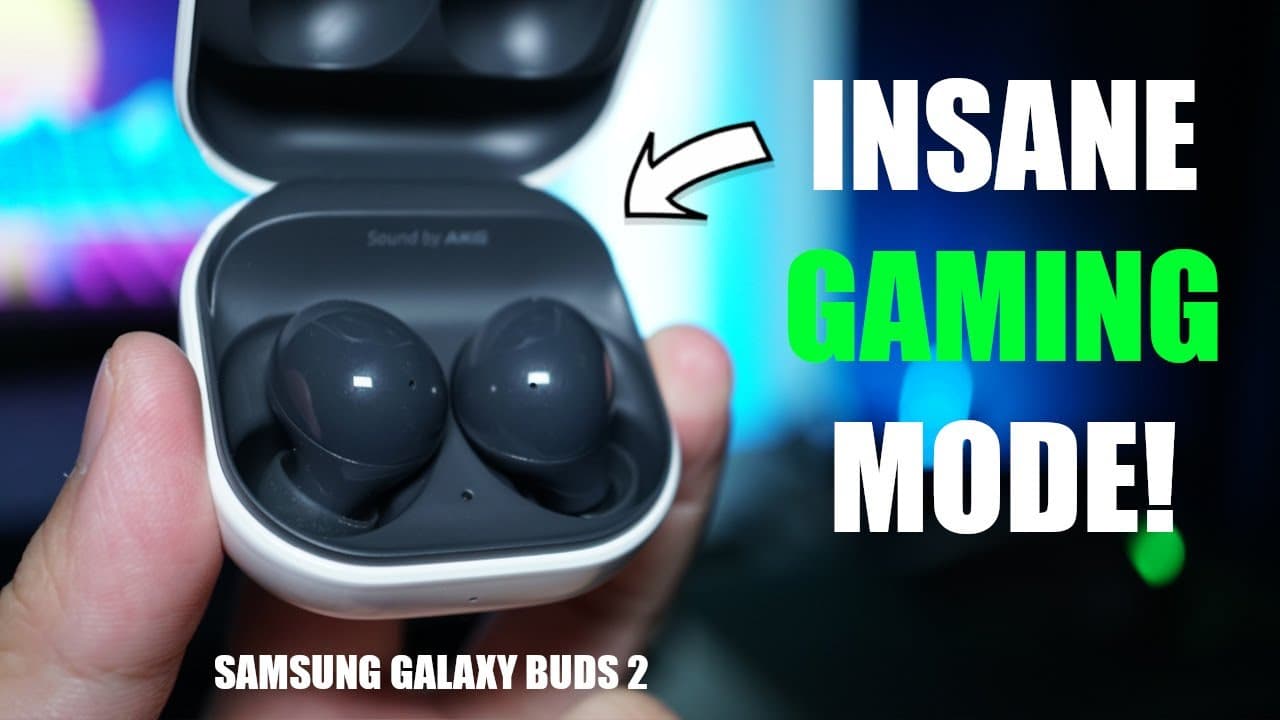
Samsung Galaxy Buds 2 Gaming Mode TEST! 🔥 | With Galaxy S21 Ultra
TL;DR
Galaxy Buds 2's gaming mode reduces latency significantly but is limited to Samsung devices.
Transcript
hey what's up youtube this is aaron welcome back to another video and today we're going to look at the samsung galaxy blood stews gaming mode now gaming mode is an experimental feature on the butts 2 that promises to reduce bluetooth audio lag when gaming but does it really work and what are the limitations if you want to watch my full review of th... Read More
Key Insights
- 💐 The gaming mode available on the Galaxy Buds 2 significantly lowers latency, enhancing the gaming experience on Samsung devices.
- 🤨 Exclusive functionality of gaming mode only for Samsung devices raises concerns regarding compatibility and performance for other brands.
- 😀 Users of non-Samsung devices often face increased latency when using the Galaxy Buds 2, sometimes over 350 milliseconds.
- 👂 A workaround for reducing latency on various devices involves adjusting audio codecs, which can be done through developer settings at the potential cost of sound quality.
- 🫵 The video provides insights and encourages user interaction, motivating viewers to like, share, and subscribe for more content.
- 🫵 The channel's sustainable growth is supported through viewer contributions on platforms like Patreon, highlighting community involvement.
- 🫵 The content manager emphasizes upcoming videos and invites viewers to join their Discord server for ongoing engagement.
Install to Summarize YouTube Videos and Get Transcripts
Explore YouTube Video Summarizer or Get YouTube Transcript Extractor
Questions & Answers
Q: How does the gaming mode affect latency on the Galaxy Buds 2?
The gaming mode implemented on the Galaxy Buds 2 effectively reduces audio latency by around 100 milliseconds when used with Samsung devices. This improvement leads to a much smoother gaming experience, making it significantly valuable for gamers who prioritize responsiveness in audio feedback while playing games.
Q: What happens when using the Galaxy Buds 2 with devices other than Samsung?
Using the Galaxy Buds 2 with non-Samsung devices, like OnePlus or Xiaomi, disables the gaming mode, resulting in latency levels that can be around 350 milliseconds or higher. This reduction in performance may detract from the gaming experience, leading to notable delays between actions and audio responses.
Q: Can the audio quality be sacrificed while reducing latency in other earbuds?
Several affordable earbuds come with their gaming modes that work across devices; however, these often require sacrificing sound quality for improved latency. Typically, these earbuds balance between lag reduction and audio fidelity, providing options based on user preferences for either gaming performance or sound quality.
Q: What alternative methods can be used to reduce latency on non-supported devices?
Users can navigate to their phone's developer options and switch the audio codec from higher quality options like AAC or APTX to SBC. While this does lower the audio quality slightly, it can also lead to reduced latency, making it a viable solution for those who prioritize responsiveness in gaming.
Summary & Key Takeaways
-
The Galaxy Buds 2 features a gaming mode that minimizes Bluetooth audio lag by approximately 100 milliseconds, enhancing the gaming experience for users with Samsung devices, specifically tested on the Galaxy S21 Ultra.
-
Unfortunately, gaming mode is exclusive to Samsung devices via the Samsung wearable app, resulting in higher latency for users on other smartphone models such as OnePlus or Xiaomi, where lag could exceed 350 milliseconds.
-
Alternatives to achieve lower latency on non-supportive devices include modifying audio codecs in the phone's developer options, although this may slightly affect sound quality but improves lag performance.
Read in Other Languages (beta)
Share This Summary 📚
Summarize YouTube Videos and Get Video Transcripts with 1-Click
Try YouTube Summary with ChatGPT & Claude or YouTube Transcript Generator
Explore More Summaries from Aaron X Loud and Wireless Reviews 📚




Summarize YouTube Videos and Get Video Transcripts with 1-Click
Try YouTube Summary with ChatGPT & Claude or YouTube Transcript Generator