Laravel Attachable Objects - Attaching Files Made Simpler
TL;DR
Learn how to implement attachable objects on mail in Laravel, allowing you to easily attach files to emails.
Transcript
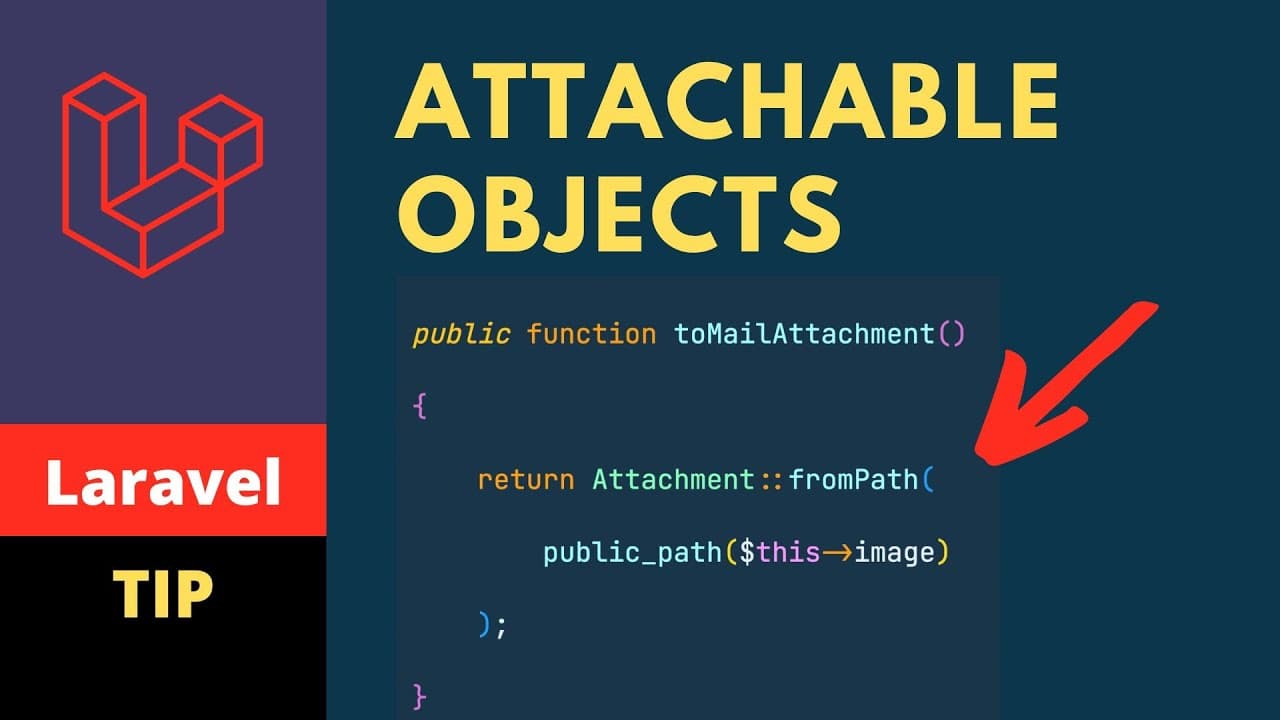
in today's video we'll be looking at attachable objects on mail this feature has been recently added to laravel and will be looking at how to implement it with the help of attachable objects we can simply pass the model and then the mailable class will automatically know what to attach to that mail so let's get started first of all let us create a ... Read More
Key Insights
- 💌 Laravel has introduced attachable objects, making it easier to attach files to mail.
- 💌 Implementing attachable objects involves creating a mail class and blade template.
- 💄 Making a model attachable requires implementing the attachable interface and adding a method for attachment.
- 🥳 Third-party tools like Mailtrap can be used to test the attached file in Laravel.
Install to Summarize YouTube Videos and Get Transcripts
Explore YouTube Video Summarizer or Get YouTube Transcript Extractor
Questions & Answers
Q: How can you implement attachable objects on mail in Laravel?
To implement attachable objects, you need to create a mail class and a blade template, and make your model attachable by implementing the attachable interface and adding a method for attachment.
Q: What is the process of attaching a file to an email in Laravel?
To attach a file, you need to pass the user model to the mail class, and then Laravel will automatically check if the model implements the attachable interface. If it does, it will attach the specified file to the email.
Q: Can you use third-party tools like Mailtrap for testing the attached file in Laravel?
Yes, you can use third-party tools like Mailtrap to test the attached file. It provides a preview of the email, allowing you to see the attachment.
Q: What is the benefit of using attachable objects on mail in Laravel?
Attachable objects make it easy to attach files to emails in Laravel, simplifying the process of sending attachments to users. It allows for greater flexibility in the content of emails.
Key Insights:
- Laravel has introduced attachable objects, making it easier to attach files to mail.
- Implementing attachable objects involves creating a mail class and blade template.
- Making a model attachable requires implementing the attachable interface and adding a method for attachment.
- Third-party tools like Mailtrap can be used to test the attached file in Laravel.
- Attachable objects provide flexibility and convenience in adding file attachments to emails.
Summary & Key Takeaways
-
Laravel has introduced a feature called attachable objects that allows you to attach files to mail.
-
To implement this feature, you need to create a mail class and a corresponding blade template.
-
You can make a model attachable by implementing the attachable interface and adding a method to handle the attachment.
Read in Other Languages (beta)
Share This Summary 📚
Summarize YouTube Videos and Get Video Transcripts with 1-Click
Try YouTube Summary with ChatGPT & Claude or YouTube Transcript Generator
Explore More Summaries from Laratips 📚


Summarize YouTube Videos and Get Video Transcripts with 1-Click
Try YouTube Summary with ChatGPT & Claude or YouTube Transcript Generator