What Should I Know Before Live Streaming on YouTube?
TL;DR
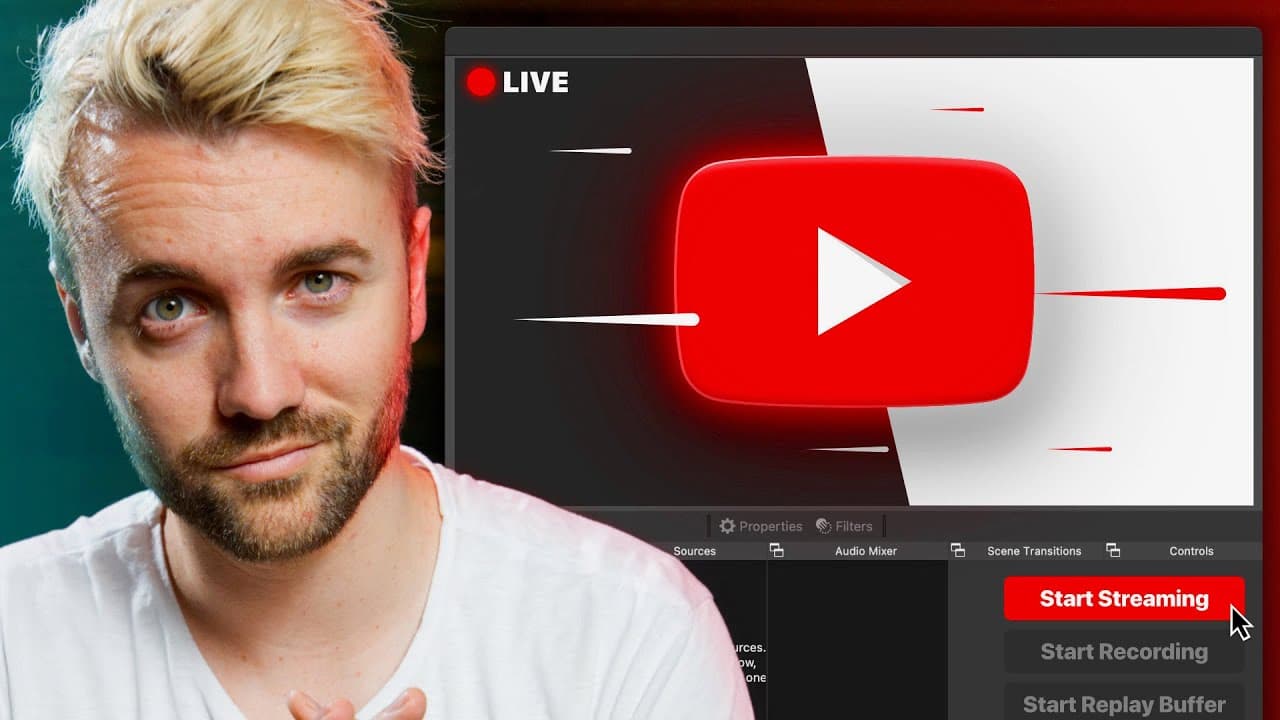
To start live streaming on YouTube, enable the feature via the create tab, ensuring your channel is set up 24 hours in advance. Key steps include understanding monetization options, discovering strategies for visibility, and organizing content effectively to enhance viewer engagement.
Transcript
all right looks like looks like we're shooting this video all the way up here uh welcome to our temporary upstairs storage room let's talk about streaming on youtube we got test bench pcs we got guitars we got rugs furniture don't just just don't judge me for this room i moved over from streaming on twitch to streaming on youtube when did i do that... Read More
Key Insights
- 👶 Transitioning from Twitch to YouTube for streaming offers new opportunities and advantages.
- 🫒 YouTube's live dashboard provides more control over live streams compared to Twitch.
- 🦸 Monetization options include memberships, super chats, super stickers, and merch integration.
- 😒 YouTube's platform allows for better discoverability through the use of videos and shorts.
- 😘 YouTube's algorithm is designed to promote live streams, debunking concerns about lower click-through rates.
- 🎏 Organizing your live streams within playlists and unlisting them after completing the streams can keep your channel organized.
- ☠️ YouTube offers higher resolution and bit rate options for streaming compared to Twitch.
Install to Summarize YouTube Videos and Get Transcripts
Explore YouTube Video Summarizer or Get YouTube Transcript Extractor
Questions & Answers
Q: How do I enable live streaming on my YouTube channel?
To enable live streaming, click on the create tab in the top right corner of your YouTube page, select "Go Live," and then click on "Enable." However, note that there is a 24-hour waiting period before your first live stream.
Q: How do I set up a live stream on YouTube?
In the live dashboard, click on "Manage" and then "Schedule Stream." Here, you can set up the stream's description, title, thumbnail, and more. You can also reuse previous settings for future streams, saving you time.
Q: What options does YouTube offer for monetizing live streams?
YouTube provides options such as memberships (similar to Twitch subs), super chats, super stickers, and integration with your merch store. You can set up different tiers for memberships and even pin your favorite merch item to the top of the chat.
Q: How can I improve discoverability for my YouTube live streams?
By posting full-length videos, shorts, and stories on your channel alongside live streams, you increase your chances of exposure. Making shorts is particularly effective in attracting new subscribers and enhancing visibility.
Key Insights:
- Transitioning from Twitch to YouTube for streaming offers new opportunities and advantages.
- YouTube's live dashboard provides more control over live streams compared to Twitch.
- Monetization options include memberships, super chats, super stickers, and merch integration.
- YouTube's platform allows for better discoverability through the use of videos and shorts.
- YouTube's algorithm is designed to promote live streams, debunking concerns about lower click-through rates.
- Organizing your live streams within playlists and unlisting them after completing the streams can keep your channel organized.
- YouTube offers higher resolution and bit rate options for streaming compared to Twitch.
- While YouTube is primarily a video platform, the popularity of live streams is growing, promising future improvements in discoverability and audience engagement.
Summary & Key Takeaways
-
The content discusses the speaker's experience transitioning from streaming on Twitch to YouTube, highlighting the opportunities and advantages on YouTube.
-
It covers five important categories: setting up your first YouTube live stream, monetizing your streams, getting discovered, organizing your channel, and understanding the differences between Twitch and YouTube.
-
The speaker provides valuable insights and tips on each category, including enabling live streaming, setting up the live dashboard, choosing bit rates and resolutions, monetization thresholds, and leveraging videos and shorts for better discoverability.
Read in Other Languages (beta)
Share This Summary 📚
Summarize YouTube Videos and Get Video Transcripts with 1-Click
Try YouTube Summary with ChatGPT & Claude or YouTube Transcript Generator
Explore More Summaries from Senpai Gaming 📚
Summarize YouTube Videos and Get Video Transcripts with 1-Click
Try YouTube Summary with ChatGPT & Claude or YouTube Transcript Generator