Terrain Creation Addon for Blender | TerrainScapes 2.0
TL;DR
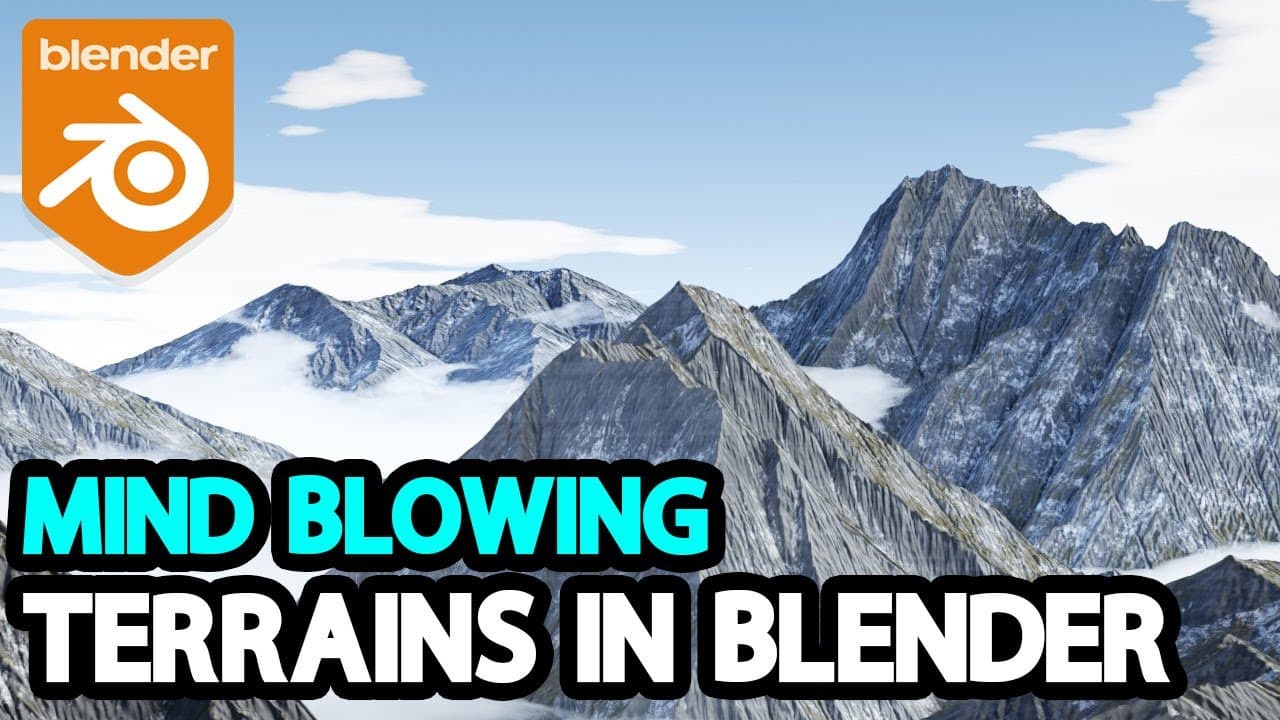
Terrainscapes 2 offers expanded assets and tools for creating stunning landscapes in Blender quickly.
Transcript
today we're going to talk about terrainscapes 2 which is an expanded library of assets and toolsets but enable you as a blender user to create stunning landscapes and backdrop scenes in no time the add-on allows you to work with the asset browser and comes packed with a couple of shader nodes that allow you to adjust the look of your terrains like ... Read More
Key Insights
- 🧡 Terrainscapes 2 offers a wide range of assets and shader nodes for creating detailed landscapes in Blender.
- ⌛ The add-on provides fast render times and real-time viewport feedback for efficient workflow.
- 💦 Divided into mountain, procedural sky, and water packages, Terrainscapes 2 simplifies the process of creating landscapes in Blender.
- 💦 Users can customize textures, vegetation, rocks, snow, water, and sky settings through the addon's window for detailed control.
- 💦 Terrainscapes 2 offers 54 terrain asset types, 35 sky presets, and realistic water effects for realistic landscape creation.
- 👤 The addon's drag-and-drop functionality and asset customization make it user-friendly for Blender users.
- ⛅ Users can adjust parameters such as sun reflection, snow buildup, rock types, colors, atmosphere, clouds, water geometry, and shading with Terrainscapes 2.
Install to Summarize YouTube Videos and Get Transcripts
Explore YouTube Video Summarizer or Get YouTube Transcript Extractor
Questions & Answers
Q: What are the key features of Terrainscapes 2?
Terrainscapes 2 offers an extensive asset library, shader nodes for terrain customization, fast render times, real-time viewport feedback, and easy drag-and-drop functionality for creating landscapes in Blender.
Q: How can users customize terrains using Terrainscapes 2?
Users can adjust textures, vegetation settings, rocks, snow parameters, sun reflection, snow buildup, rock types, colors, scale, bump, specularity, atmosphere, clouds, sun, night stars, water geometry, displacement, shading, caustics, volume, waves, and more.
Q: What are the benefits of using Terrainscapes 2 for creating landscapes in Blender?
Terrainscapes 2 provides high-quality, detailed assets, customizable parameters through the shader editor, 54 terrain asset types, 35 sky presets, realistic water effects, and efficient tools for creating landscapes with ease.
Q: How can users access and use Terrainscapes 2 within Blender?
Users can install Terrainscapes 2 like any addon, add assets to Blender's asset library file paths, access assets from the Asset Browser panel, drag and drop assets into the scene, and customize settings through the addon's window in the 3D viewport.
Summary & Key Takeaways
-
Terrainscapes 2 is an add-on for Blender that provides a library of assets and shader nodes to customize terrains, vegetation, rocks, snow, and more.
-
The add-on offers a fast render time and real-time viewport feedback, optimizing workflow efficiency.
-
Divided into mountain, procedural sky, and water packages, Terrainscapes 2 allows users to drag and drop assets, customize settings, and create detailed landscapes.
Read in Other Languages (beta)
Share This Summary 📚
Summarize YouTube Videos and Get Video Transcripts with 1-Click
Try YouTube Summary with ChatGPT & Claude or YouTube Transcript Generator
Explore More Summaries from InspirationTuts 📚
Summarize YouTube Videos and Get Video Transcripts with 1-Click
Try YouTube Summary with ChatGPT & Claude or YouTube Transcript Generator