How to Create Realistic Paper Models in Blender
TL;DR
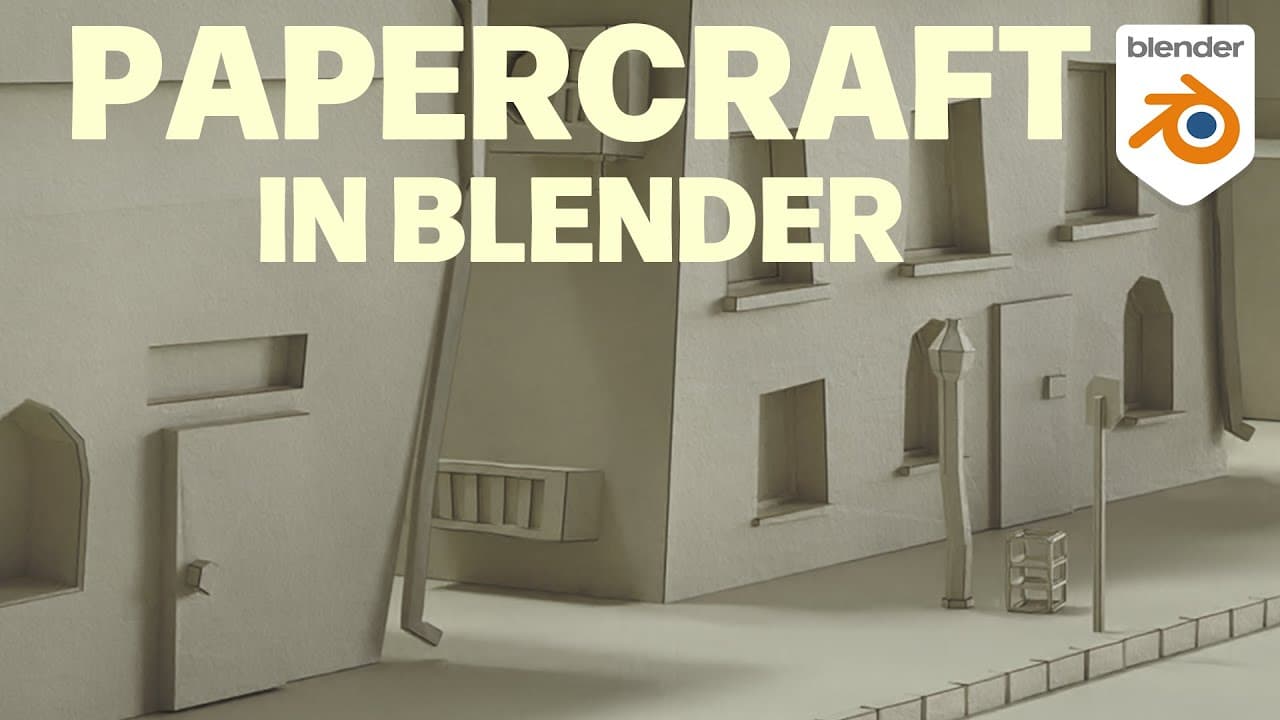
To create a realistic paper model in Blender, use geometry nodes to distort the mesh and simulate a crooked cardboard appearance, then employ edge splitting and extrusion techniques. Apply different shaders for the outer and inner surfaces, incorporating subsurface scattering for realism and bump maps to enhance texture.
Transcript
welcome to another geometry notes tutorial in this video I will show you an approach to create a paper model look in blender I was inspired by the intro of the Netflix show La Casa de papel or money heist in English the show is about a robbery which is planned in a small paper model of the target it is really nice and interestingly staged and made ... Read More
Key Insights
- 👀 The tutorial draws inspiration from the show "Money Heist" to create a paper or cardboard look in Blender.
- ❓ The geometry nodes editor is used to manipulate the geometry and achieve a crooked appearance.
- 🤗 Splitting edges and extruding faces helps create the effect of a sliced open mesh.
- 💠 The shading involves using different materials for the outside and inside of the model.
- 💇 Randomization and angle threshold are used to determine which edges are cut in the geometry.
- 🪡 The tutorial emphasizes the need for subsurface scattering to achieve a realistic paper texture.
- 🍁 Bump maps are used to simulate the surface texture of the paper or cardboard.
Install to Summarize YouTube Videos and Get Transcripts
Explore YouTube Video Summarizer or Get YouTube Transcript Extractor
Questions & Answers
Q: What inspired the creation of this paper model look tutorial in Blender?
The creator was inspired by the opening sequence of the show "Money Heist" (La Casa de Papel) and wanted to recreate a similar effect in Blender.
Q: What are the two main parts involved in achieving the paper model look?
The paper model look involves manipulating the geometry to make it appear crooked and cutting edges to simulate a sliced open mesh.
Q: How does the tutorial create the crooked geometry effect?
By using the geometry nodes, the creator adds a random value to the vertex positions to shift them in random directions. This gives the geometry a crooked appearance.
Q: How are the edges of the geometry cut to achieve the paper-like effect?
The tutorial uses a combination of randomization and angle threshold to determine which edges to cut. Edges with high angles are cut while flat edges are left uncut, resembling folded cardboard.
Key Insights:
- The tutorial draws inspiration from the show "Money Heist" to create a paper or cardboard look in Blender.
- The geometry nodes editor is used to manipulate the geometry and achieve a crooked appearance.
- Splitting edges and extruding faces helps create the effect of a sliced open mesh.
- The shading involves using different materials for the outside and inside of the model.
- Randomization and angle threshold are used to determine which edges are cut in the geometry.
- The tutorial emphasizes the need for subsurface scattering to achieve a realistic paper texture.
- Bump maps are used to simulate the surface texture of the paper or cardboard.
- The scale and detail of the textures may need to be adjusted based on the size of the model.
Summary & Key Takeaways
-
Inspired by the show "Money Heist", the tutorial demonstrates how to create a paper or cardboard look in Blender.
-
The process involves making the geometry appear crooked and cutting edges to create an effect of sliced open mesh.
-
The tutorial also covers shading, with different materials for the outside and inside of the model.
Read in Other Languages (beta)
Share This Summary 📚
Summarize YouTube Videos and Get Video Transcripts with 1-Click
Try YouTube Summary with ChatGPT & Claude or YouTube Transcript Generator