The ULTIMATE Home Video Studio for Live Streaming, Zoom & Presentations 3 Camera Setup in Small Area
TL;DR
Learn how to improve your video presence with equipment, software, and lighting tips for impressive online presentations.
Transcript
hey what's up it's pat here in the home studio and i want to show you how to up level your video presence online because video is becoming more and more important whether that's live streams your zoom calls of course and even virtual presentations that you might be offering because i want you to be able to impress people and this is something that ... Read More
Key Insights
- 💁 Video presence is becoming increasingly important in various online settings, and the content provides tips to enhance presentations on platforms like Zoom, live streams, and virtual presentations.
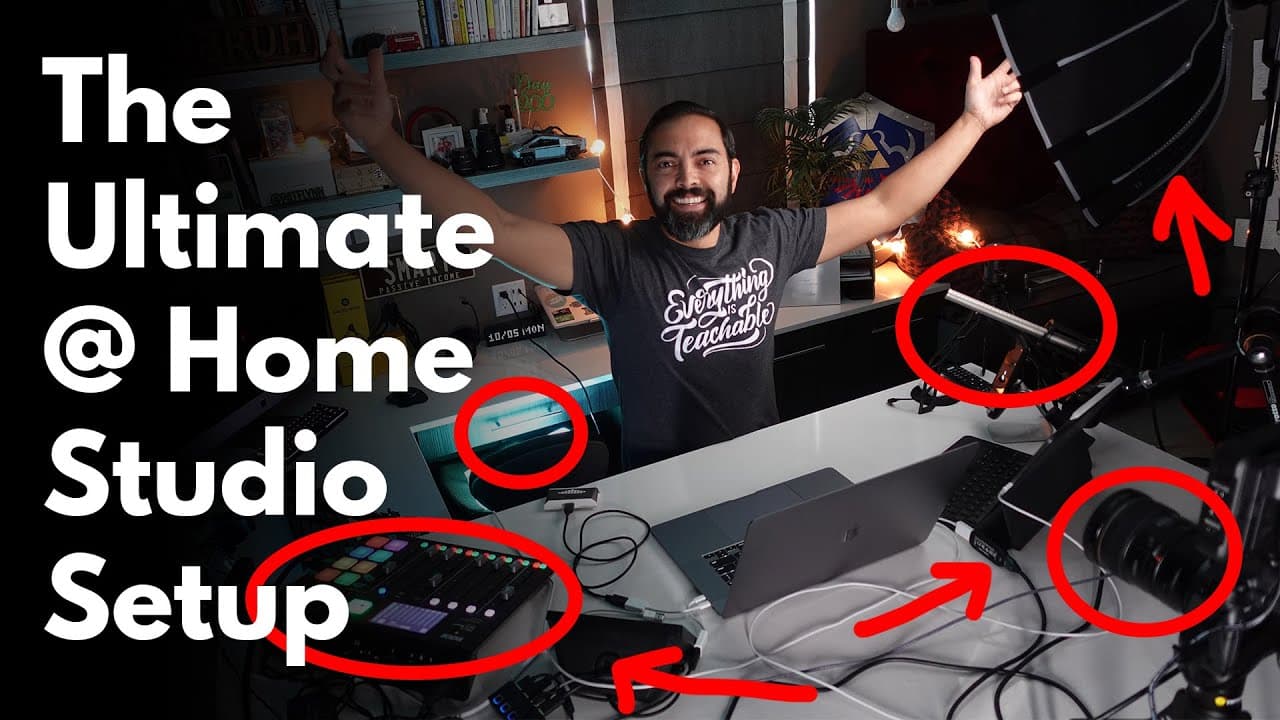
- 🎥 The presenter emphasizes the importance of investing in quality equipment, including cameras, microphones, lighting, and software, to ensure professional-looking videos.
- 🙂 Lighting is a key element in video production, with the Aperture 120D serving as the primary key light, an Ice Light providing a trim light effect, and Sansi LED floodlights adding color accents.
- 💨 The Stream Deck and software like Ecamm Live offer convenient ways to switch between camera angles, incorporate overlays and effects, and add audio soundbites to enhance presentations.
- 🫵 The presenter recommends using an iPad as a second monitor for better preparation during presentations, especially for viewing slides and notes.
- 🎮 The Rode NTG-3 shotgun microphone is a recommended option for clear and focused audio recording during video presentations.
- 🇭🇰 Additional equipment mentioned includes the Canon EOS R camera, Atomos Ninja monitor, Elgato Cam Link 4K, and the Road Caster Pro for audio processing and effects.
Install to Summarize YouTube Videos and Get Transcripts
Explore YouTube Video Summarizer or Get YouTube Transcript Extractor
Questions & Answers
Q: What equipment does the presenter use for online video presentations?
The presenter uses a MacBook Pro as the powerhouse, an iPad as a second monitor, Logitech Brio webcam, Sony ZV-1 handheld camera, Canon EOS R with an Aperture 120D key light, and a Rode NTG-3 shotgun microphone.
Q: How does the presenter switch between different camera angles during live streaming?
The presenter uses software called Ecamm Live and a Stream Deck, which allows for easy switching between camera angles and the inclusion of overlays and animated gifs.
Q: What lighting setup does the presenter use for professional-looking videos?
The presenter uses an Aperture 120D as the key light, an Ice Light as a trim light for a border effect, Sansi LED floodlights for accent colors, and string lights for added ambiance.
Q: What microphone does the presenter recommend for video presentations?
The presenter primarily uses the Rode NTG-3 shotgun microphone, which cancels out other noise and provides clear audio recording.
Summary & Key Takeaways
-
The content is a behind-the-scenes tour of the equipment used for online video presentations, including cameras, microphones, lighting, and software.
-
The presenter demonstrates various camera angles, such as wide-angle, side view, and back view, and shares tips to make presentations more engaging.
-
Lighting is discussed, including the importance of a key light, trim light, and accent lights, along with how to set them up for professional-looking videos.
Read in Other Languages (beta)
Share This Summary 📚
Summarize YouTube Videos and Get Video Transcripts with 1-Click
Try YouTube Summary with ChatGPT & Claude or YouTube Transcript Generator
Explore More Summaries from Pat Flynn 📚



Summarize YouTube Videos and Get Video Transcripts with 1-Click
Try YouTube Summary with ChatGPT & Claude or YouTube Transcript Generator