Products
Features
YouTube Video Summarizer
Summarize YouTube videos
Web & PDF Highlighter
Highlight web pages & PDFs
Chat with PDF
Ask any PDF questions with AI
Ask AI Clone
Chat with your highlights & memories
Audio Transcriber
Transcribe audio files to text
Glasp Reader
Read and highlight articles
Kindle Highlight Export
Export your Kindle highlights
Idea Hatch
Hatch ideas from your highlights
Integrations
Obsidian Plugin
Notion Integration
Pocket Integration
Instapaper Integration
Medium Integration
Readwise Integration
Snipd Integration
Hypothesis Integration
Apps & Extensions
Chrome Extension
Safari Extension
Edge Add-ons
Firefox Add-ons
iOS App
Android App
Discover
Discover
Ideas
Discover new ideas and insights
Articles
Curated articles and insights
Books
Book recommendations by great minds
Posts
Essays and notes from readers
Quotes
Inspiring quotes collection
Videos
Curated videos and summaries
Explore Glasp
Glasp Story
How we grew from 0 to 3 million users
Glasp Newsletter
Weekly insights and updates
Glasp Talk
Interview series with great minds
Glasp Blog
Latest news and articles
Glasp Use Cases
Learn how others use Glasp
Build & Support
Glasp API
Access Glasp's API for developers
MCP Connector
Connect Glasp to Claude & ChatGPT
Community
Glasp Reddit Community
Students
Student discount and benefits
FAQs
Frequently Asked Questions
AboutPricing
DashboardLog inSign up

"Borrow" Any Pose For Your AI Art! (Easy Tutorial)
35.9K views
•
February 23, 2023
by
Matt Wolfe
YouTube video player
"Borrow" Any Pose For Your AI Art! (Easy Tutorial)

TL;DR

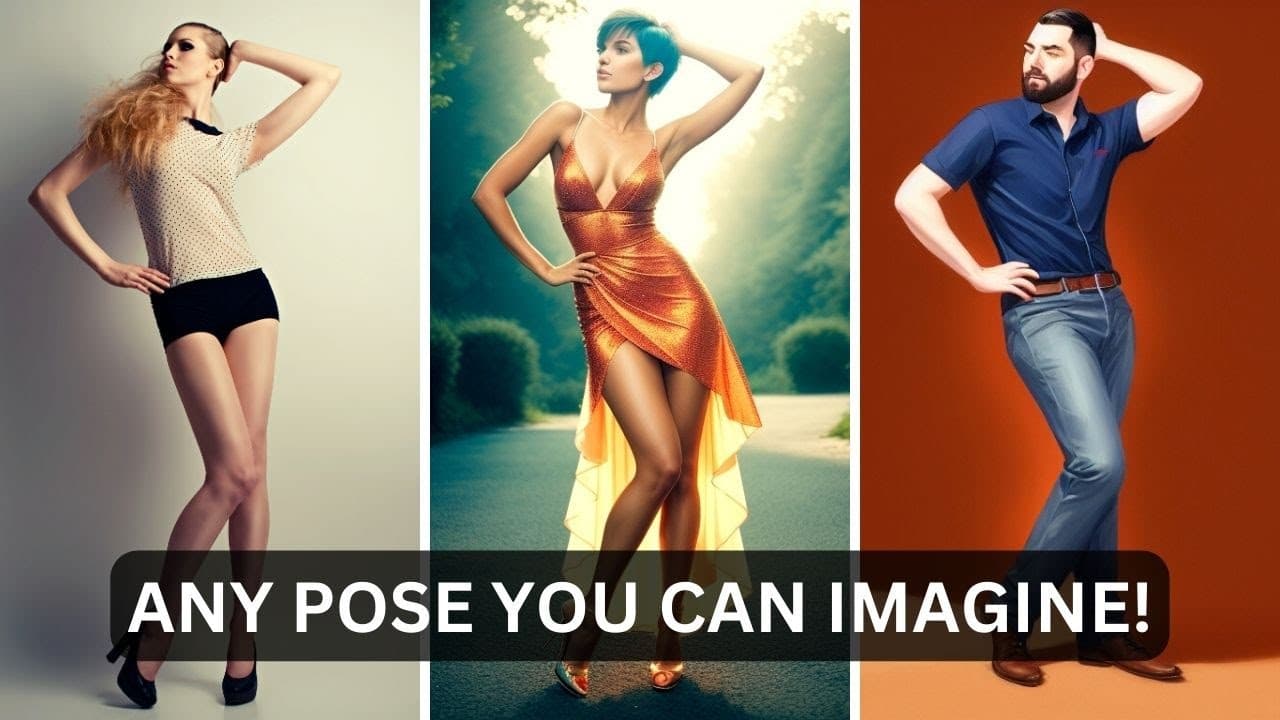
Learn to install and utilize Control Net in Stable Diffusion for customized image generation.

Transcript

in this video I'm going to show you how to set up your stable diffusion so you can get the images in the exact pose and look that you want now the tool you're going to use is called control net and it's really easy to install so let's get into it so the first thing you're going to want to do is open up stable diffusion the way you'd normally open u... Read More

Key Insights

  • 😑 Control Net in Stable Diffusion allows for customized image generation using pre-trained models.
  • 🇧🇶 Models for Control Net can be downloaded from huggingface.co for specific image interpretation tasks.
  • 🤗 Different Control Net models like depth, open pose, and scribble offer varied image generation capabilities.
  • 👨‍🦱 Installation of Control Net involves copying the URL from GitHub and installing it in Stable Diffusion through the extensions tab.
  • 👤 Control Net enables users to manipulate images based on prompts, generating personalized and unique results.
  • 🤗 Utilizing Control Net models like open pose can create images based on specific poses and gestures.
  • 🤗 The open pose editor extension in Stable Diffusion allows for interactive manipulation of models for image creation.

Install to Summarize YouTube Videos and Get Transcripts

Explore YouTube Video Summarizer or Get YouTube Transcript Extractor

Questions & Answers

Q: What is Control Net and how does it work in Stable Diffusion?

Control Net is a tool used in Stable Diffusion for customized image generation. It works by utilizing pre-trained models to interpret images based on prompts.

Q: How do you install Control Net in Stable Diffusion?

To install Control Net, navigate to GitHub, search for the Control Net repository, copy the URL, paste it in Stable Diffusion's extensions tab, and install the tool from the URL.

Q: What types of models can be downloaded for Control Net from huggingface.co?

Models available for download from huggingface.co for Control Net include depth, open pose, and scribble among others, each serving different image interpretation purposes.

Q: How can Control Net be used to generate customized images in Stable Diffusion?

By selecting a model such as open pose or depth in Control Net, setting a prompt, and generating the image, users can create unique images based on different interpretive models.

Summary & Key Takeaways

  • Tutorial on installing Control Net in Stable Diffusion.

  • Download models from huggingface.co for Control Net.

  • Demonstration of using Control Net models for image generation.


Read in Other Languages (beta)

English

Share This Summary 📚

Summarize YouTube Videos and Get Video Transcripts with 1-Click

Download browser extensions on:

Try YouTube Summary with ChatGPT & Claude or YouTube Transcript Generator

Explore More Summaries from Matt Wolfe 📚
CRAZY AI Computer Graphic Technology! thumbnail
CRAZY AI Computer Graphic Technology!
Matt Wolfe
CES 2026 Proved We've Run Out of Problems to Solve thumbnail
CES 2026 Proved We've Run Out of Problems to Solve
Matt Wolfe
How to Use ChatGPT for Creative Image Generation thumbnail
How to Use ChatGPT for Creative Image Generation
Matt Wolfe
AI NEWS: GPT-5.2 Is HERE! (Plus Runway 4.5 and the Next Image AI Leaks) thumbnail
AI NEWS: GPT-5.2 Is HERE! (Plus Runway 4.5 and the Next Image AI Leaks)
Matt Wolfe
AI News: The ChatBot That FINALLY Beats ChatGPT thumbnail
AI News: The ChatBot That FINALLY Beats ChatGPT
Matt Wolfe
Nano Banana Pro is Here - New Features Unlocked! thumbnail
Nano Banana Pro is Here - New Features Unlocked!
Matt Wolfe

Summarize YouTube Videos and Get Video Transcripts with 1-Click

Download browser extensions on:

Try YouTube Summary with ChatGPT & Claude or YouTube Transcript Generator

Apps & Extensions

  • Chrome Extension
  • Safari Extension
  • Edge Add-ons
  • Firefox Add-ons
  • iOS App
  • Android App

Key Features

  • YouTube Video Summarizer
  • Web & PDF Summarizer
  • Web & PDF Highlighter
  • Chat with PDF
  • Ask AI Clone
  • Audio Transcriber
  • Glasp Reader
  • Kindle Highlight Export
  • Idea Hatch

Integrations

  • Obsidian Plugin
  • Notion Integration
  • Pocket Integration
  • Instapaper Integration
  • Medium Integration
  • Readwise Integration
  • Snipd Integration
  • Hypothesis Integration

More Features

  • APIs
  • MCP Connector
  • Blog & Post
  • Embed Links
  • Image Highlight
  • Personality Test
  • Quote Shots
  • Open Graph Checker

Company

  • About us
  • Our Story
  • Blog
  • Community
  • FAQs
  • Job Board
  • Newsletter
  • Pricing
Terms

•

Privacy

•

Guidelines

© 2026 Glasp Inc. All rights reserved.