Products
Features
YouTube Video Summarizer
Summarize YouTube videos
Web & PDF Highlighter
Highlight web pages & PDFs
Chat with PDF
Ask any PDF questions with AI
Ask AI Clone
Chat with your highlights & memories
Audio Transcriber
Transcribe audio files to text
Glasp Reader
Read and highlight articles
Kindle Highlight Export
Export your Kindle highlights
Idea Hatch
Hatch ideas from your highlights
Integrations
Obsidian Plugin
Notion Integration
Pocket Integration
Instapaper Integration
Medium Integration
Readwise Integration
Snipd Integration
Hypothesis Integration
Apps & Extensions
Chrome Extension
Safari Extension
Edge Add-ons
Firefox Add-ons
iOS App
Android App
Discover
Discover
Ideas
Discover new ideas and insights
Articles
Curated articles and insights
Books
Book recommendations by great minds
Posts
Essays and notes from readers
Quotes
Inspiring quotes collection
Videos
Curated videos and summaries
Explore Glasp
Glasp Newsletter
Weekly insights and updates
Glasp Talk
Interview series with great minds
Glasp Blog
Latest news and articles
Glasp Use Cases
Learn how others use Glasp
Build & Support
Glasp API
Access Glasp's API for developers
MCP Connector
Connect Glasp to Claude & ChatGPT
Community
Glasp Reddit Community
Students
Student discount and benefits
FAQs
Frequently Asked Questions
AboutPricing
DashboardLog inSign up

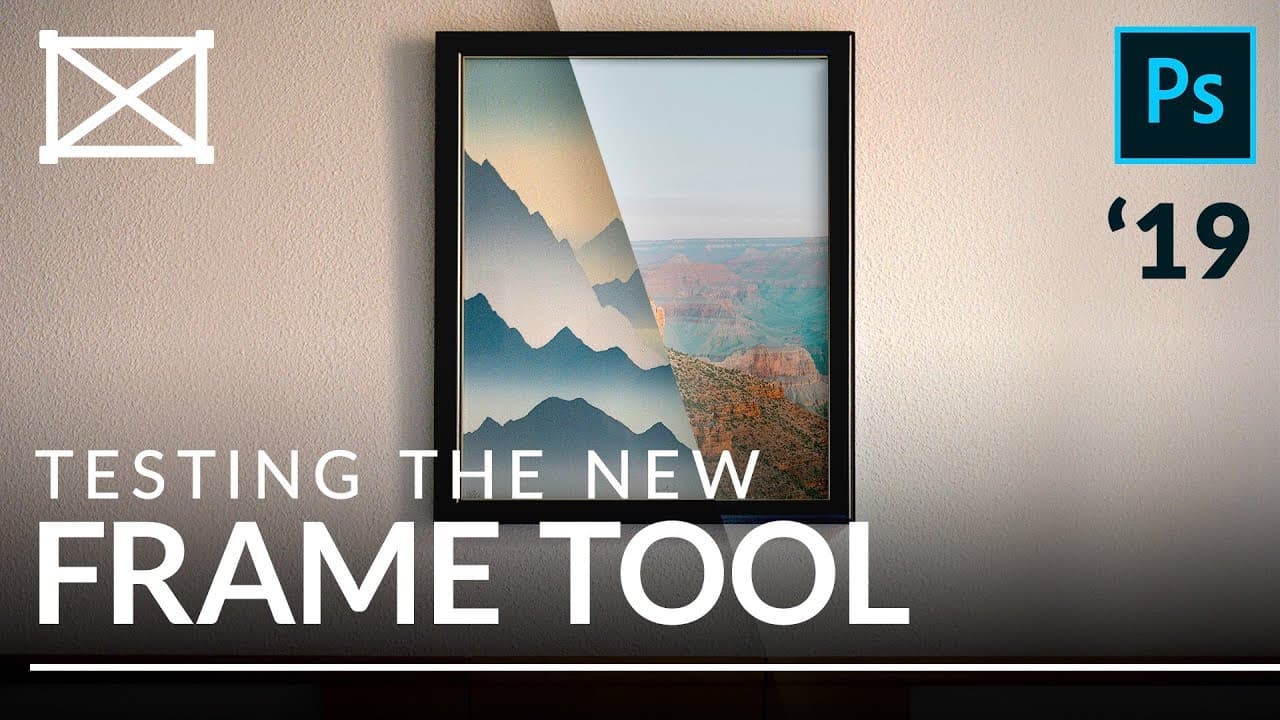
How to Use the Frame Tool vs Clipping Masks in Photoshop?
146.7K views
•
November 27, 2018
by
PHLEARN
YouTube video player
How to Use the Frame Tool vs Clipping Masks in Photoshop?

TL;DR

The Frame Tool in Photoshop CC 2019 allows users to easily create and manipulate frames for images using simple shapes. However, advanced users may prefer Clipping Masks for more complex tasks, as they offer greater flexibility, the ability to use multiple images, and support for adjustment layers without increasing file size.

Transcript

today I'm going to show you how to use the new frame tool in Photoshop CC 2019 and we're going to compare it with one of my favorite tools clipping masks hey there and welcome to phlearn my name is Aaron NACE you can find me on phlearn comm where we make learning fun now it's this episode we're talking all about the new frame tool in Photoshop CC 2... Read More

Key Insights

  • 🖼️ The frame tool in Photoshop CC 2019 simplifies the process of creating frames for images, particularly for beginners who want a quick and easy solution.
  • 👻 The frame tool works seamlessly with smart objects, allowing for easy scaling and maintaining image resolution.
  • 👤 Although the frame tool has its advantages, advanced users may still prefer to use clipping masks for more complex tasks, such as adding multiple images or using custom shapes.
  • 😷 Clipping masks offer greater flexibility and control, allowing for more creative and advanced compositions.
  • 🖼️ Both the frame tool and clipping masks offer options to adjust the size and position of the image within the frame.
  • 😒 Clipping masks also allow for the use of adjustment layers to further enhance the composition.
  • 😷 The frame tool and clipping masks do not affect file size, making them efficient choices for managing images within a project.

Install to Summarize YouTube Videos and Get Transcripts

Explore YouTube Video Summarizer or Get YouTube Transcript Extractor

Summary & Key Takeaways

  • The frame tool in Photoshop CC 2019 allows users to quickly create frames in the shape of rectangles, ellipses, text, or custom shapes.

  • The frame tool works with smart objects, allowing users to easily scale and place images within the frame without losing resolution or increasing file size.

  • However, for more advanced applications and complex shapes, the use of clipping masks may be preferred instead.


Read in Other Languages (beta)

English

Share This Summary 📚

Summarize YouTube Videos and Get Video Transcripts with 1-Click

Download browser extensions on:

Try YouTube Summary with ChatGPT & Claude or YouTube Transcript Generator

Explore More Summaries from PHLEARN 📚
How Generative Fill in Photoshop will Change Everything You Know About Editing thumbnail
How Generative Fill in Photoshop will Change Everything You Know About Editing
PHLEARN
How to Crop & Resize Images in Photoshop | Day 10 thumbnail
How to Crop & Resize Images in Photoshop | Day 10
PHLEARN
Taking a Tour of Photoshop - Day 1 thumbnail
Taking a Tour of Photoshop - Day 1
PHLEARN
How to Create Professional Photoshop Actions thumbnail
How to Create Professional Photoshop Actions
PHLEARN

Summarize YouTube Videos and Get Video Transcripts with 1-Click

Download browser extensions on:

Try YouTube Summary with ChatGPT & Claude or YouTube Transcript Generator

Apps & Extensions

  • Chrome Extension
  • Safari Extension
  • Edge Add-ons
  • Firefox Add-ons
  • iOS App
  • Android App

Key Features

  • YouTube Video Summarizer
  • Web & PDF Summarizer
  • Web & PDF Highlighter
  • Chat with PDF
  • Ask AI Clone
  • Audio Transcriber
  • Glasp Reader
  • Kindle Highlight Export
  • Idea Hatch

Integrations

  • Obsidian Plugin
  • Notion Integration
  • Pocket Integration
  • Instapaper Integration
  • Medium Integration
  • Readwise Integration
  • Snipd Integration
  • Hypothesis Integration

More Features

  • APIs
  • MCP Connector
  • Blog & Post
  • Embed Links
  • Image Highlight
  • Personality Test
  • Quote Shots

Company

  • About us
  • Blog
  • Community
  • FAQs
  • Job Board
  • Newsletter
  • Pricing
Terms

•

Privacy

•

Guidelines

© 2026 Glasp Inc. All rights reserved.