Free picture / scan pdf text or word recognition within windows
TL;DR
Microsoft PowerToys offers a free text extraction tool for images and PDFs.
Transcript
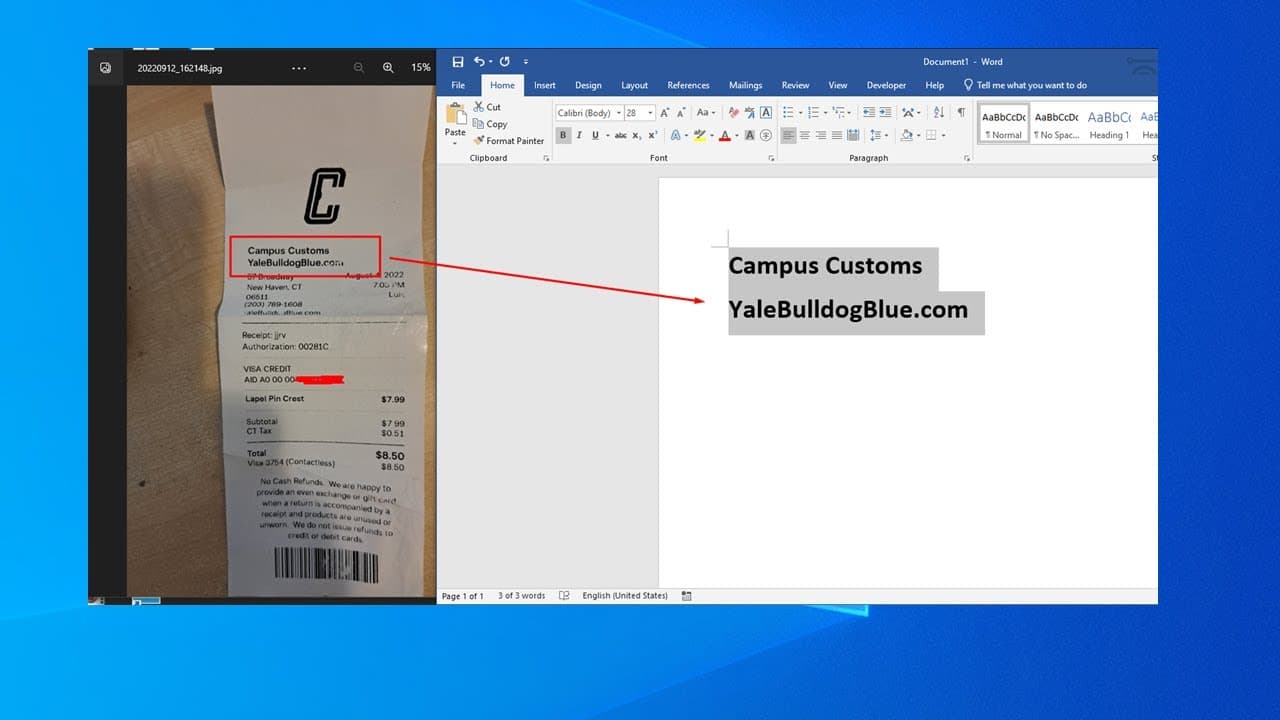
hello in this video we'll talk about uh how to use uh power toy to do a text recline so it's like when you have a picture you want the task in the picture and normally you can use in the pdf for professional version to do that but that's a paid version now microsoft has a free software to do that so you need to go to a microsoft store microsoft sto... Read More
Key Insights
- 🥶 PowerToys is a free tool developed by Microsoft, aimed at enhancing user productivity through various utilities.
- 🪡 The text extractor function is particularly valuable for individuals needing quick access to text from images or scanned documents without paying for professional software.
- 👤 Installation of PowerToys is straightforward, requiring users to locate it in the Microsoft Store.
- 👻 The keyboard shortcut for text extraction (Windows + Shift + T) allows for efficient workflow without navigating through multiple menus.
- ©️ Copying extracted text into applications like Notepad or other text editors is possible, ensuring versatility in text handling.
- 👤 Users should enable the text extractor feature in PowerToys for the tool to function properly.
- ✋ The quality of text extraction may vary based on the clarity of the image or document; higher quality images yield better results.
Install to Summarize YouTube Videos and Get Transcripts
Explore YouTube Video Summarizer or Get YouTube Transcript Extractor
Summary & Key Takeaways
-
Microsoft PowerToys provides a free tool to extract text from images and PDF files, offering a cost-effective alternative to paid software.
-
Users need to download and install PowerToys from the Microsoft Store, ensuring the text extractor feature is enabled for optimal functionality.
-
The text extraction process involves using the keyboard shortcut Windows key + Shift + T, followed by selecting the desired text and pasting it into a text editor.
Read in Other Languages (beta)
Share This Summary 📚
Summarize YouTube Videos and Get Video Transcripts with 1-Click
Try YouTube Summary with ChatGPT & Claude or YouTube Transcript Generator
Explore More Summaries from E Micro Tech 📚

Summarize YouTube Videos and Get Video Transcripts with 1-Click
Try YouTube Summary with ChatGPT & Claude or YouTube Transcript Generator