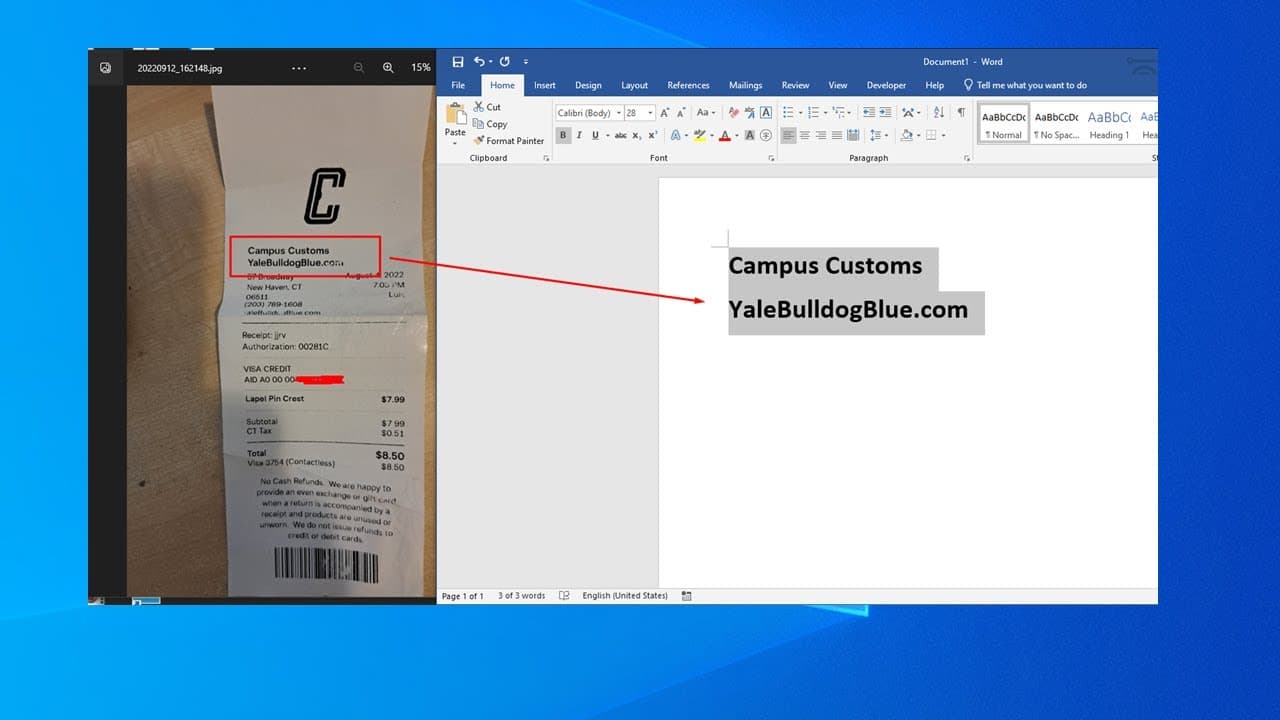
Free picture / scan pdf text or word recognition within windows
TL;DR
Microsoft PowerToys offers a free text extraction tool for images and PDFs.
Transcript
hello in this video we'll talk about uh how to use uh power toy to do a text recline so it's like when you have a picture you want the task in the picture and normally you can use in the pdf for professional version to do that but that's a paid version now microsoft has a free software to do that so you need to go to a microsoft store microsoft sto... Read More
Key Insights
- 🥶 PowerToys is a free tool developed by Microsoft, aimed at enhancing user productivity through various utilities.
- 🪡 The text extractor function is particularly valuable for individuals needing quick access to text from images or scanned documents without paying for professional software.
- 👤 Installation of PowerToys is straightforward, requiring users to locate it in the Microsoft Store.
- 👻 The keyboard shortcut for text extraction (Windows + Shift + T) allows for efficient workflow without navigating through multiple menus.
- ©️ Copying extracted text into applications like Notepad or other text editors is possible, ensuring versatility in text handling.
- 👤 Users should enable the text extractor feature in PowerToys for the tool to function properly.
- ✋ The quality of text extraction may vary based on the clarity of the image or document; higher quality images yield better results.
Install to Summarize YouTube Videos and Get Transcripts
Explore YouTube Video Summarizer or Get YouTube Transcript Extractor
Questions & Answers
Q: What is Microsoft PowerToys, and how does it function?
Microsoft PowerToys is a collection of free utilities for Windows users, designed to enhance productivity and user experience. Among its features, the text extractor allows for easy text extraction from images and PDF files without the need for expensive software. It simplifies workflows, especially for tasks involving scanned documents or images.
Q: How do I install Microsoft PowerToys?
To install Microsoft PowerToys, visit the Microsoft Store or search for "PowerToys" in the Start menu. Once found, click to download and install the software. Ensure your Windows version is compatible and always check for updates after installation to benefit from the latest features and improvements.
Q: What are the steps to use the text extractor feature?
After installing PowerToys, launch the application and enable the 'Text Extractor' feature. To extract text, press the Windows key, Shift key, and T simultaneously. This will activate the selection tool, allowing you to click and drag over the desired text. Once selected, the text is copied to your clipboard for pasting elsewhere.
Q: What types of documents can benefit from this text extraction?
The text extraction feature is particularly useful for scanned documents, images with text, and PDFs that may be difficult to edit or copy from directly. It can help users in various fields, including education, business, and design, by facilitating easy access to textual content from visual resources.
Summary & Key Takeaways
-
Microsoft PowerToys provides a free tool to extract text from images and PDF files, offering a cost-effective alternative to paid software.
-
Users need to download and install PowerToys from the Microsoft Store, ensuring the text extractor feature is enabled for optimal functionality.
-
The text extraction process involves using the keyboard shortcut Windows key + Shift + T, followed by selecting the desired text and pasting it into a text editor.
Read in Other Languages (beta)
Share This Summary 📚
Summarize YouTube Videos and Get Video Transcripts with 1-Click
Try YouTube Summary with ChatGPT & Claude or YouTube Transcript Generator
Explore More Summaries from E Micro Tech 📚

Summarize YouTube Videos and Get Video Transcripts with 1-Click
Try YouTube Summary with ChatGPT & Claude or YouTube Transcript Generator