Is the 2014 Retina MacBook Pro Still Worth Buying in 2023?
TL;DR
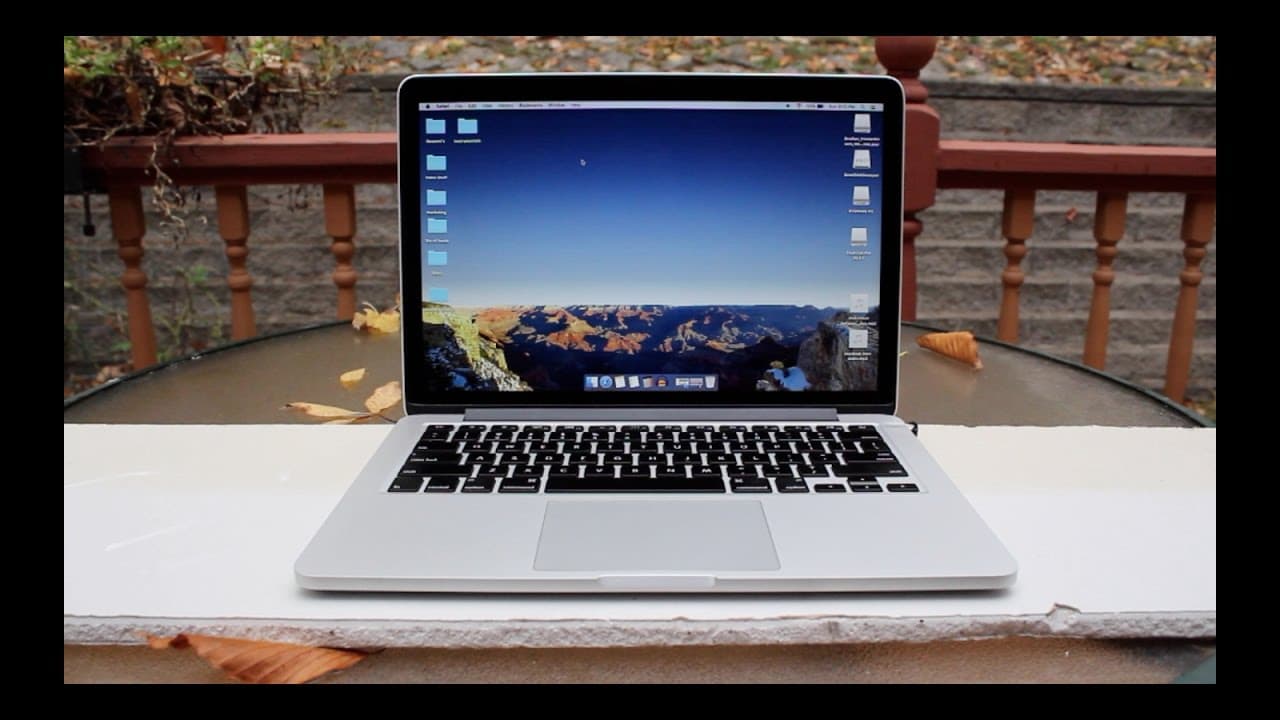
The 2014 Retina MacBook Pro is still a solid choice for budget-conscious users, especially students, offering reliable performance for tasks like video editing and everyday use. It features excellent battery life that supports a full school day and a vibrant Retina display, making it a great option even against newer models. However, limited storage should be managed with external drives.
Transcript
hey guys what is going on so the new 2016 MacBook Pros were just released a couple days ago and a couple youtubers already got their hands on it they've already reviewed it good for them whatever now fortunately for you I'm poor and I can only afford it older Mac books so if you're a person like me who wanted to buy an older Mac Book and you want t... Read More
Key Insights
- 🧑🎓 The 2014 Retina MacBook Pro is still relevant, especially for students and those with modest computing needs.
- 😘 Despite its lower specifications compared to newer models, it excels in tasks like video editing and music production.
- 🥳 Battery performance remains a strong point, delivering full-day usage without requiring frequent charges.
- 👶 The removal of traditional ports in newer models is a significant concern for users who require those features daily.
- 👤 Users can extend storage capabilities with external hard drives, mitigating the limitations of the internal memory.
- 😮 The Retina display still impresses with clarity and vibrancy, rivaling newer models.
- 💪 The build quality and durability of the 2014 MacBook Pro remains strong, ensuring longevity for users.
Install to Summarize YouTube Videos and Get Transcripts
Explore YouTube Video Summarizer or Get YouTube Transcript Extractor
Questions & Answers
Q: What are the main uses for your 2014 Retina MacBook Pro?
The main uses for my 2014 Retina MacBook Pro include video editing in Final Cut Pro, creating music in Logic, and graphic design in Photoshop. Additionally, I rely on it for academic tasks like note-taking, research, and completing assignments efficiently. This model has proved versatile enough to handle all my creative and academic needs without significant performance lag.
Q: Why did you choose the 2014 model over the latest 2016 MacBook Pro?
I opted for the 2014 model because it fits my budget and offers everything I need without requiring the latest features. The newer 2016 MacBook, while impressive, removes the SD card slot which I rely on for transferring files, and has a higher price point that didn't justify the differences in my case.
Q: How does battery life compare between the 2014 MacBook Pro and newer models?
The battery life of the 2014 MacBook Pro is exceptional, lasting up to a full school day from 10 a.m. to 9:30 p.m. on light usage. In contrast, other laptops I've used struggled to last even an hour. The reliable battery performance means I can work on assignments and projects throughout the day without needing to recharge frequently.
Q: Have you experienced any performance issues with the MacBook?
Performance issues have been minimal, with occasional lag only when launching resource-heavy software like Final Cut Pro. These delays typically occur during the initial loading phase rather than while using the program itself, indicating that the MacBook is still quite capable despite its age, particularly for user tasks not requiring extreme processing power.
Summary & Key Takeaways
-
The 2014 Retina MacBook Pro remains capable for tasks like video editing and music production, offering a balance of performance and affordability for students.
-
Despite its older specifications, the model provides reliable performance for everyday tasks and enjoys a strong battery life, making it suitable for long school days.
-
With limited storage, users can mitigate space issues by utilizing external hard drives, and the laptop's build quality and features like Retina display still hold up well against newer models.
Read in Other Languages (beta)
Share This Summary 📚
Summarize YouTube Videos and Get Video Transcripts with 1-Click
Try YouTube Summary with ChatGPT & Claude or YouTube Transcript Generator
Explore More Summaries from Simple Alpaca 📚






Summarize YouTube Videos and Get Video Transcripts with 1-Click
Try YouTube Summary with ChatGPT & Claude or YouTube Transcript Generator