Products
Features
YouTube Video Summarizer
Summarize YouTube videos
Web & PDF Highlighter
Highlight web pages & PDFs
Chat with PDF
Ask any PDF questions with AI
Ask AI Clone
Chat with your highlights & memories
Audio Transcriber
Transcribe audio files to text
Glasp Reader
Read and highlight articles
Kindle Highlight Export
Export your Kindle highlights
Idea Hatch
Hatch ideas from your highlights
Integrations
Obsidian Plugin
Notion Integration
Pocket Integration
Instapaper Integration
Medium Integration
Readwise Integration
Snipd Integration
Hypothesis Integration
Apps & Extensions
Chrome Extension
Safari Extension
Edge Add-ons
Firefox Add-ons
iOS App
Android App
Discover
Discover
Ideas
Discover new ideas and insights
Articles
Curated articles and insights
Books
Book recommendations by great minds
Posts
Essays and notes from readers
Quotes
Inspiring quotes collection
Videos
Curated videos and summaries
Explore Glasp
Glasp Newsletter
Weekly insights and updates
Glasp Talk
Interview series with great minds
Glasp Blog
Latest news and articles
Glasp Use Cases
Learn how others use Glasp
Build & Support
Glasp API
Access Glasp's API for developers
MCP Connector
Connect Glasp to Claude & ChatGPT
Community
Glasp Reddit Community
Students
Student discount and benefits
FAQs
Frequently Asked Questions
AboutPricing
DashboardLog inSign up

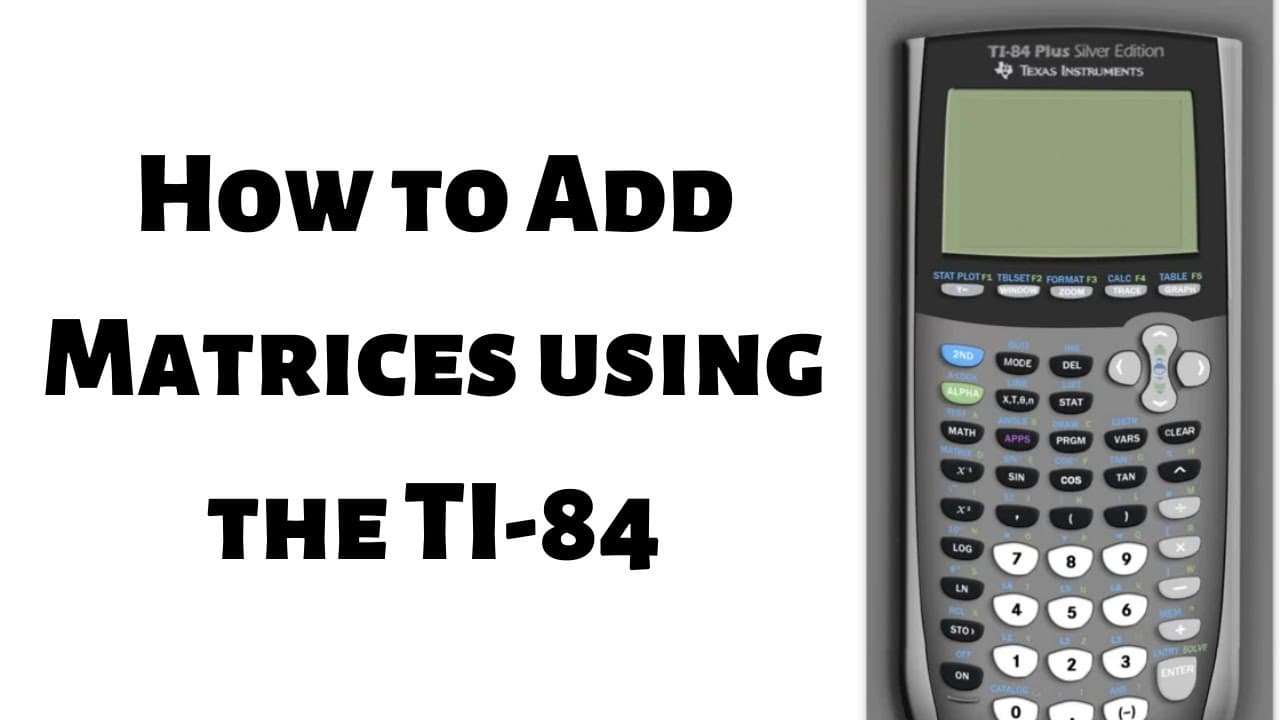
How to Add Matrices using the TI 84
1.4K views
•
February 21, 2020
by
The Math Sorcerer
YouTube video player
How to Add Matrices using the TI 84

TL;DR

Learn how to add matrices on your calculator step by step.

Transcript

hi everyone in this video I'm gonna show you how to add matrices in your calculator so the very first step is to go into the matrix menu and enter the matrices so the matrix menu is right here it's a blue key so in order to access a blue key you first have to hit the button called second so second Matrix so here you see three choices we have names ... Read More

Key Insights

  • ❓ Understanding how to navigate the matrix menu is essential for inputting matrices accurately.
  • 🪚 Properly entering values in each entry of the matrices ensures correct calculations.
  • 🧘 Exiting the matrix menu after editing simplifies accessing matrices and performing operations.
  • ❎ Using the correct negative symbol for negative numbers prevents input errors.
  • 😃 Adding matrices involves selecting matrices A and B and applying the addition operation.
  • 🎭 Practice entering matrices and performing operations to enhance familiarity and proficiency.
  • 🪜 Following step-by-step instructions improves efficiency in adding matrices on the calculator.

Install to Summarize YouTube Videos and Get Transcripts

Explore YouTube Video Summarizer or Get YouTube Transcript Extractor

Questions & Answers

Q: How do you access the matrix menu on the calculator?

To access the matrix menu, press the "second" key on your calculator and choose "edit" to input matrices.

Q: What is a common mistake to avoid when entering negative numbers in matrices?

When entering negative numbers in matrices, use the correct negative symbol located on the calculator, as mistaking it with the minus sign is a common error.

Q: Why is it recommended to completely exit the matrix menu after editing?

It is advisable to exit the matrix menu entirely before performing other actions to ensure smooth functioning and easier access to the matrices.

Q: How do you add two matrices on the calculator?

To add matrices on the calculator, access the matrices A and B, enter the "+" symbol, and select the matrices to determine the sum.

Summary & Key Takeaways

  • Access the matrix menu on your calculator by pressing the "second" key and select "edit" to input matrices.

  • Enter values for each entry of the matrices by navigating through rows and columns.

  • To add matrices, access the matrices A and B, enter the "+" symbol, and select the matrices for addition.


Read in Other Languages (beta)

English

Share This Summary 📚

Summarize YouTube Videos and Get Video Transcripts with 1-Click

Download browser extensions on:

Try YouTube Summary with ChatGPT & Claude or YouTube Transcript Generator

Explore More Summaries from The Math Sorcerer 📚
Proving two Spans of Vectors are Equal Linear Algebra Proof thumbnail
Proving two Spans of Vectors are Equal Linear Algebra Proof
The Math Sorcerer
How to Find the Curvature using the Cross Product Formula for r(t) = ti + t^2j + (t^2/2)k thumbnail
How to Find the Curvature using the Cross Product Formula for r(t) = ti + t^2j + (t^2/2)k
The Math Sorcerer
Prove that Every Integer is Even or Odd thumbnail
Prove that Every Integer is Even or Odd
The Math Sorcerer
Integral sin(sin(x)) ****Horseshoe Integral*** thumbnail
Integral sin(sin(x)) ****Horseshoe Integral***
The Math Sorcerer
How to Solve a Bernoulli Differential Equation Step-by-Step thumbnail
How to Solve a Bernoulli Differential Equation Step-by-Step
The Math Sorcerer
How to Show a Function is Not a Linear Transformation thumbnail
How to Show a Function is Not a Linear Transformation
The Math Sorcerer

Summarize YouTube Videos and Get Video Transcripts with 1-Click

Download browser extensions on:

Try YouTube Summary with ChatGPT & Claude or YouTube Transcript Generator

Apps & Extensions

  • Chrome Extension
  • Safari Extension
  • Edge Add-ons
  • Firefox Add-ons
  • iOS App
  • Android App

Key Features

  • YouTube Video Summarizer
  • Web & PDF Summarizer
  • Web & PDF Highlighter
  • Chat with PDF
  • Ask AI Clone
  • Audio Transcriber
  • Glasp Reader
  • Kindle Highlight Export
  • Idea Hatch

Integrations

  • Obsidian Plugin
  • Notion Integration
  • Pocket Integration
  • Instapaper Integration
  • Medium Integration
  • Readwise Integration
  • Snipd Integration
  • Hypothesis Integration

More Features

  • APIs
  • MCP Connector
  • Blog & Post
  • Embed Links
  • Image Highlight
  • Personality Test
  • Quote Shots

Company

  • About us
  • Blog
  • Community
  • FAQs
  • Job Board
  • Newsletter
  • Pricing
Terms

•

Privacy

•

Guidelines

© 2026 Glasp Inc. All rights reserved.