How to Reset Windows 11 Safely and Effectively
TL;DR
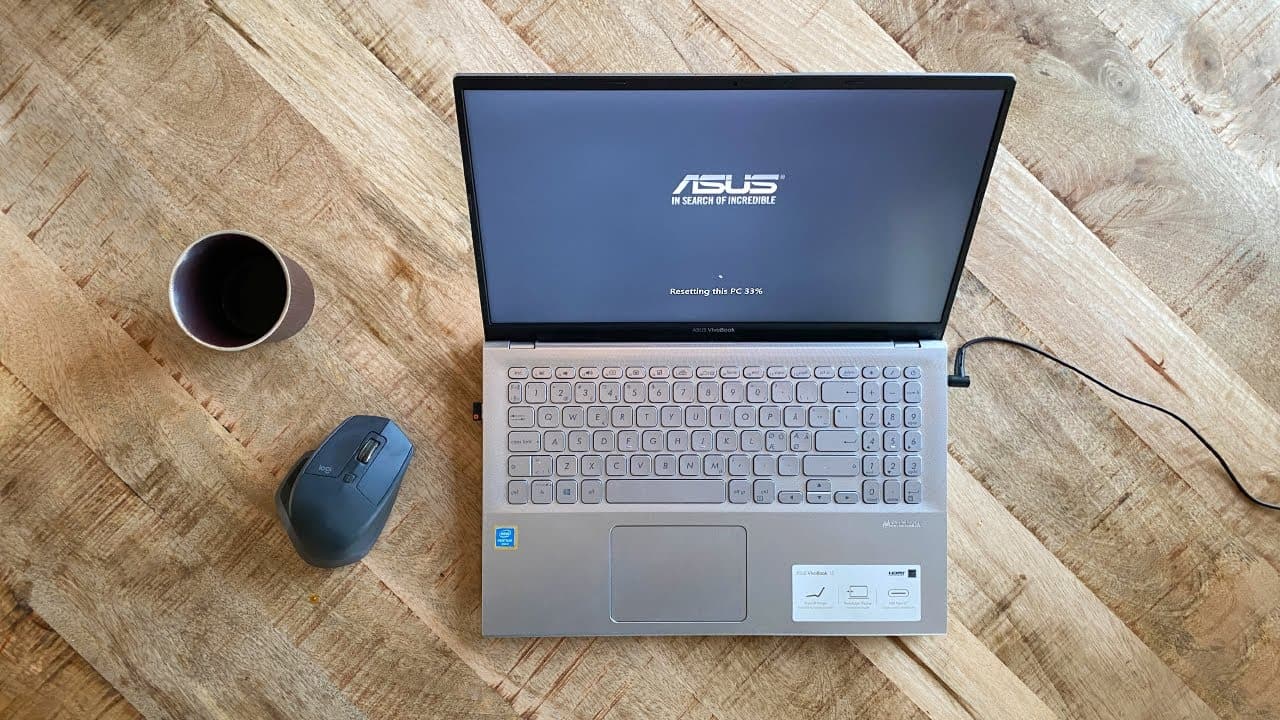
To safely reset Windows 11, use the 'Reset This PC' feature, which allows you to choose whether to keep or delete personal files. Always back up your data beforehand, select the cloud download option for a cleaner installation, and ensure your laptop is plugged in to avoid interruptions during the process.
Transcript
hi if you for whatever reason want to reset your computer and start over Windows 11 has a function for just that belt in called reset this PC this function gives you both the option to completely delete everything including all your personal files from the computer's hard drive or to delete all apps and programs but keep your personal files intact ... Read More
Key Insights
- 👤 Windows 11's reset option provides flexibility to either keep or delete personal files, catering to different user needs.
- 🌸 It is vital to back up data on an external hard drive before commencing the reset to prevent unintended losses.
- 😶🌫️ Users benefit from choosing a cloud download for a more efficient reset experience, provided their internet connection is adequate.
- ⌛ Selecting the 'clean data' option during a reset enhances security when disposing of hardware, but requires significantly more time.
- 😛 The reset process can be temporarily slow, with the system appearing stuck at various stages; patience is essential.
- ✊ Laptop users must ensure they are connected to power throughout the reset to avoid potential interruptions.
- 👤 After a reset, users can configure their system as desired, making use of prompts to personalize settings accurately.
Install to Summarize YouTube Videos and Get Transcripts
Explore YouTube Video Summarizer or Get YouTube Transcript Extractor
Questions & Answers
Q: What is the main purpose of the "reset this PC" function in Windows 11?
The "reset this PC" function allows users to reinstall Windows 11, choosing to either keep their personal files or completely wipe their hard drive. It's particularly useful for removing malware or for troubleshooting system issues, thus providing a clean slate for the operating system.
Q: Why is it recommended to back up files even when keeping them during a reset?
Backing up files is recommended even if you choose to keep them because the reset process can encounter errors, which may lead to accidental data loss. It's always safer to have a backup saved externally to ensure no important information is lost during the reset.
Q: What are the two methods of resetting Windows 11, and which one is preferred?
The two methods are cloud download and local reinstall. Cloud download is preferred as it typically provides a cleaner restore experience, downloading a fresh copy of Windows 11 directly from Microsoft, which can also take less time with a good internet connection.
Q: How can users ensure data is securely erased when resetting their PC?
To securely erase data during a PC reset, users should select the option to clean data. This will overwrite all files, making recovery difficult for anyone else. However, this process can extend the reset duration significantly, requiring additional time based on drive size.
Q: What should users do if the reset process appears to be stuck?
If the reset process seems to be stuck at a certain percentage, it’s recommended to be patient and allow the computer to continue. Windows reset procedures can often appear frozen but may eventually progress on their own after some time.
Q: What precautions should laptop users take before starting the reset process?
Laptop users should ensure their device is plugged into a power source before starting the reset process to prevent it from shutting down unexpectedly during the procedure, which could corrupt the operating system installation.
Q: How should users set up their computer after the reset is complete?
After the reset, users should follow the Windows setup prompts to select their region and keyboard layout. If the computer is being handed over to someone else, they can simply turn it off at this stage; otherwise, they can personalize their settings further.
Summary & Key Takeaways
-
Windows 11 offers a "reset this PC" function to reinstall the OS while either keeping or deleting personal files, addressing various user needs.
-
It’s crucial to back up personal files before proceeding with a reset, as there is a risk of data loss during the process.
-
Users can choose between a cloud download or local reinstall, with cloud download generally providing a cleaner and quicker installation experience.
Read in Other Languages (beta)
Share This Summary 📚
Summarize YouTube Videos and Get Video Transcripts with 1-Click
Try YouTube Summary with ChatGPT & Claude or YouTube Transcript Generator
Explore More Summaries from Get There Faster 📚





Summarize YouTube Videos and Get Video Transcripts with 1-Click
Try YouTube Summary with ChatGPT & Claude or YouTube Transcript Generator