How to Use UTM for Campaign Tracking
TL;DR
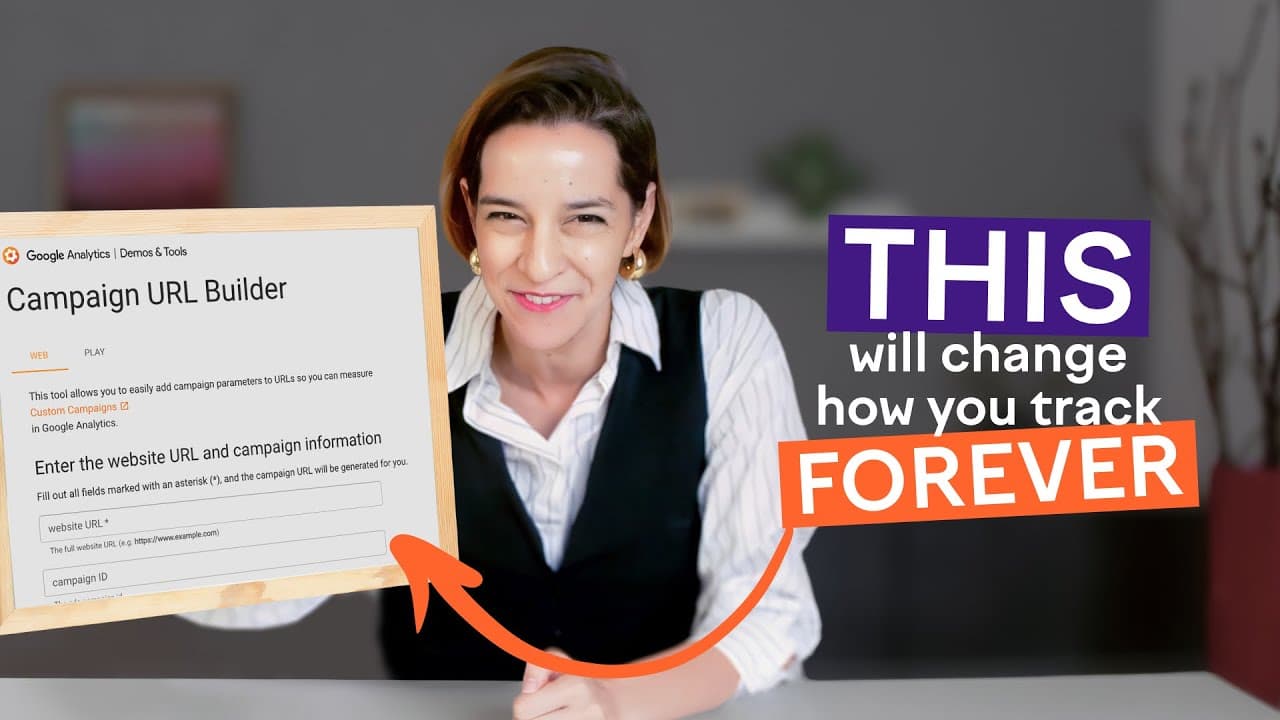
UTM parameters are essential for tracking the performance of marketing campaigns by detailing the source of traffic and its behavior on your website. Learn to build UTM links using tools like Google Campaign URL Builder and avoid common mistakes such as inconsistent naming conventions. This enhances your ability to make data-driven decisions.
Transcript
okay so say I give my friend Jeff sour 20 bucks to post about his semrush ga4 course on LinkedIn later I want to figure out how many people actually took the course from that one link how do I do it that page gets traffic from many different sources how do I know what Jeff's link did specifically this is where UTM come in really handy in this video... Read More
Key Insights
- UTM stands for Urchin Tracking Module, named after the original analytics tool acquired by Google.
- UTM parameters are snippets of text added to URLs to track campaign performance, showing traffic sources and user behavior.
- Google Analytics uses UTM parameters to provide insights into traffic performance, including bounce rates and conversions.
- The five main UTM components are Source, Medium, Campaign, Term, and Content, each offering specific tracking insights.
- Consistent naming conventions are crucial for accurate UTM tracking, especially regarding capitalization.
- Not all UTM parameters are necessary for every campaign; use only relevant ones to avoid clutter.
- UTMs should be used consistently across all links in a campaign for comprehensive performance tracking.
- UTM parameters allow for detailed insights into audience behavior, aiding in optimizing marketing strategies.
Install to Summarize YouTube Videos and Get Transcripts
Explore YouTube Video Summarizer or Get YouTube Transcript Extractor
Questions & Answers
Q: How do UTM parameters work?
UTM parameters work by appending specific snippets of text to URLs, which track the source, medium, campaign, term, and content of the traffic. This information is then used in analytics tools like Google Analytics to provide insights into how visitors interact with your website, helping marketers understand the effectiveness of their campaigns.
Q: What are the key components of a UTM link?
A UTM link consists of five main components: Source, Medium, Campaign, Term, and Content. Each component provides specific information about the traffic source, type, campaign name, keyword or audience, and ad content. These elements help track and analyze the performance of marketing efforts accurately.
Q: Why is consistent naming important in UTM tracking?
Consistent naming is crucial in UTM tracking because it ensures that data is accurately aggregated in analytics tools. Variations in capitalization or spelling can split data into separate sources, leading to fragmented insights. Maintaining a standard format, such as all lowercase, helps keep results consistent and easy to interpret.
Q: What common mistakes should be avoided when using UTM?
Common mistakes to avoid when using UTM include inconsistent naming conventions, using unnecessary parameters, and failing to apply UTMs consistently across all campaign links. These errors can lead to inaccurate data and hinder the ability to gain valuable insights into campaign performance, affecting decision-making.
Q: How can UTM parameters improve marketing strategies?
UTM parameters improve marketing strategies by providing detailed insights into the performance of campaigns. By tracking where traffic comes from and how it behaves on a website, marketers can identify successful tactics and areas for improvement. This data-driven approach enables more informed decisions, optimizing marketing effectiveness across platforms.
Q: What tools can be used to create UTM links?
Tools like the Google Campaign URL Builder can be used to create UTM links. These tools provide a straightforward interface for inputting the necessary UTM parameters, generating a complete URL that can be used in marketing campaigns. This helps ensure accuracy and consistency in tracking efforts.
Q: How do UTM parameters integrate with Google Analytics?
UTM parameters integrate with Google Analytics by providing detailed data on traffic sources and user behavior. When a user clicks a UTM-tagged link, the parameters are captured by Google Analytics, allowing marketers to analyze metrics such as bounce rate, time on page, and conversions, filtered by specific UTM elements.
Q: What are the benefits of using UTM parameters in digital marketing?
The benefits of using UTM parameters in digital marketing include the ability to track the effectiveness of different campaigns, understand traffic sources, and gain insights into user behavior on your website. This information helps marketers optimize their strategies, allocate resources efficiently, and improve overall campaign performance.
Summary & Key Takeaways
-
UTM parameters are vital tools for tracking the effectiveness of marketing campaigns by detailing traffic sources and user interactions on your website. Using tools like Google Campaign URL Builder, you can create UTM links that provide valuable data insights. Consistent naming conventions and the selective use of parameters are essential for accurate tracking.
-
Google Analytics leverages UTM parameters to offer insights into metrics like bounce rates, time on page, and conversions. This data-driven approach allows marketers to understand what drives success and make informed decisions about campaign strategies. Avoid common mistakes such as inconsistent naming and unnecessary parameters for optimal results.
-
UTM tracking enhances your ability to measure and optimize marketing efforts across various platforms. By using UTMs consistently, you gain a clearer picture of campaign performance, enabling smarter decisions and improved effectiveness. The video provides a step-by-step guide to building UTM links and emphasizes the importance of avoiding common pitfalls.
Read in Other Languages (beta)
Share This Summary 📚
Summarize YouTube Videos and Get Video Transcripts with 1-Click
Try YouTube Summary with ChatGPT & Claude or YouTube Transcript Generator
Explore More Summaries from Semrush 📚



Summarize YouTube Videos and Get Video Transcripts with 1-Click
Try YouTube Summary with ChatGPT & Claude or YouTube Transcript Generator