Change These iOS 15.4 Settings NOW!
TL;DR
iOS 15.4 introduces key features for iPhone users, enhancing convenience and Siri functionality.
Transcript
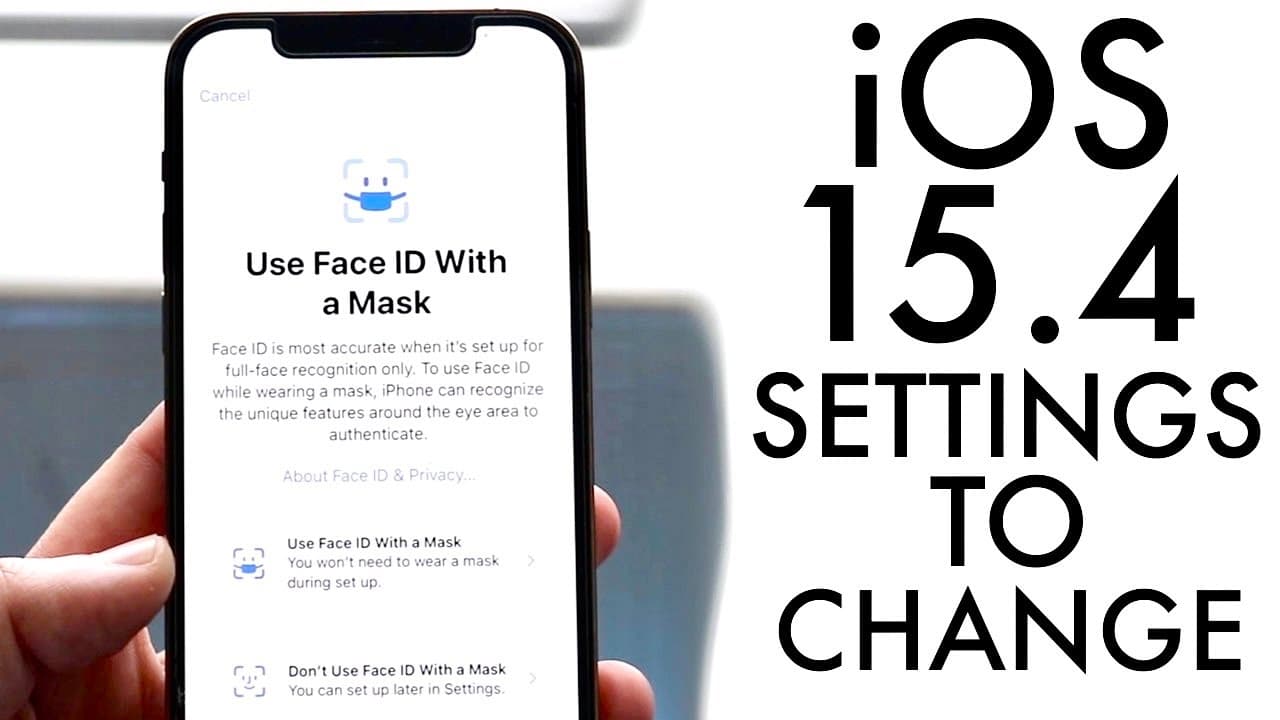
welcome back everyone as most of you know ios 15.4 just officially came out and there are a couple of things you should definitely change before you actually go and continue actually using your phone now the first thing being if you own an iphone 12 or 13 or any newer iphone if you're watching this in the future you can actually now unlock your iph... Read More
Key Insights
- 👤 The iOS 15.4 update introduces significant user-friendly features for Face ID, specifically benefiting iPhone 12 and 13 users during mask-wearing situations.
- 👤 Streamlining Siri shortcuts through the removal of pop-up notifications enhances user experience and encourages seamless automation for various tasks.
- ☠️ The addition of a 120 Hz refresh rate for the iPhone 13 series significantly improves the responsiveness and smoothness of interactions across the device.
- 👻 New Siri voice options introduced in iOS 15.4 allow for greater customization and a more personalized assistant experience for users.
- 👤 Enhancements in accessibility settings reflect Apple's commitment to meeting user needs, making technology more inclusive.
- 🙂 The integration of these features underscores Apple's focus on improving usability in everyday scenarios, particularly in light of recent public health considerations.
- 👶 Users are encouraged to explore new settings options as they can dramatically optimize their device's performance and functionality.
Install to Summarize YouTube Videos and Get Transcripts
Explore YouTube Video Summarizer or Get YouTube Transcript Extractor
Questions & Answers
Q: What should iPhone 12 and 13 users know about unlocking their phones?
iPhone 12 and 13 users can now unlock their devices while wearing a mask thanks to the iOS 15.4 update. To enable this feature, users must set up Face ID specifically for mask usage through the Face ID and Passcode settings. This improvement significantly enhances phone usability during times when wearing masks is common, such as in public spaces.
Q: How does the Siri shortcuts feature improve in iOS 15.4?
In iOS 15.4, users can create personal automations in Siri without receiving notifications or pop-ups every time a shortcut runs. This is accomplished by accessing the automation settings and toggling off options like “Ask Before Running.” This update allows users to utilize Siri automations more discreetly, enhancing workflow and minimizing distractions.
Q: What can iPhone 13 users do to optimize their display features in iOS 15.4?
iPhone 13 users can optimize their display features by enabling the 120 Hz refresh rate available on the devices. To do this, users need to go to the settings menu, then navigate to Accessibility, select Motion, and ensure that the ProMotion option is enabled. Disabling Low Power Mode will also help in utilizing this enhanced display capability effectively.
Q: How can users access the new Siri voice options in iOS 15.4?
Users can access new Siri voice options by going to the Settings app and selecting Siri and Search. From there, they can enable Siri and change the language and voice settings. This update introduces multiple new voices, enhancing personalization in Siri's responses, which many users find engaging and useful for their interactions.
Summary & Key Takeaways
-
iOS 15.4 allows iPhone 12/13 users to unlock their phones while wearing a mask, greatly improving usability during the pandemic.
-
Siri shortcuts can now be automated without annoying pop-ups, streamlining user experience and automation preferences for various apps.
-
The update includes new Siri voices and enhances display features on the iPhone 13 series through a 120 Hz refresh rate option, enhancing the overall user interface experience.
Read in Other Languages (beta)
Share This Summary 📚
Summarize YouTube Videos and Get Video Transcripts with 1-Click
Try YouTube Summary with ChatGPT & Claude or YouTube Transcript Generator
Explore More Summaries from Simple Alpaca 📚






Summarize YouTube Videos and Get Video Transcripts with 1-Click
Try YouTube Summary with ChatGPT & Claude or YouTube Transcript Generator