blendartrack 2.0 - ar motion tracking for blender
TL;DR
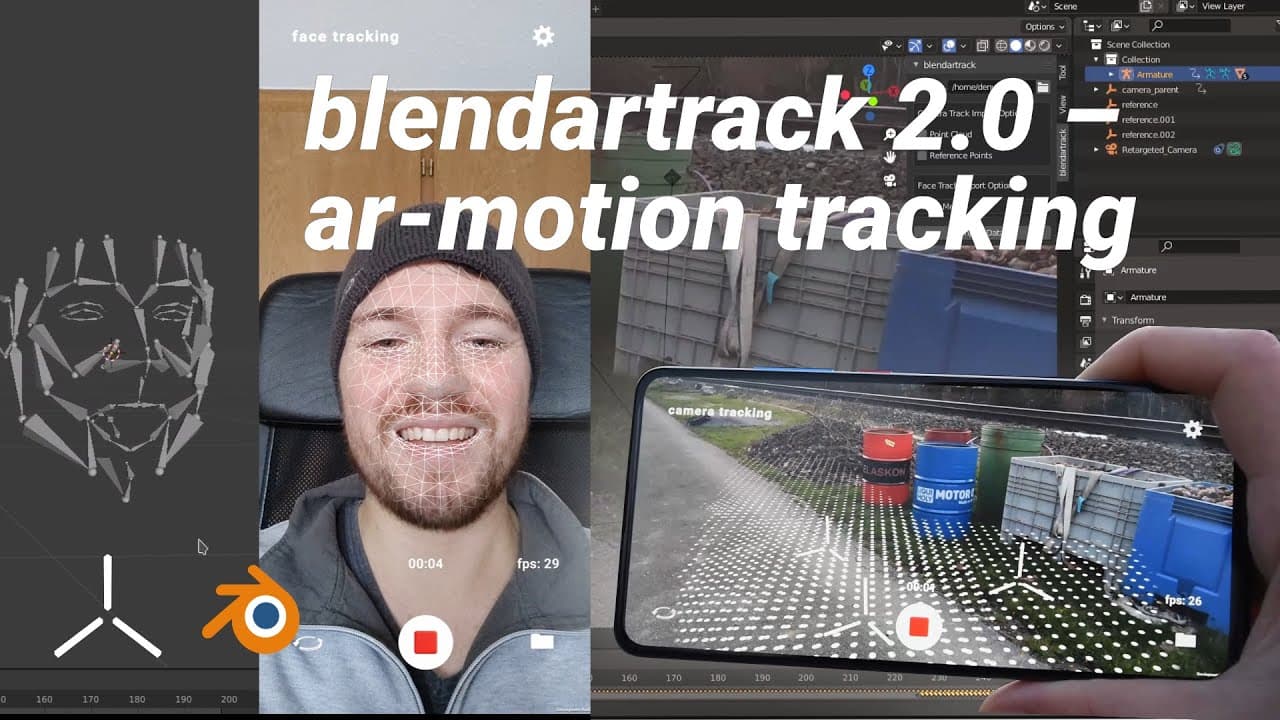
Blender Track 2.0 introduces enhanced facial animation transfer and compositing features.
Transcript
hey there ct tinker here facial animation transfer with blender track is now a thing i'm happy to announce the new version blender track 2.0 the add-on has now new features to make compositing easier and allows to transfer facial animation to richer 5 phase rigs also the import speeds have significantly increased if you don't know b... Read More
Key Insights
- Blender Track 2.0 now supports facial animation transfer to richer 5-phase rigs, enhancing animation capabilities for users.
- The import speeds for facial and camera motion tracking data have significantly increased, improving workflow efficiency.
- Blender Track is a mobile device tracking app available for free on iOS and Android, facilitating face and camera motion tracking.
- The add-on can be easily set up in Blender by navigating to the preferences and enabling it from the downloaded files.
- A new compositing feature allows users to add a camera background to rendered images, enhancing the visual output.
- The external compositing option creates multiple files as render results, useful for compositing in other software.
- Facial animation transfer involves importing face tracking data as animated empties and generating a driver rig for animation.
- Users can support the developer through Buy Me a Coffee or Patreon, enabling further development of Blender tools.
Install to Summarize YouTube Videos and Get Transcripts
Explore YouTube Video Summarizer or Get YouTube Transcript Extractor
Questions & Answers
Q: What are the new features of Blender Track 2.0?
Blender Track 2.0 introduces several new features, including enhanced facial animation transfer to richer 5-phase rigs, increased import speeds for tracking data, and a new compositing feature that allows users to add camera backgrounds to rendered images. These updates aim to improve the overall user experience and workflow efficiency.
Q: How can users set up the Blender Track add-on?
To set up the Blender Track add-on, users need to download it from Gumroad and then navigate to the Blender preferences. Under the add-ons section, users should locate the Blender Track add-on and enable it by checking the corresponding checkbox. This process integrates the add-on into Blender, making its features accessible.
Q: What is the purpose of the new compositing feature in Blender Track 2.0?
The new compositing feature in Blender Track 2.0 allows users to add a camera background to rendered images. This feature enhances the visual output by providing a more realistic and integrated appearance. Users can switch between internal and external compositing options to suit their workflow needs, with external compositing offering multiple files for use in other software.
Q: How does the facial animation transfer process work?
The facial animation transfer process in Blender Track 2.0 involves importing face tracking data as animated empties, deleting the parent, and ensuring the frame is set where the mouth is closed and eyes are open. Users then generate a driver rig, which follows the animated empties, allowing for animation transfer to characters. This process enables detailed and dynamic facial animations.
Q: What platforms is Blender Track available on?
Blender Track is available as a mobile device tracking app for both iOS and Android platforms. Users can download it for free from the respective app stores, providing accessibility for face and camera motion tracking. The add-on is compatible with Blender 2.9 or newer and can be downloaded from GitHub.
Q: How can users support the development of Blender Track?
Users can support the development of Blender Track by making donations through Buy Me a Coffee or subscribing to the developer's Patreon page. These contributions help fund the ongoing development and enhancement of Blender tools, allowing the developer to invest more time and resources into creating new features and improvements.
Q: What resources are available for users needing help with Blender Track?
Users seeking help with Blender Track can access various resources, including detailed tutorials available on YouTube, covering aspects like facial animation transfer and camera motion tracking. Additionally, users can join the developer's Discord community to chat, ask questions, and receive support from other users and the developer.
Q: What is the significance of the increased import speeds in Blender Track 2.0?
The increased import speeds in Blender Track 2.0 significantly enhance workflow efficiency by reducing the time required to import facial and camera motion tracking data. This improvement allows users to focus more on creative aspects of their projects rather than waiting for data to process, thereby streamlining the animation and compositing processes.
Summary & Key Takeaways
-
Blender Track 2.0 offers new features such as enhanced facial animation transfer and increased import speeds for tracking data. The add-on is available for free, and users can easily set it up in Blender. It also includes a new compositing feature for adding camera backgrounds to renders.
-
The facial animation transfer feature allows users to import face tracking data as animated empties, generate driver rigs, and transfer animations to characters. This process enhances the animation workflow and provides more flexibility in creating detailed facial animations with richer 5-phase rigs.
-
Users can support the continued development of Blender Track through donations on Buy Me a Coffee or Patreon. The add-on is available for download on GitHub and can be used with Blender 2.9 or newer. Additional tutorials and support are available through YouTube and Discord.
Read in Other Languages (beta)
Share This Summary 📚
Summarize YouTube Videos and Get Video Transcripts with 1-Click
Try YouTube Summary with ChatGPT & Claude or YouTube Transcript Generator