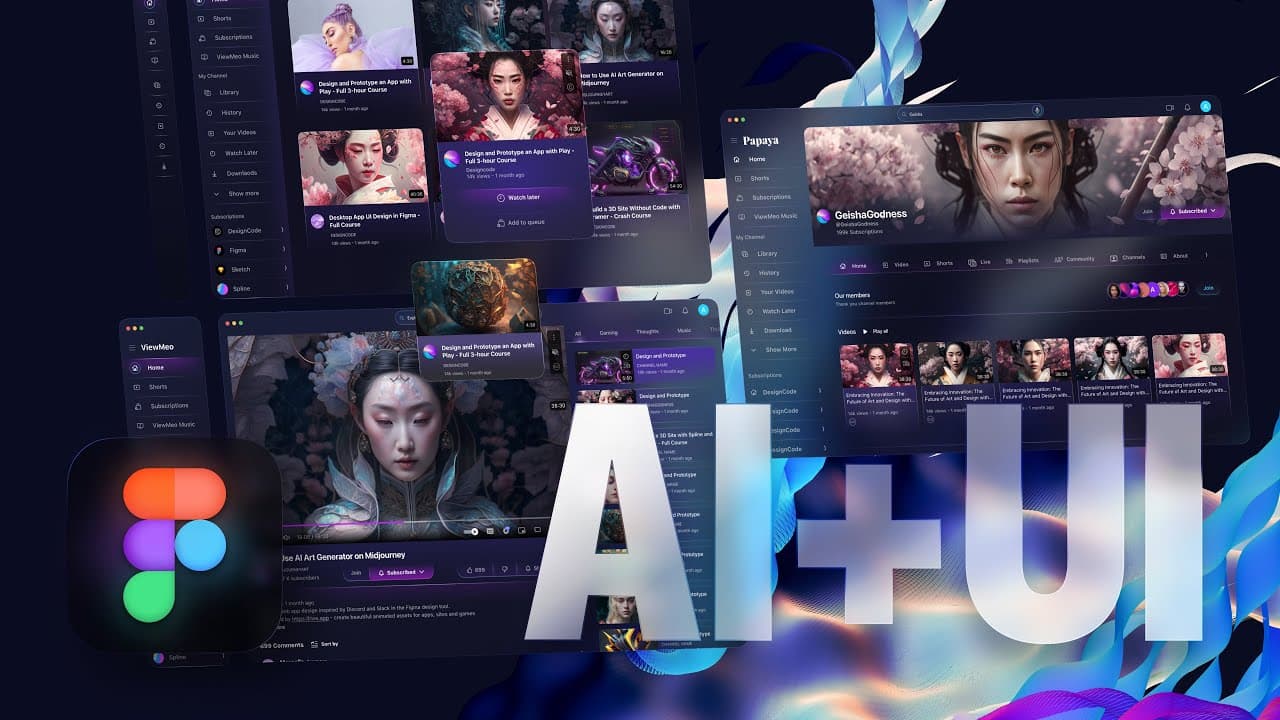
Web App Design with Midjourney in Figma
TL;DR
This UI design course covers various aspects of UI design, including UI patterns, color choices, typography, Figma design system, icons and illustrations customization, mid-journey for creating visuals, and organizing design elements with components.
Transcript
This course on UI design is perfect for anyone who wants to learn more about the field. It will take you from feeling intimidated by a blank screen to confidently creating web app designs. You'll learn about UI patterns, color choices, and typography, and get hands-on experience with design software. By the end of the course, you'll be able to crea... Read More
Key Insights
- 🖐️ UI patterns, color choices, and typography play crucial roles in creating consistent and effective designs.
- 🎨 Figma design system helps facilitate collaboration and design efficiency with shared components and teamwork tools.
- 🎨 Customizing icons and illustrations is important to create unique designs that fit the product.
- 😀 Mid-journey is a powerful tool for creating professional-quality visuals for web apps.
- 🎨 Interactive components and prototypes streamline the design process and allow for quick comparison of design options.
- 🎨 Following iOS design guidelines and finding design inspiration are important for creating visually appealing and user-friendly designs.
- 🎨 The Design+Code website provides valuable resources for UI design.
Install to Summarize YouTube Videos and Get Transcripts
Explore YouTube Video Summarizer or Get YouTube Transcript Extractor
Questions & Answers
Q: What are some key topics covered in this UI design course?
This course covers UI patterns, color choices, typography, Figma design system, icons and illustrations customization, mid-journey for creating visuals, wireframing, finding design inspiration, and following iOS design guidelines.
Q: How does Figma's design system help designers?
Figma's design system includes shared components, style guides, and teamwork tools, making it easier for designers to create consistent designs, collaborate with others, and receive feedback from stakeholders.
Q: How can designers customize icons and illustrations?
Designers can rely on pre-made icons and illustrations to speed up the design process, but it's also important to learn how to customize them properly to fit the product. SF Symbols is a recommended resource for this, as it provides free icons and is included in the course's source files.
Q: What is the main purpose of mid-journey in this course?
Mid-journey is a tool that helps designers create professional-quality visuals for web apps. It provides available tools and features for generating effective photos and illustrations that effectively communicate messages to the audience.
Key Insights:
- UI patterns, color choices, and typography play crucial roles in creating consistent and effective designs.
- Figma design system helps facilitate collaboration and design efficiency with shared components and teamwork tools.
- Customizing icons and illustrations is important to create unique designs that fit the product.
- Mid-journey is a powerful tool for creating professional-quality visuals for web apps.
- Interactive components and prototypes streamline the design process and allow for quick comparison of design options.
- Following iOS design guidelines and finding design inspiration are important for creating visually appealing and user-friendly designs.
- The Design+Code website provides valuable resources for UI design.
- Organizing design elements with components helps maintain consistency and efficiency in the design process.
Summary & Key Takeaways
-
The course covers UI patterns, color choices, and typography to help learners create consistent designs and solve design problems.
-
Figma design system provides shared components, style guides, and teamwork tools to facilitate collaboration and efficient design processes.
-
Icons and illustrations customization is essential to create unique designs that fit the product, and SF Symbols is a recommended resource for this.
-
Mid-journey tool offers the ability to create professional-quality visuals for web apps, with a focus on generating effective photos and illustrations.
-
Interactive components and prototypes help streamline the design process and allow for quick comparison of design options.
-
The course also covers wireframing, finding design inspiration, following iOS design guidelines, and using the Design+Code website for resources.
Read in Other Languages (beta)
Share This Summary 📚
Summarize YouTube Videos and Get Video Transcripts with 1-Click
Try YouTube Summary with ChatGPT & Claude or YouTube Transcript Generator
Explore More Summaries from DesignCode 📚
Summarize YouTube Videos and Get Video Transcripts with 1-Click
Try YouTube Summary with ChatGPT & Claude or YouTube Transcript Generator