How to Use Coding and Linework in Leica Captivate
TL;DR
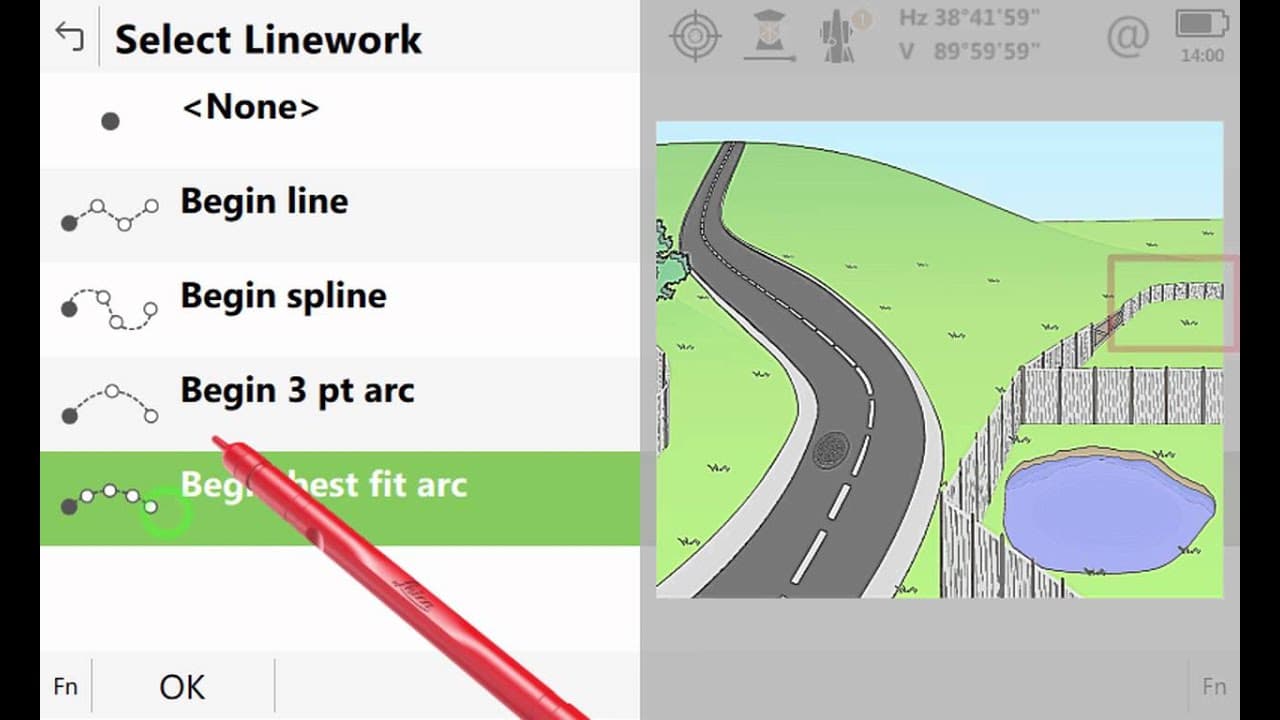
Coding and linework in Leica Captivate allow surveyors to efficiently label points and create lines while measuring in the field. This process simplifies data interpretation both on-site and back in the office by automatically joining points to form linear features. The video demonstrates using code boxes, modifying line geometry, and employing multi-coding techniques.
Transcript
In this video we will look at coding and linework. This is the ability to add codes to the points that we measure and to have some of these points automatically joined creating linear features. We will not only look at why we want to carry this out but also how this is done within Leica Captivate. We shall begin by looking at the concept of coding ... Read More
Key Insights
- Coding and linework streamline the surveying process by automatically joining measured points to form lines.
- Leica Captivate's code boxes allow users to label points with codes, simplifying data interpretation in CAD.
- Modifying line geometry in Captivate can create complex shapes like arcs and curves from straight lines.
- Multi-coding enables the simultaneous use of multiple codes, useful for complex intersections like fence and gate junctions.
- Captivate can handle multiple instances of the same code, allowing for detailed and organized data collection.
- New codes can be added to the codelist on the fly, enabling flexibility during surveying.
- The 3D viewer in Captivate helps review and visualize the surveyed scene, ensuring completeness and accuracy.
- Single point coding is useful for features that do not require line creation, such as individual trees.
Install to Summarize YouTube Videos and Get Transcripts
Explore YouTube Video Summarizer or Get YouTube Transcript Extractor
Questions & Answers
Q: How to use coding and linework in Leica Captivate?
Coding and linework in Leica Captivate involve using code boxes to label points and create lines during surveying. This process helps in organizing data and simplifying its interpretation in CAD software. Users can modify line geometry, employ multi-coding to handle complex intersections, and add new codes on the fly for flexibility and accuracy.
Q: What are the benefits of using coding and linework?
The benefits of using coding and linework include improved data organization, easier interpretation in CAD software, and efficient fieldwork. By automatically joining points to form lines, surveyors can effectively draw the scene as they survey it, reducing the need for extensive post-processing and ensuring accurate data representation.
Q: How does multi-coding work in Leica Captivate?
Multi-coding in Leica Captivate allows surveyors to use multiple codes simultaneously, which is useful for complex intersections like fence and gate junctions. By selecting multiple codes, Captivate stores one measurement with multiple labels, ensuring accurate representation of intersecting features without causing issues in CAD due to crossing breaklines.
Q: Can new codes be added during the surveying process?
Yes, new codes can be added during the surveying process in Leica Captivate. If a code is not already in the codelist, users can simply type the new code and press Enter to add it. This flexibility allows surveyors to adapt to unexpected features on-site, ensuring comprehensive data collection without interruption.
Q: How is line geometry modified in Leica Captivate?
Line geometry in Leica Captivate is modified using the geometry section in code boxes. Surveyors can select different types of line geometries, such as straight lines, arcs, or curves, to accurately represent the surveyed features. This capability allows for the creation of complex shapes and ensures precise data representation.
Q: What is the role of the 3D viewer in Leica Captivate?
The 3D viewer in Leica Captivate plays a crucial role in reviewing and visualizing the surveyed scene. It helps surveyors ensure that all features have been measured and represented accurately, allowing them to identify any missing elements and verify the completeness of the data before concluding the surveying process.
Q: How does single point coding work?
Single point coding in Leica Captivate involves creating a code box for a feature that does not require line creation, such as an individual tree. By selecting the appropriate code and measuring the point, surveyors can label and store it without forming a line, ensuring accurate representation of isolated features in the surveyed data.
Q: What is the process for handling complex intersections like T-junctions?
Handling complex intersections like T-junctions in Leica Captivate involves using multi-coding to apply multiple codes simultaneously. Surveyors create code boxes for each intersecting feature, select the relevant codes, and measure the points. This process ensures that intersecting lines are accurately represented, and surveyors can choose which line to continue based on the active code box.
Summary & Key Takeaways
-
Coding and linework in Leica Captivate enhance the surveying process by automatically joining points to form lines, making data interpretation easier both in the field and in CAD software. The video covers using code boxes, modifying geometry, and multi-coding techniques to handle complex surveying scenarios efficiently.
-
Leica Captivate's code boxes allow users to label points and create lines while measuring, providing benefits such as organized data and simplified CAD interpretation. The video demonstrates how to use code boxes for line geometry modifications, multi-coding, and adding new codes during surveying.
-
The video showcases the use of coding and linework in Leica Captivate, enabling surveyors to label points and create lines effectively. Key features include modifying line geometry, employing multi-coding, and using the 3D viewer for data review, ensuring accurate and comprehensive surveying results.
Read in Other Languages (beta)
Share This Summary 📚
Summarize YouTube Videos and Get Video Transcripts with 1-Click
Try YouTube Summary with ChatGPT & Claude or YouTube Transcript Generator