Game Development in Python 3 With PyGame - 9 - Drawing
TL;DR
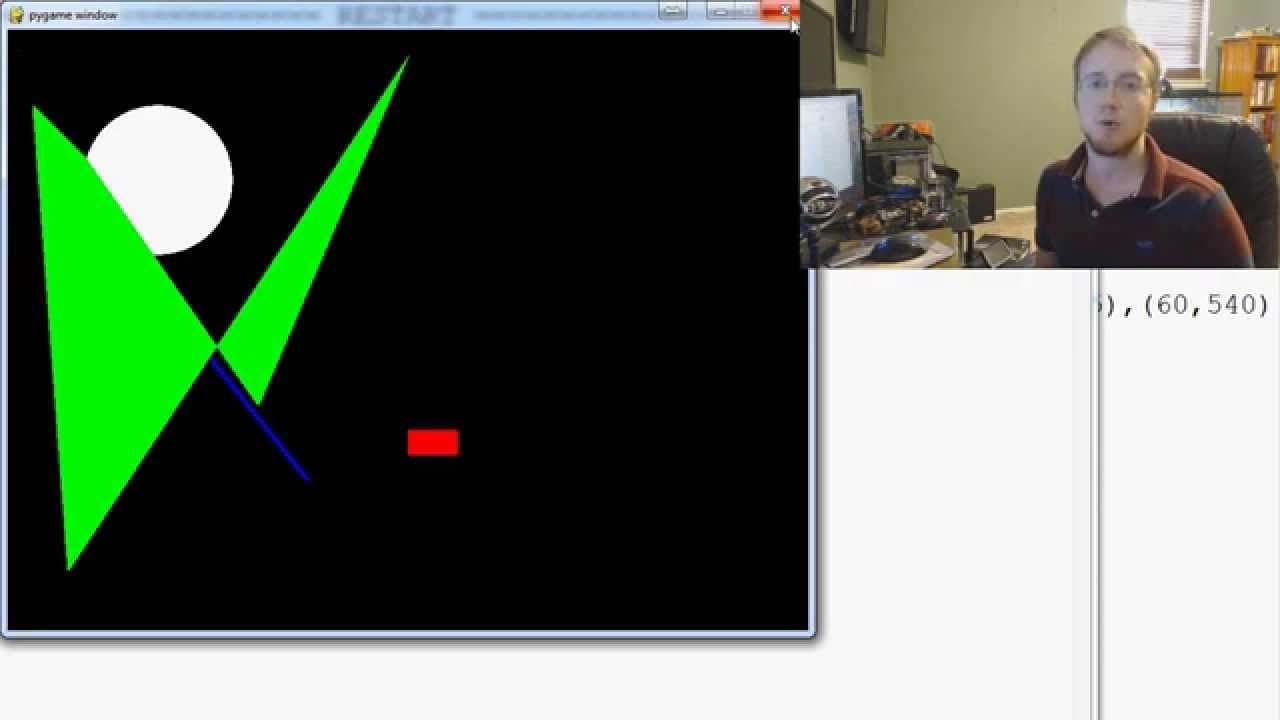
Learn to draw various shapes like pixels, lines, rectangles, circles, and polygons in Pi Game with detailed explanations.
Transcript
hello everybody and welcome to a new batch of Pi game tutorial videos in this video I'm going to show you guys how we can draw things with PI game a lot of other things because so far we've just done rectangles but you can draw a lot of things with PI game if you've seen my other series for pi game back in Python 2.7 so it'd be very similar to a vi... Read More
Key Insights
- 😫 Initializing Pi Game and defining colors is crucial for setting up drawing functionality effectively.
- 🎮 Understanding how to access and manipulate pixels in a pixel array is essential for pixel-level drawing control.
- 🫥 Drawing lines in Pi Game involves specifying start and end points along with the desired thickness for the line.
- 🍃 Rectangles can be easily drawn by providing the top-left corner coordinates, width, and height parameters.
- ⭕ Circles in Pi Game are created by specifying the center coordinates and radius of the circle to be drawn.
- 😥 Drawing polygons involves defining multiple points as tuples to create intricate shapes on the display.
- 😥 The order of points specified for polygons affects how the shape connects and appears on the screen.
Install to Summarize YouTube Videos and Get Transcripts
Explore YouTube Video Summarizer or Get YouTube Transcript Extractor
Questions & Answers
Q: What is the first step in setting up drawing functionality in Pi Game?
The initial step is to import Pi Game and initialize it using the command pi game.__init__.
Q: How can pixels be manipulated in Pi Game for drawing purposes?
Pixels can be accessed and redefined using a pixel array, enabling precise control over individual pixels' colors and positions.
Q: What is the process for drawing lines in Pi Game?
Lines can be drawn by specifying a start point, end point, and thickness, making it straightforward to create various line shapes on the display.
Q: Can you explain how rectangles are drawn in Pi Game?
Rectangles are drawn by defining the top-left corner's coordinates, width, and height, allowing for the creation of rectangular shapes on the screen.
Summary & Key Takeaways
-
Introduction to drawing functions in Pi Game, including pixel manipulation and defining colors.
-
Demonstrates how to draw shapes like lines, rectangles, circles, and polygons.
-
Explains the process of referencing pixels, redefining them, and drawing different shapes step by step.
Read in Other Languages (beta)
Share This Summary 📚
Summarize YouTube Videos and Get Video Transcripts with 1-Click
Try YouTube Summary with ChatGPT & Claude or YouTube Transcript Generator
Explore More Summaries from sentdex 📚






Summarize YouTube Videos and Get Video Transcripts with 1-Click
Try YouTube Summary with ChatGPT & Claude or YouTube Transcript Generator