Apple Vision Pro - A Few Thoughts
TL;DR
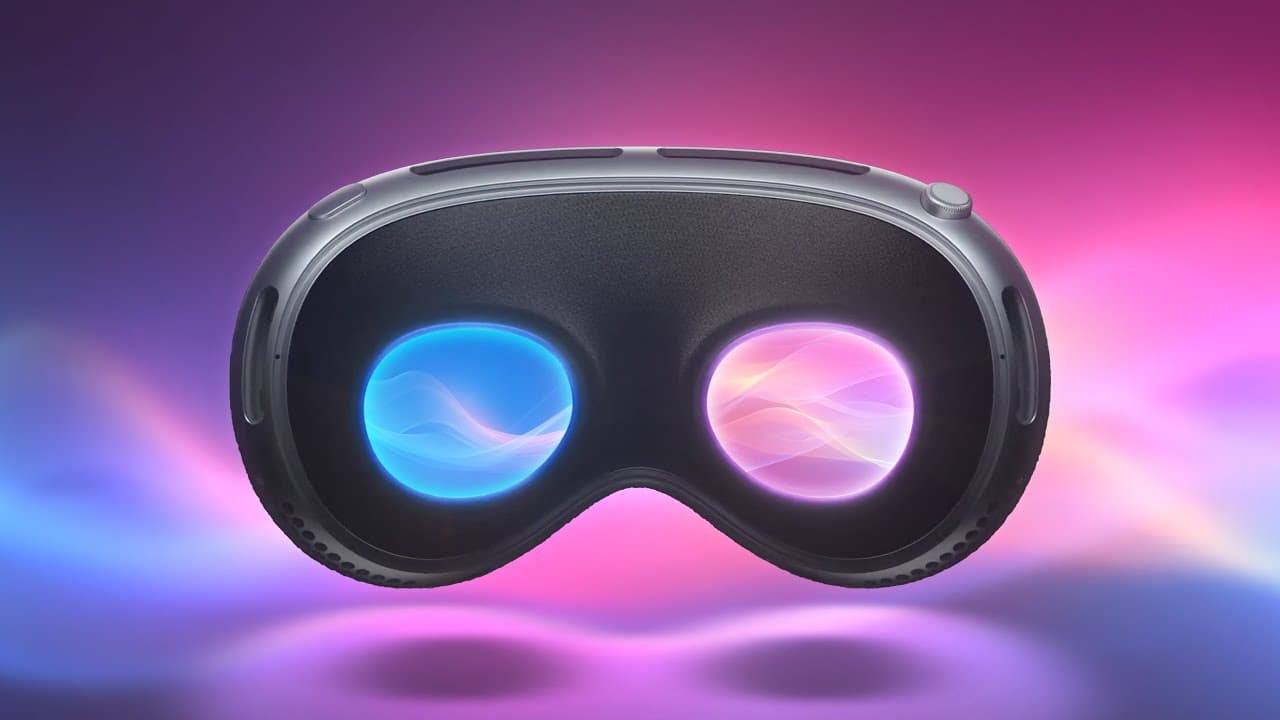
Apple's Vision Pro offers fast and accurate controls through eye tracking, a responsive pass-through mode with minimal latency, and a visually iconic eyesight feature for others to interact with the user.
Transcript
so when I was setting up this shot I noticed that it was very empty but I found this iron so it'll have to do all right uh I was able to try out Apple's Vision Pro and after the demos there were three things that just stuck with me I wanted to talk about them so the first are the controls instead of physical controllers it's done through a combinat... Read More
Key Insights
- 😃 Apple's Vision Pro impresses with its fast and accurate eye tracking controls, providing a seamless user experience.
- 🌍 The pass-through mode on Apple's Vision Pro boasts minimal latency, enhancing the integration of virtual and real-world elements.
- 👤 The eyesight feature on Apple's Vision Pro is visually iconic but controversial, as it adds cost without offering significant benefits for the user.
- ♿ The inclusion of the eyesight feature may have increased the price of Apple's Vision Pro, potentially limiting its accessibility to a wider audience.
- ✋ Apple's Vision Pro showcases advanced technology and high-resolution displays, creating a visually immersive experience.
- 🤗 The presence of multiple cameras in Apple's Vision Pro allows for flexible hand gestures, eliminating the need for precise hand positioning.
- ⏳ The dedicated R1 chip on Apple's Vision Pro ensures low latency, making it ideal for AR applications that require real-time interaction with the environment.
Install to Summarize YouTube Videos and Get Transcripts
Explore YouTube Video Summarizer or Get YouTube Transcript Extractor
Questions & Answers
Q: How do the controls on Apple's Vision Pro work?
Apple's Vision Pro uses a combination of eye tracking, hand gestures, and speech for controls. The eye tracking is exceptionally fast and accurate, allowing users to look and click on objects with ease.
Q: Is the pass-through mode responsive on Apple's Vision Pro?
Yes, the pass-through mode on Apple's Vision Pro is highly responsive. It captures the environment using cameras and projects it onto the display with minimal latency, providing a seamless integration of virtual and real-world elements.
Q: What is the purpose of the eyesight feature on Apple's Vision Pro?
The eyesight feature on Apple's Vision Pro is designed to project a representation of the user's facial expressions and cues to others around them. It adds a friendly and familiar element to interactions but offers no significant benefits for the user.
Q: Does the inclusion of the eyesight feature impact the price of Apple's Vision Pro?
Yes, the eyesight feature adds cost to the product, potentially making it more expensive than it would be without this feature. Some users may find the price increase unnecessary, leading to a smaller user base for the product.
Key Insights:
- Apple's Vision Pro impresses with its fast and accurate eye tracking controls, providing a seamless user experience.
- The pass-through mode on Apple's Vision Pro boasts minimal latency, enhancing the integration of virtual and real-world elements.
- The eyesight feature on Apple's Vision Pro is visually iconic but controversial, as it adds cost without offering significant benefits for the user.
- The inclusion of the eyesight feature may have increased the price of Apple's Vision Pro, potentially limiting its accessibility to a wider audience.
- Apple's Vision Pro showcases advanced technology and high-resolution displays, creating a visually immersive experience.
- The presence of multiple cameras in Apple's Vision Pro allows for flexible hand gestures, eliminating the need for precise hand positioning.
- The dedicated R1 chip on Apple's Vision Pro ensures low latency, making it ideal for AR applications that require real-time interaction with the environment.
- While Apple's Vision Pro may be a generation one product aimed at developers, the price increase caused by the eyesight feature may deter some potential buyers.
Summary & Key Takeaways
-
Apple's Vision Pro utilizes eye tracking, hand gestures, and speech as controls, with the eye tracking feature being particularly impressive.
-
The pass-through mode captures the environment using cameras and projects it onto the display with minimal latency, providing a clear and sharp view.
-
The eyesight feature, while visually iconic, is controversial as it adds cost to the product without providing significant benefits for the user.
Read in Other Languages (beta)
Share This Summary 📚
Summarize YouTube Videos and Get Video Transcripts with 1-Click
Try YouTube Summary with ChatGPT & Claude or YouTube Transcript Generator
Explore More Summaries from Dave2D 📚
Summarize YouTube Videos and Get Video Transcripts with 1-Click
Try YouTube Summary with ChatGPT & Claude or YouTube Transcript Generator