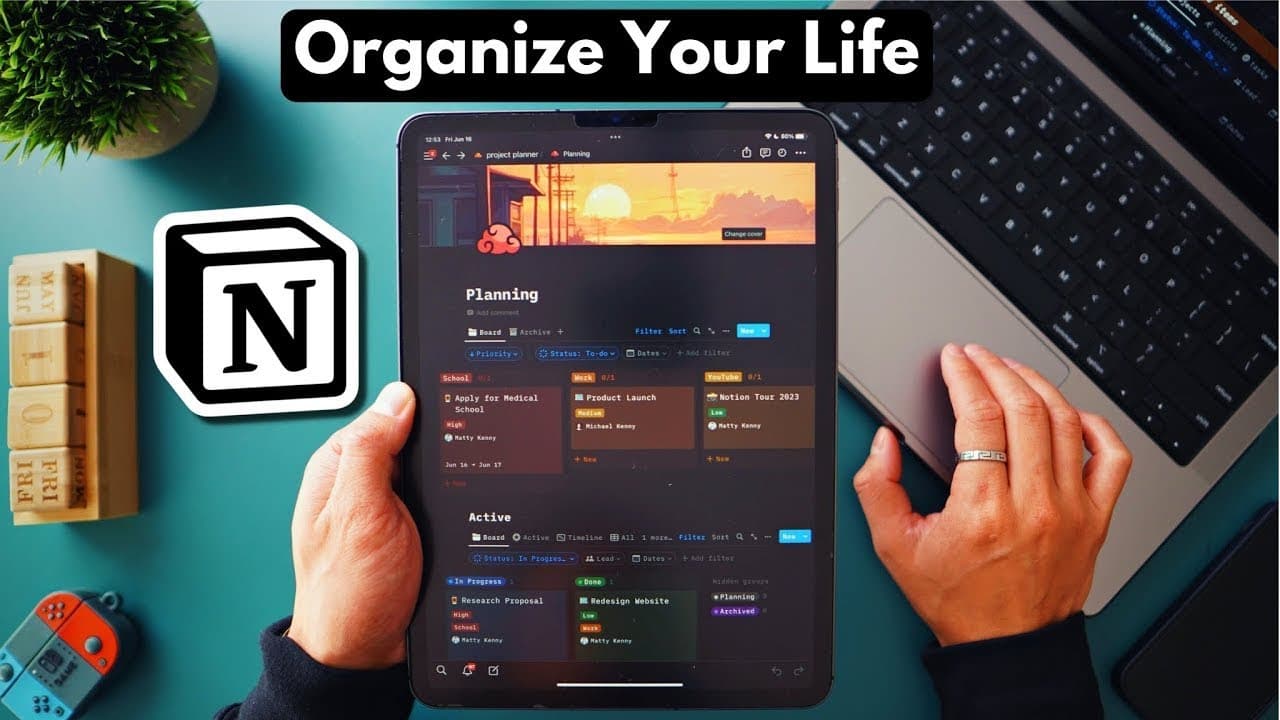
How I Organize My Life, Work, and Everything Else | Notion Tour 2023
TL;DR
"Notion projects provide a powerful tool for creating the perfect life management system, integrating top-down and bottom-up workflows to enhance productivity and organization."
Transcript
notion has been my go-to productivity app for the past five years it's the glue that holds my entire life together I use it for everything from tracking my studies to managing my YouTube channel and running my business so I'm super excited to partner up with notion again as they release notion projects which has made it so much easier to create the... Read More
Key Insights
- 🛟 Notion has been a reliable productivity app for the speaker, serving as a versatile tool for managing various aspects of their life.
- 👻 The top-down and bottom-up workflows in Notion allow for effective planning and adaptation to new tasks and ideas.
- 🔇 The speaker's management dashboard in Notion provides a centralized hub for tracking projects, sprints, tasks, and notes.
- 🤩 Notion's AI autofill feature offers convenience and efficiency by generating summaries, alternate titles, and key takeaways for different types of content.
- 🔇 The speaker emphasizes the importance of intention and prioritization in managing projects and tasks effectively.
- 👻 Notion's flexibility allows for customization, such as creating tags, assigning priorities, and linking notes to multiple projects.
- 🧍 The CCC framework, which stands for collect, clarify, and calendar, simplifies the process of managing tasks and notes in a bottom-up approach.
Install to Summarize YouTube Videos and Get Transcripts
Explore YouTube Video Summarizer or Get YouTube Transcript Extractor
Questions & Answers
Q: How does the speaker view productivity in terms of projects?
The speaker sees productivity in terms of projects, which includes both action items or tasks and non-actionable items like notes. Managing both aspects is crucial for reducing stress and staying organized.
Q: Can you explain the top-down and bottom-up workflows in more detail?
The top-down workflow involves planning and brainstorming tasks and notes for a project. The bottom-up workflow focuses on adapting to new tasks and ideas that arise, integrating them into the existing workflow.
Q: How does the speaker's management dashboard in Notion help with organization?
The management dashboard includes different sections like daily tasks, active items, and an instruction manual. It offers an overview of projects, sprints, and current tasks, allowing for easy tracking and updating of progress.
Q: How does Notion's AI autofill feature assist in managing tasks, notes, and ideas?
The AI autofill feature in Notion can generate summaries of notes, alternate titles for YouTube videos, and key takeaways from meetings. This saves time and helps with organization, ensuring important information is easily accessible.
Key Insights:
- Notion has been a reliable productivity app for the speaker, serving as a versatile tool for managing various aspects of their life.
- The top-down and bottom-up workflows in Notion allow for effective planning and adaptation to new tasks and ideas.
- The speaker's management dashboard in Notion provides a centralized hub for tracking projects, sprints, tasks, and notes.
- Notion's AI autofill feature offers convenience and efficiency by generating summaries, alternate titles, and key takeaways for different types of content.
- The speaker emphasizes the importance of intention and prioritization in managing projects and tasks effectively.
- Notion's flexibility allows for customization, such as creating tags, assigning priorities, and linking notes to multiple projects.
- The CCC framework, which stands for collect, clarify, and calendar, simplifies the process of managing tasks and notes in a bottom-up approach.
- Notion projects offer a comprehensive solution for students, creators, and entrepreneurs to manage their studies, mental health, side hustles, and overall productivity.
Summary & Key Takeaways
-
Notion has been the go-to productivity app for the speaker for the past five years, serving as a comprehensive tool for managing various aspects of their life.
-
The speaker discusses the intention behind their workflow, which involves a top-down approach for planning and a bottom-up approach for adapting to new tasks and ideas.
-
The speaker showcases their management dashboard in Notion, which includes navigation links to different dashboards for projects, sprints, tasks, and notes.
Read in Other Languages (beta)
Share This Summary 📚
Summarize YouTube Videos and Get Video Transcripts with 1-Click
Try YouTube Summary with ChatGPT & Claude or YouTube Transcript Generator
Explore More Summaries from Cajun Koi Academy 📚



Summarize YouTube Videos and Get Video Transcripts with 1-Click
Try YouTube Summary with ChatGPT & Claude or YouTube Transcript Generator