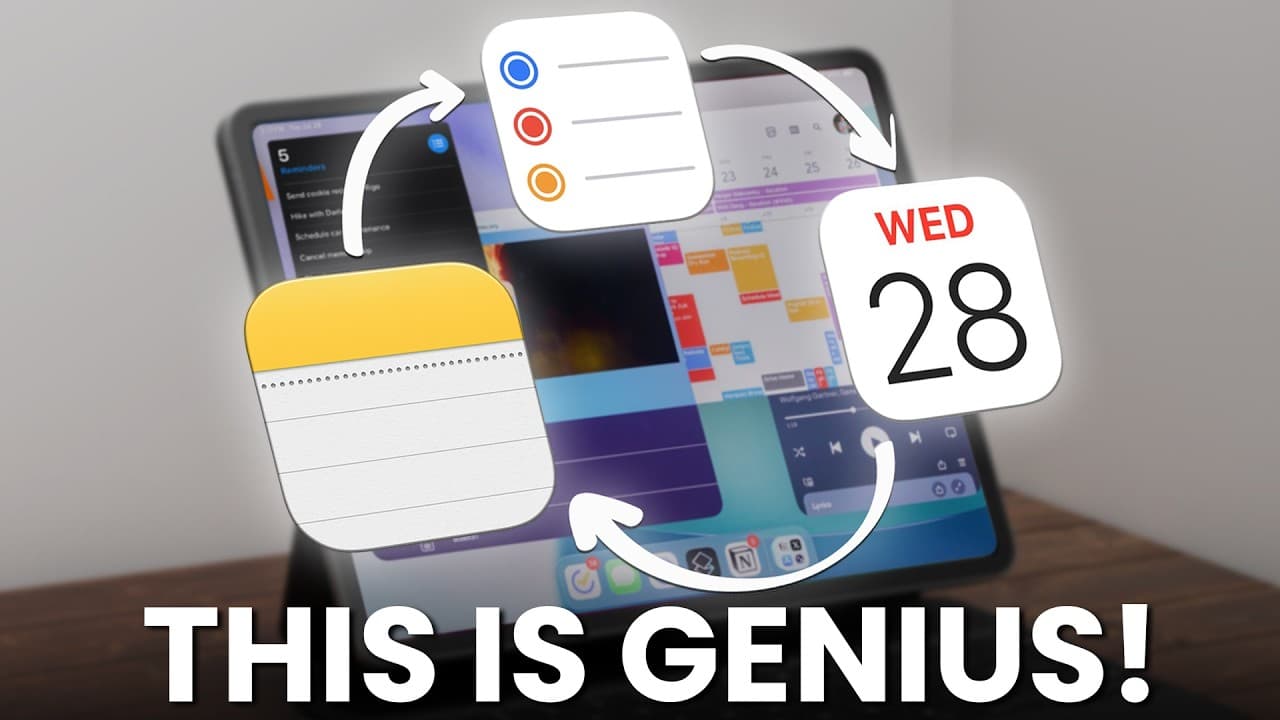
Why Apple’s Productivity Triangle is Genius: Notes, Reminders, Calendar
TL;DR
Apple's productivity triangle streamlines tasks using Notes, Reminders, and Calendar.
Transcript
There are probably tens of thousands of productivity apps out there, but if you're in the Apple ecosystem, Apple have very cleverly built its own productivity system, which I call Apple's productivity triangle. It consists of three productivity apps, and honestly, it's one of the most powerful yet simple productivity systems out there because all t... Read More
Key Insights
- Apple's productivity triangle consists of Notes, Reminders, and Calendar, designed to work seamlessly together for efficient task management.
- Reminders is a highly used app due to its location-based reminders and smart list features, enhancing task management and organization.
- Apple Calendar acts as a personal assistant, providing timely alerts and color-coded events for efficient daily scheduling.
- Apple Notes is favored for its simplicity and speed, allowing quick access and seamless integration across Apple devices.
- The synergy effect of combining Notes, Reminders, and Calendar boosts productivity by creating a cohesive task management system.
- Automation through AI tools like Lindy complements Apple's system, reducing manual workload and increasing efficiency.
- The integration of Apple's apps with iOS security features ensures data protection, aligning with Apple's security standards.
- The simplicity of Apple's apps prevents over-management of productivity tools, allowing more focus on actual tasks.
Install to Summarize YouTube Videos and Get Transcripts
Explore YouTube Video Summarizer or Get YouTube Transcript Extractor
Questions & Answers
Q: How does Apple Reminders enhance productivity?
Apple Reminders enhances productivity through its location-based reminders, smart lists, and natural language processing. It automatically organizes tasks into categories and allows users to create reminders using simple voice commands. The app integrates seamlessly with other Apple devices, ensuring users can manage tasks efficiently across platforms.
Q: What role does Apple Calendar play in the productivity triangle?
Apple Calendar acts as a personal assistant within the productivity triangle, helping users manage their schedules effectively. It provides timely alerts for meetings and events, uses color coding for quick identification, and integrates with other apps like Notes and Reminders, ensuring a cohesive and organized approach to daily planning.
Q: Why is Apple Notes preferred over other note-taking apps?
Apple Notes is preferred for its simplicity, speed, and seamless integration with Apple devices. Users appreciate the quick access to notes and the ability to synchronize across devices via iCloud. Its search functionality and PDF scanning feature add to its appeal, making it a reliable choice for efficient note-taking.
Q: What is the synergy effect in Apple's productivity triangle?
The synergy effect in Apple's productivity triangle refers to the enhanced productivity achieved by using Notes, Reminders, and Calendar together. Each app performs its specific task efficiently, and their seamless integration allows users to manage tasks and schedules in a cohesive manner, maximizing productivity without overcomplicating the process.
Q: How does Lindy complement Apple's productivity system?
Lindy complements Apple's productivity system by automating repetitive tasks, reducing manual workload, and increasing efficiency. As an AI tool, Lindy can perform tasks like personalized email outreach and competitor analysis quickly, allowing users to focus on more strategic work and manage multiple businesses effectively.
Q: What security advantages do Apple's apps offer?
Apple's apps offer security advantages through their integration with iOS security features. Regular updates aligned with system updates ensure data protection, and the use of native Apple apps reduces reliance on third-party applications, minimizing potential security vulnerabilities and ensuring user data is handled according to Apple's stringent privacy standards.
Q: How does Apple's productivity system prevent over-management of tools?
Apple's productivity system prevents over-management of tools by focusing on simplicity and efficiency. Unlike complex apps with numerous customizable options, Apple's apps perform specific tasks well without overwhelming users. This approach allows users to spend less time managing productivity tools and more time focusing on actual work.
Q: What makes Apple's productivity triangle effective?
Apple's productivity triangle is effective because it combines the strengths of Notes, Reminders, and Calendar, each performing a specific task efficiently. The seamless integration of these apps creates a cohesive system that enhances task management and scheduling, allowing users to maximize productivity with minimal friction.
Summary & Key Takeaways
-
Apple's productivity triangle comprises Notes, Reminders, and Calendar, offering a streamlined system for managing daily tasks efficiently. Each app is designed to integrate seamlessly, enhancing productivity through a simple yet powerful synergy effect.
-
Reminders is a key app in the triangle, offering features like location-based reminders and smart lists, which automatically organize tasks. Its natural language processing capabilities further simplify task creation and management.
-
Apple Calendar functions as a personal assistant, providing timely reminders and color-coded events for better organization. Apple Notes is valued for its simplicity and speed, allowing quick note-taking and seamless device integration, enhancing overall productivity.
Read in Other Languages (beta)
Share This Summary 📚
Summarize YouTube Videos and Get Video Transcripts with 1-Click
Try YouTube Summary with ChatGPT & Claude or YouTube Transcript Generator
Explore More Summaries from Mike Dee 📚



Summarize YouTube Videos and Get Video Transcripts with 1-Click
Try YouTube Summary with ChatGPT & Claude or YouTube Transcript Generator