How to Annotate Books and Become a Better Reader!
TL;DR
Learn how to make book annotations more enjoyable and effective with seven helpful tips.
Transcript
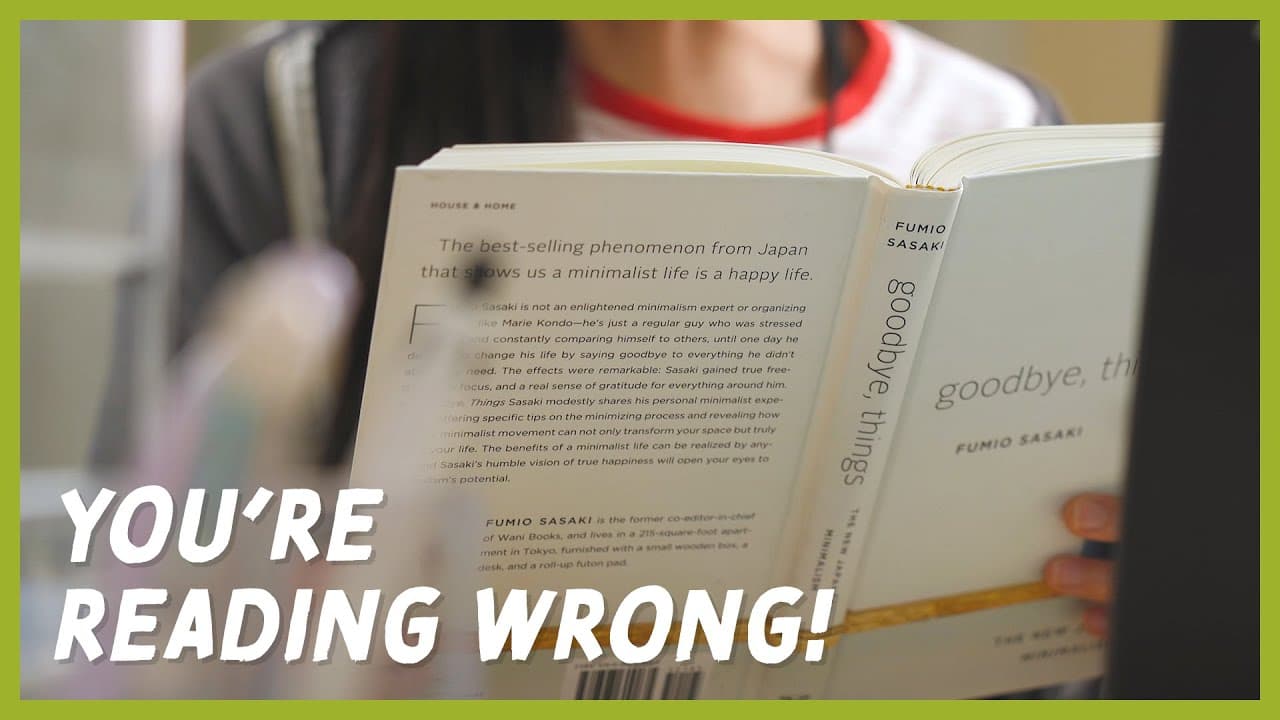
If reading books is a boring chore that you dread... uh, you might be doing it wrong! One way to make it more enjoyable is annotating as you read. Annotating refers to adding your own insights or thoughts into a book. Today, we’ll be covering seven tips on how to annotate. Make sure to give this video a like and tell us your annotating tips in th... Read More
Key Insights
- 👻 Annotating books allows for active reading, engagement, better memory retention, and future reference.
- 📔 Writing inside the book and adding personal insights in the margins enhances the reading experience.
- 👨💻 Highlighting important text and creating a color-coding system make it easier to organize and understand the material.
- 📑 Attaching notes with washi tape or using sticky tabs as bookmarks provides additional space for thoughts and important sections.
- 📔 Transparent sticky notes allow for extensive annotations without covering up the text.
- 📔 Keeping a dedicated reading notebook helps to record insights, memorable quotes, and book ratings in one place.
- 🤗 The mentioned products, such as Pilot Acroball T pens and Kutsuwa HiLiNE Highlighter Pencils, provide convenient options for annotating books.
Install to Summarize YouTube Videos and Get Transcripts
Explore YouTube Video Summarizer or Get YouTube Transcript Extractor
Questions & Answers
Q: What are the benefits of annotating books?
Annotating books allows for active engagement with the material, better retention of information, and easy reference for future use, such as writing reports or participating in book clubs.
Q: How can I start annotating books?
Start by writing your thoughts and insights in the margins of the book, interacting with the text on a personal level. You can also highlight quotes or passages that resonate with you.
Q: What is a color-coding system for book annotations?
A color-coding system helps organize information and adds meaning to the text. Choose colors carefully and assign each color a specific purpose, such as highlighting important facts or underlining impactful writing.
Q: How can I attach additional notes to the book without using loose sheets?
Use washi tape to attach notes, creating a fold-out flap that won't slip out or cover important text. Alternatively, you can use Kokuyo Choi+ Sheet Connecting Stickers for a more permanent option.
Q: How can I mark important pages without writing in the book?
Use sticky tabs or page flags to bookmark important pages or concentrated sections with crucial information. Beverly Cocosasu Page Markers or Iconic Index Sticky Notes are convenient options.
Q: How can I write extensive annotations without covering up the text?
Stalogy Translucent Sticky Notes allow you to take notes, highlight, and circle phrases without blocking the text. Use pencils or ballpoint pens to avoid smearing.
Q: Should I keep a dedicated notebook for reading annotations?
Keeping a separate notebook dedicated to reading is a more organized approach. Mark's EDiT Reading Notebook is recommended as it provides ample space for writing thoughts, memorable quotes, and book ratings.
Q: Where can I find the mentioned products for annotating books?
The products mentioned in the video can be found in the description below the video or at JetPens.com, a website for pen and stationery lovers.
Key Insights:
- Annotating books allows for active reading, engagement, better memory retention, and future reference.
- Writing inside the book and adding personal insights in the margins enhances the reading experience.
- Highlighting important text and creating a color-coding system make it easier to organize and understand the material.
- Attaching notes with washi tape or using sticky tabs as bookmarks provides additional space for thoughts and important sections.
- Transparent sticky notes allow for extensive annotations without covering up the text.
- Keeping a dedicated reading notebook helps to record insights, memorable quotes, and book ratings in one place.
- The mentioned products, such as Pilot Acroball T pens and Kutsuwa HiLiNE Highlighter Pencils, provide convenient options for annotating books.
- JetPens.com is a recommended website for purchasing stationery and pen-related products.
Summary & Key Takeaways
-
Annotating books allows for active reading, engagement with the material, better memory retention, and future reference.
-
Tips for annotating books include writing inside the book, highlighting important text, creating a color-coding system, attaching notes to the page, bookmarking with sticky tabs, using transparent sticky notes, and keeping a dedicated reading notebook.
Read in Other Languages (beta)
Share This Summary 📚
Summarize YouTube Videos and Get Video Transcripts with 1-Click
Try YouTube Summary with ChatGPT & Claude or YouTube Transcript Generator
Explore More Summaries from JetPens 📚

Summarize YouTube Videos and Get Video Transcripts with 1-Click
Try YouTube Summary with ChatGPT & Claude or YouTube Transcript Generator