Samsung Files vs Google Files: Which Is Better for You?
TL;DR
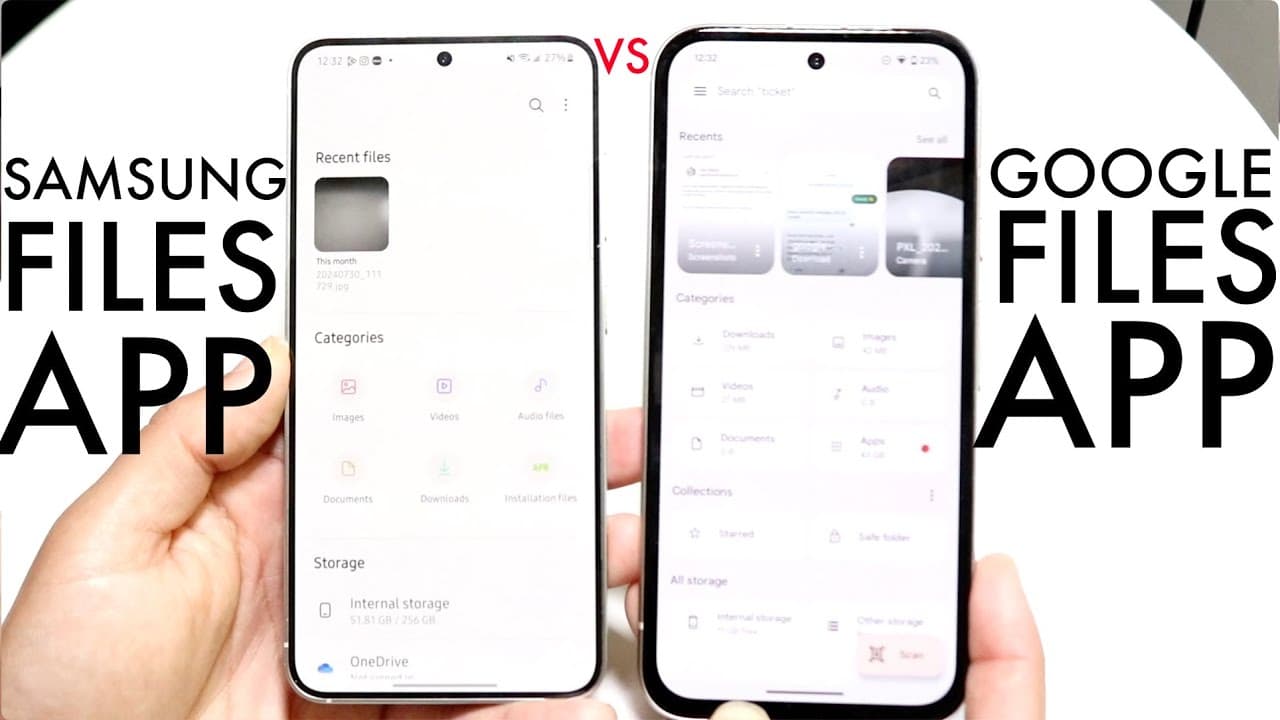
Samsung Files and Google Files offer similar functionalities for effective file management, with both providing access to recent files, search capabilities, and cloud storage options. The main differences lie in their user interfaces, with Samsung Files featuring enhanced cloud management, while Google Files boasts a minimalist design. Ultimately, the choice depends on individual preferences for layout and design.
Transcript
well everyone it's time for us to go and kind of compare the Samsung files application and the Google files application and kind of see which one is a better one for you now I will definitely tell you both of these kind of give you the same exact type of layout for the most part like they both allow you to see your images and photos and you know so... Read More
Key Insights
- 🤩 Both Samsung Files and Google Files provide users with similar key features, enabling effective file management on smartphones.
- 👤 User interface preferences between Samsung and Google Files applications can significantly affect user experience, although their functionalities are largely consistent.
- 😶🌫️ Samsung Files' integration with cloud storage options offers an enhanced convenience for users who rely heavily on cloud services.
- 👤 Google Files provides a minimalist design that may appeal to users who value simplicity and clarity in their applications.
- 👤 Both applications allow users to easily access recent files, with a user-friendly search functionality included in each.
- 📁 The secure folder in Samsung Files is a highlight, emphasizing the importance of personal file security for many users.
- 📁 Beyond basic features, both applications allow for file sharing and organizing through options like 'star' and 'move to secure folder'.
Install to Summarize YouTube Videos and Get Transcripts
Explore YouTube Video Summarizer or Get YouTube Transcript Extractor
Questions & Answers
Q: What are the primary functions of the Samsung and Google Files applications?
Both Samsung and Google Files applications primarily function to manage and organize files on a device. They allow users to view photos, documents, and audio files. Users can search for specific files, manage storage, access cloud services, and share files. The core functionalities are similar, providing efficient file management solutions.
Q: Are there any major differences in the storage management features between the two applications?
Yes, there are subtle differences in storage management. Samsung Files offers dedicated integration with various cloud storage options directly within the app, providing users easy access to cloud files alongside local storage. In contrast, Google Files also includes cloud integration but might require additional steps for access compared to the more straightforward layout of Samsung Files.
Q: How does the user interface of Samsung Files differ from that of Google Files?
The user interface between the two applications is notably different in terms of layout design. Samsung Files adopts a layout that can feel familiar to Samsung users, while Google Files presents a cleaner, more streamlined design reminiscent of Google Drive. Preferences between these aesthetics can influence user satisfaction, although functionality remains largely consistent across both apps.
Q: Is there a notable advantage to using one application over the other?
While both applications offer similar functionalities, the advantage may come down to personal preference in user experience and interface design. Some users may prefer Samsung Files for its cloud integration, while others may favor Google Files for its intuitive design. Fundamentally, the applications do not significantly diverge in terms of features, making either a viable choice depending on user taste.
Summary & Key Takeaways
-
The analysis compares the Samsung Files application with Google Files, noting that both offer comparable functionalities with distinct visual layouts that may appeal differently to users.
-
Key features include access to recent files, search functionality, and cloud storage integrations, though Samsung Files has additional cloud management options integrated within the app.
-
Overall, the differences are mostly cosmetic, and either application serves effectively for file management, with personal preference likely dictating user choice.
Read in Other Languages (beta)
Share This Summary 📚
Summarize YouTube Videos and Get Video Transcripts with 1-Click
Try YouTube Summary with ChatGPT & Claude or YouTube Transcript Generator
Explore More Summaries from Simple Alpaca 📚






Summarize YouTube Videos and Get Video Transcripts with 1-Click
Try YouTube Summary with ChatGPT & Claude or YouTube Transcript Generator